
Appointment Confirmation Text: 8 Examples and When to Use Each

In short
An appointment confirmation text is a short message a business sends right after a client books, confirming the service, the date, the time with its time zone, and the staff member or location. A good one adds a single useful line, such as prep steps, directions or the cancellation policy, and tells the client how to change the booking.
- A confirmation goes out when the client books; reminders are separate messages sent closer to the day, so the two should not repeat each other.
- Pick the example that fixes your most common problem: late arrivals get directions, unprepared clients get prep steps, and late cancellations get the policy line.
- Ask clients to reply only if someone on your team reads the replies the same day, and end every text with an opt-out line.
In this article14 sections
An appointment confirmation text is the first message a client gets after booking, and it does one job: prove the booking exists and say exactly when and where it is. Below are eight confirmation text message examples by situation, what each one adds and a table for choosing one.
Twizzlo publishes this guide and makes appointment scheduling software that sends confirmations; a labeled section near the end shows where it fits. The examples work with any booking tool.
What an Appointment Confirmation Text Does
An appointment confirmation text tells a client, within minutes of booking, that the appointment exists and exactly when and where it is. It is not a reminder, which goes out closer to the visit, and it is not a confirmation email, which has room for longer details such as policies and directions.
Every confirmation needs the business name, the service, the day and date, the time with its time zone and the staff member or address. Examples 2 to 8 each add one line for a specific problem and shorten the basics to keep that line in view; in your own text, keep the business name, date and time zone from example 1. The chooser table after example 8 matches each line to the problem it solves. Keep the text short enough to arrive as one message and to read on a lock screen.
Consent and opt-out rules for business texts differ by country and carrier, so check what applies where you and your clients live and ask a qualified professional to review your wording.
For copy-ready wording with blanks to fill, use our appointment confirmation text templates; for the email version, see the booking confirmation email template; and to automate the messages that follow, compare appointment reminders software.
1. The Basic Confirmation: Service, Date, Time and Place
The basic confirmation carries only what the client needs to show up: the business name, the service, the day and date, the time with its time zone, and the staff member or address.
Example for a Salon:
"Confirmed: your haircut with Casey at The Style Suite is on Monday, Oct 26, at 3:00 PM ET. Need to change it? Call 555-0142. Reply STOP to opt out."
Example for a Pet Groomer:
"Confirmed: Bella's full groom at Paws & Suds is Tuesday, Nov 10, at 9:00 AM PT. Drop-off is at the side door. Reply STOP to opt out."
Why it works:
- The weekday next to the date: "Monday, Oct 26" lets a client spot a wrong day at a glance.
- The time zone: "ET" or "PT" settles the time for a client who booked while traveling or lives in another zone.
- One way to change it: a phone number or a link tells a client who cannot make it what to do instead.
Confirmations only help if every booking lands on one calendar; our guide to how to schedule appointments covers that setup.
2. Confirmation With Prep Steps and Your Policy
Services that go better when the client prepares, such as facials, lash extensions and tattoos, need one or two prep steps in the confirmation, plus the cancellation rule the client agreed to at booking.
Example for a Day Spa (the 50% fee is an example policy, not a recommendation):
"Your 90-min Signature Facial with Elena is confirmed for Thursday, Nov 12, at 1:00 PM.
Before you come:
• Arrive with a clean, makeup-free face.
• Skip exfoliating products for 48 hours before.
Policy: please give 24 hours' notice to cancel to avoid a 50% service fee. Reply STOP to opt out."
Example for a Tattoo Studio:
"Confirmation: your forearm tattoo session with Jordan is booked for Thursday, Dec 3, at 10:00 AM at Ironline Tattoo. Please eat beforehand, wear a short-sleeved shirt and bring your reference images. Reschedules need 48 hours' notice. Reply C to confirm. Reply STOP to opt out."
Why it works:
- A step the client can act on: "Arrive with a clean, makeup-free face" needs no phone call to understand.
- The policy in the booking's own words: the notice period and the fee match what the client saw when booking.
- One step per line: short separate lines stay readable on a phone screen.
For salon-specific tactics, see how to reduce no-shows in a salon.
3. Confirmation With the Price and One Add-On
Adding the price removes surprises at checkout, and one related add-on can be offered in the same message while the client is thinking about the visit.
Example for a Spa (prices are examples):
"Confirmed: your 60-min deep tissue massage is booked for Thursday, Nov 12, at 1:00 PM for $120. Want to add a 15-min aromatherapy session for $25? Reply ADD to include it. Reply STOP to opt out."
Example for a Hair Salon (prices are examples):
"Your balayage with Maya is confirmed for Thursday, Dec 3, at 10:00 AM. Total: $250. A bond-repair treatment for your new color is $40. Add it here: [link]. Reply STOP to opt out."
Why it works:
- The total: the client knows the price before arriving at checkout.
- One add-on, with its price: a single related offer is easy to accept or ignore; a menu of options is easier to skip.
- One step to accept: a reply word or a link is all the client needs.
4. Confirmation With Directions and Parking
When a studio is hard to find, the confirmation should carry a tested map link, the best place to park and one landmark the client will see from the street.
Example for a Massage Studio in an Office Park:
"Your 60-min massage with Evan is confirmed for Thursday, Nov 12, at 10:00 AM. We are in Northgate Business Park, Building C, Suite 205. Map: [link]. Park in Lot 3 behind the building and look for the blue awning. Reply STOP to opt out."
Example for a Home Service:
"Confirmed: your home cleaning with Maple Street Cleaning is Thursday, Nov 12. Your cleaner, Dana, arrives between 9 and 10 AM. Reply if parking is limited at your address. Reply STOP to opt out."
Why it works:
- The landmark: "look for the blue awning" works where a suite number on a map does not.
- The parking line: "Lot 3 behind the building" saves a first-time client a lap of the lot.
- The arrival window: when the business travels, "between 9 and 10 AM" replaces the address as the detail that matters.
Tips before you send it:
- Open every map link from a phone to check it lands on the right door, and re-check it quarterly or after any change to the building or parking.
- Name a landmark the client will see from the street, such as a colored awning or a sign.
- Say where to park, whether parking costs anything and where to go when the lot is full.
- Mention step-free entrances, elevators or accessible parking.
5. Confirmation That Recalls a Past Visit
A confirmation can mention a preference recorded at an earlier visit, such as a color formula or a preferred massage pressure, so the client sees the appointment is planned around them.
Example for a Massage Therapist:
"Hi Alex. Your 60-min deep tissue massage is confirmed for Thursday, Nov 12, at 4:00 PM. We have your note: firm pressure, no music. Reply STOP to opt out."
Example for a Beauty Salon:
"Confirmed! Your color and cut with Jen is set for Friday, Oct 30, at 1:00 PM. We have your notes about working toward a lighter balayage over your next few visits. Reply STOP to opt out."
Keep notes to service preferences; leave health details out of text messages.
Why it works:
- The recalled note: "firm pressure, no music" shows the visit is set up for this client.
- One note, not the whole file: a single preference reads as attentive; a long list can feel intrusive.
- Current records: the line only works if staff update the client's notes after each visit.
6. Confirmation With a Short Video Link
A link to a short video can show a first-time client the space, the parking or what happens during a service, which helps when the client has never had that service before.
Example for an Esthetics Studio:
"Your first facial with Erin is confirmed for Thursday, Nov 12, at 1:00 PM. To see what to expect, watch our short video: [link]. Reply STOP to opt out."
Example for a Spa:
"Confirmation: your 90-min deep tissue massage is booked for Saturday, Nov 14, at 11:00 AM. New to our spa? Take a short video tour of the space first: [link]. Location: Serenity Now Spa, 123 Bliss St. Reply STOP to opt out."
Why it works:
- A link, not a file: the text stays short and the video does the explaining.
- An answer before the question: the video shows a first-timer what happens on arrival.
Tips for the video:
- Keep it short and about one thing: the space, the parking or the service.
- Add captions so it makes sense with the sound off.
- Host it where it plays on any phone without an app or a login.
7. Confirmation That Asks for a Reply
A confirmation that asks for a one-word reply, such as C to confirm or R to reschedule, shows you the client has read it, but only if someone on your team reads and answers the replies.
Example for a Barbershop:
"Your fade with Marcus at Northside Barbers is on Thursday, Nov 12, at 10:00 AM. Reply CONFIRM to confirm or RESCHEDULE to change your time. Reply STOP to opt out."
Example for a Salon:
"Hi Alex! Your balayage with Jean is set for Saturday at 1:00 PM. Please reply 1 to confirm you have read our 24-hour cancellation policy or 2 if you have questions. Reply STOP to opt out."
Why it works:
- Two clear options: confirm or change, with nothing else to type.
- The policy check: "reply 1 to confirm you have read our 24-hour cancellation policy" turns the policy into something the client answers.
Tips for handling replies:
- Use one letter, one number or one short word for each option.
- Send a short acknowledgment to each reply, such as "Thanks, you're confirmed."
- Decide who answers replies and how fast, and treat a request to cancel as urgent so the slot can be offered again.
For how these replies fit with the rest of your client messages, see our client communication best practices.
8. Text and Email Confirmations Together
Text and email work together when each does a different job: the text carries the date, time and place, and the email carries longer items such as the policy, prep steps and directions.
Example for a Day Spa, the Text:
"Confirmed: your massage and facial with Nina are on Thursday, Nov 12, at 10:00 AM. Check your email for pre-visit details. Reply STOP to opt out."
The Email, a Few Minutes Later:
Subject: Your spa visit with Nina on Thursday, November 12
Hi Priya, your massage and facial with Nina are confirmed for Thursday, November 12, at 10:00 AM at our downtown spa.
Please arrive 15 minutes early to check in and share your pressure and music preferences. Directions and parking: [map link]. To reschedule: [booking link].
Why it works:
- The pointer line: "Check your email for pre-visit details" connects the two messages.
- No repetition: the email adds arrival, directions and rescheduling instead of repeating the text.
Our roundup of the best appointment scheduling software compares tools that can send both.
Which Confirmation Text to Send: A Quick Chooser
Choose the confirmation by the problem it solves: the basic text for every booking, then at most one added line for the problem your business sees most often.
| Problem You See | Example to Use | The Line It Adds | Keep in Mind |
|---|---|---|---|
| Every booking | 1, the basic text | Service, day and date, time with time zone, staff member or address | Send it even when you add nothing else |
| Clients arrive unprepared | 2, prep steps and policy | One or two prep steps | Link a page when the steps run past two lines |
| Late cancellations | 2, prep steps and policy | The cancellation window and any fee | Use the wording the client saw when booking |
| Surprises at checkout | 3, price and add-on | The total price | Show the add-on's price too |
| A popular add-on | 3, price and add-on | One related add-on | Offer one, not a menu |
| Lost clients arriving late | 4, directions and parking | A tested map link, parking and one landmark | Re-test the link after any change |
| Returning clients | 5, past visit | One service preference from the client's record | No health details in a text |
| New clients, unfamiliar service | 6, video link | A short video of the space or the service | Add captions for viewing with the sound off |
| Bookings you need confirmed | 7, reply request | A one-word reply option | Someone must answer replies the same day |
| Details too long for a text | 8, text plus email | "Check your email for pre-visit details" | The text still carries date, time and place |
To draft your own from scratch, follow our steps on how to write an appointment confirmation text.
Where Twizzlo Fits: Confirmation Texts and the Booking Record
Twizzlo is web-based online booking and appointment scheduling software for appointment-based service businesses, and it sends automated booking confirmations and appointment reminders.
Email confirmations and reminders are included on both plans. Text messages (SMS) are on Business Pro only: 50 SMS a month are included, then $0.03 each. Free has no SMS.
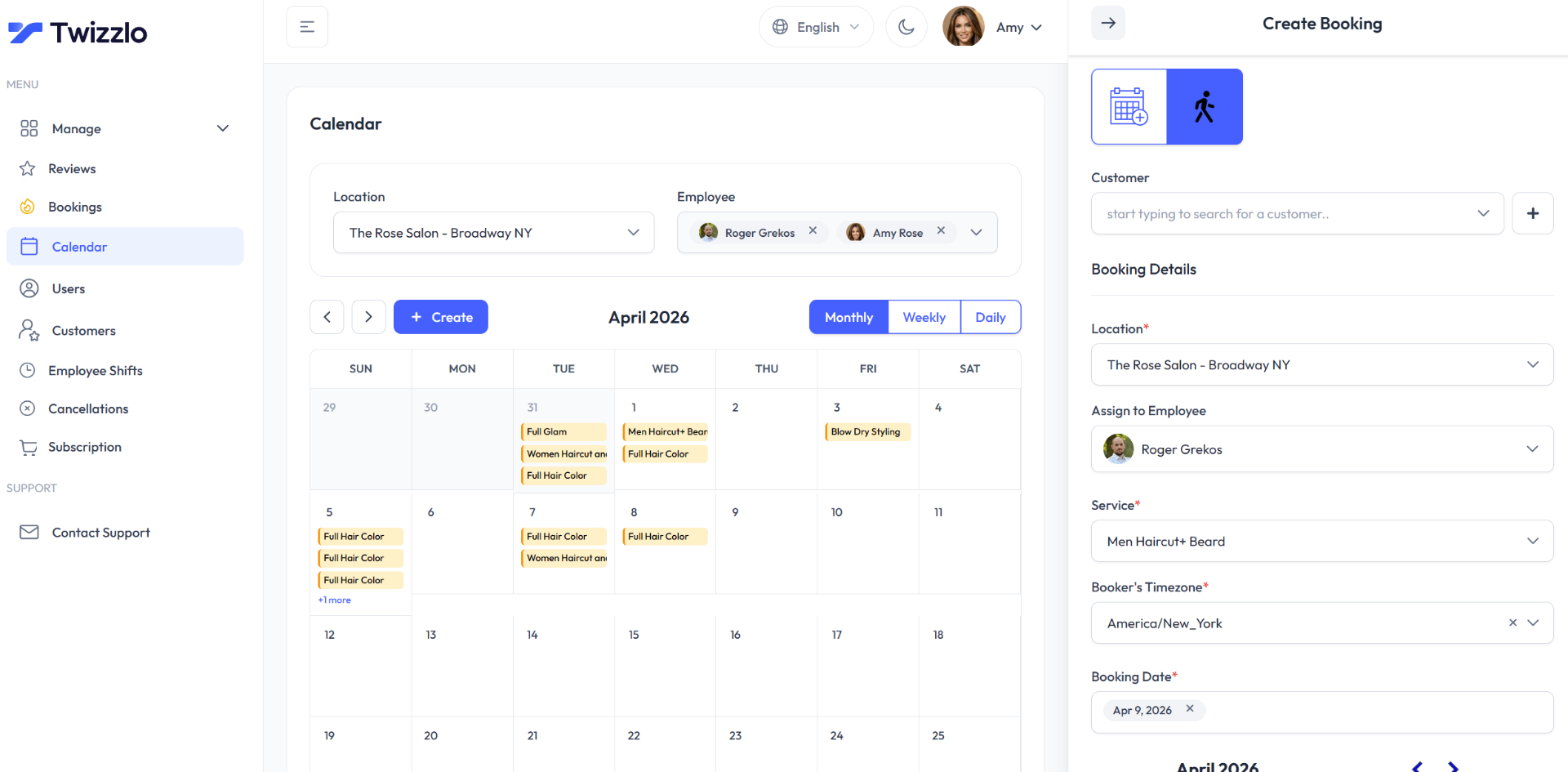
Each booking in Twizzlo records the service from your services and pricing catalog, the staff member, the location, the date and the booker's time zone, and multiple time zones are supported. Clients can reschedule themselves, Twizzlo handles cancellations, and client profiles keep notes and preferences that staff can read before a visit.
Twizzlo has two plans. Free is $0 a month for up to 150 bookings, with no SMS, and includes the core booking, CRM, staff, insights and online payment features. Business Pro is $29.99 a month per business with unlimited bookings, 50 SMS a month and then $0.03 each, and a 30-day money-back guarantee. Both plans include unlimited staff and locations. Support is available 24/7.
Online payments carry your Stripe processing rate plus a 1.5% Twizzlo platform fee.
Prepaid bookings work on any service: the client pays the full service price at booking. When a client does not show, you decide whether to keep or refund it, and no-show fees are applied at your discretion.
Worked example: if a month's confirmations and reminders use 80 SMS on Business Pro, the 30 beyond the 50 included cost $0.90.
Compare the two plans to see which one covers the texts you plan to send.
Appointment Confirmation Text FAQ
Which appointment confirmation text should a small business start with?
Start with the basic confirmation: service type, date, time with time zone, and provider or location, kept short enough to arrive as one text. It works in any industry. Once it runs automatically, add the variation that solves your biggest problem: prep instructions, directions or an add-on offer. If you want ready-made wording, appointment confirmation text templates with blanks to fill in can be copied and adapted.
Can an appointment confirmation text include an upsell without hurting the client experience?
Yes, when the offer is a logical extension of what the client already booked, so it reads as a helpful suggestion rather than a sales pitch. Suggest an aromatherapy add-on with a massage, not an unrelated service. Offer one add-on, show the price of both the service and the add-on, and make accepting easy with a reply word or a direct link. Timing matters too: right after booking, the visit is on the client's mind.
Do confirmation texts need a map or parking link?
They should have one if your location is tricky to find: a massage studio in an office park, a salon inside a shopping center, or any multi-location business where clients could show up at the wrong branch. Include a tested map link, the best parking option, and a visual landmark like “look for the blue awning.” Review the details quarterly, since construction or parking changes can quietly make your directions obsolete.
Is it overkill to send confirmations by SMS, email, and app push?
Not if each channel does a different job. The text carries the date, time and place; the email holds the policy, prep steps and directions. Push notifications only apply to businesses with their own app; without one, send the text and the email a few minutes apart and have the text point to the email.
How personal should a confirmation text be?
As personal as your client records support. Mentioning a preference from a previous visit, such as "we have your note: firm pressure," signals that the upcoming service is planned around the client. It depends on disciplined note-taking: train staff to update client profiles after each visit, then use those notes when you write the message. Keep health details out of text messages.
What makes a two-way confirmation text more effective than a one-way notification?
Asking for a simple reply, such as "C" to confirm, shows the client has read the message, and a reply asking to reschedule or cancel reaches you early enough to offer the slot to someone else. Keep response options minimal, acknowledge each reply, and treat a request to cancel as urgent. The approach only works if someone on your team reads and answers the replies.
Is a text or a phone call better for confirming an appointment?
A text suits most routine bookings: it arrives right away, the client can read it when convenient, and both sides keep a written record of the date and time. A phone call still helps when a booking needs a conversation, such as a long or first-time service, a large prepaid amount or a client who has not answered a text.
Should new and returning clients get different confirmation texts?
Yes, when their needs differ. A first-time client needs the address, parking and any prep steps, because they have never been to you. A returning client already knows the way, so a shorter text with the date, time and staff member works, plus a note from their last visit if your records hold one.
Turning Confirmations into Connections
Start with the basic confirmation for every booking, then add the one line that fixes your most common problem: prep steps, directions, the price, a past-visit note, a video, a reply request or a pointer to the email. Re-read each version whenever your hours, address, prices or policy change, because an outdated line reaches every client who books.
Sources and methodology
- Twizzlo features page (opens in a new tab)Read . Supports: Twizzlo automated confirmations and reminders, client self-rescheduling, cancellation handling, multiple time zones, client notes and preferences, services and pricing catalog, prepaid bookings and no-show fees named in the Where Twizzlo Fits section
- Twizzlo pricing page (opens in a new tab)Read . Supports: Twizzlo plans, booking cap, email confirmations on both plans, SMS allowance and per-SMS price, guarantee, support and the online payment fee
From our editorial policy
- Twizzlo sells online booking and appointment scheduling software, the same category we write about. Twizzlo appears in our comparisons and roundups, and we have a commercial interest in you choosing it.
- We do not publish invented quotes, studies, statistics, customer stories or product tests, and we do not imply hands-on use of a product when the research came from the vendor's public documentation.
- To report an error, email support@twizzlo.com with the subject line "Correction: [page URL]". Tell us what is wrong and, if you can, link a source.
Update history
- : Retitled the guide, added a definition, a table for choosing an example and two FAQs, corrected Twizzlo's plan and text-message details and the example dates, and removed unsupported claims and two drawings.
Start free, upgrade when you grow
Flat-rate booking software. No per-seat, per-chair or per-location fees.
- Free plan up to 150 bookings a month, not a trial
- Business Pro is $29.99 a month per business for unlimited bookings, with a 30-day money-back guarantee
- 24/7 support by email