
How to Reduce No-Shows in a Salon: 9 Practical Strategies

In short
To reduce no-shows in a salon, let clients book and reschedule online, send a confirmation and reminders before every visit, show your cancellation policy at booking, take prepayment on long or high-value services, refill gaps from a waitlist, keep notes that make each visit personal, track who misses and when, and reward regulars who always show up.
- Measure first: divide the appointments missed without notice by the appointments booked over 90 days, then split that rate by stylist, weekday and service.
- Show the cancellation policy at booking, in the confirmation and in every reminder, so no client first hears of it after a miss.
- Match each fix to the cause your records show: reminders for forgetting, prepayment for weak commitment, easy rescheduling for last-minute conflicts.
In this article14 sections
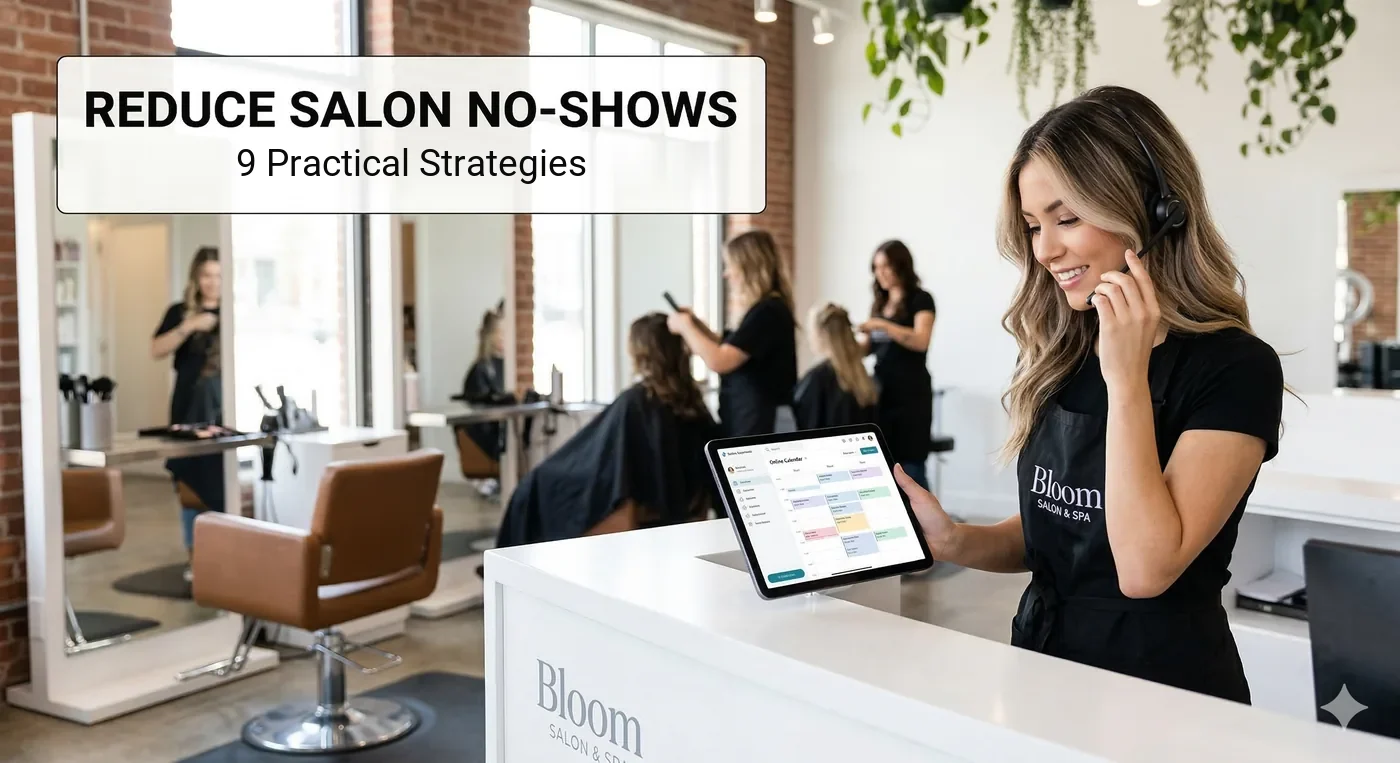
A client books a cut or a color and never arrives: no call, no text, just an empty chair and a stylist with nothing to do.
Twizzlo publishes this guide and makes salon scheduling software; a labeled section after the strategies shows where it fits. The nine strategies below work in any booking system.
1. Switch to Online Booking (and Make It Effortless)
Online booking lets clients book at any hour, see real-time availability and pick their stylist, so a booking never depends on someone being free to answer the phone.
Phone-only booking creates friction. Clients who can’t get through during business hours, or who want to book at 10 p.m. while scrolling on their couch, simply won’t call back. They’ll book with a competitor instead.
Keep the booking flow short: ask only for what you need to confirm the appointment, and do not make clients download an app before they can book.
If you have not picked a tool yet, our guide to the best salon software compares how each platform bills and what its plans cost.
2. Send Automated Appointment Reminders
Automated reminders catch the no-shows that happen because a client forgot, and they give a client who cannot come a prompt to cancel or reschedule while the slot can still be refilled.
One common sequence has three messages:
- Confirmation immediately after booking: This gives the client a record of the date, time and service. It also lets them catch errors early (like booking Tuesday when they meant Thursday).
- First reminder 48 hours before the appointment: Sent before a 24-hour cancellation window closes, it gives clients time to reschedule and gives you time to fill the slot.
- Final reminder 2 to 4 hours before: A same-day nudge keeps the appointment top of mind for the client who would otherwise say “I forgot.”
Send reminders by text and email together. The text is the quick nudge on the client’s phone, and the email keeps the full details and your cancellation policy in one place the client can find later.
Reminder tools differ in how much of this timing you can set; our guide to appointment reminders software covers what to compare.
3. Implement a Clear Cancellation Policy
A cancellation policy tells clients before they book how much notice to give and what a late cancellation or no-show costs, so the rule never arrives as a surprise.
A cancellation policy isn’t about punishing clients; it’s about setting expectations. When clients know that a missed appointment has consequences, they treat their booking with more respect.
Your cancellation policy should cover three things: how far in advance clients need to cancel (for example, 24 or 48 hours), what happens if they don’t (for example, a fee), and how they can cancel or reschedule easily.
The detail that makes a policy work is communication. Your policy does nothing if it’s buried in fine print on a website nobody reads. It needs to be communicated at three key moments: when the client books, in the confirmation message, and in the reminder message. When it’s clear and upfront, clients don’t feel blindsided; they feel informed.
Our guide to a fair no-show charge covers fee amounts, policy wording and when to waive a fee.
4. Require Deposits or Card-on-File for Bookings
A deposit, a full prepayment or a card kept on file gives the client a financial stake in the appointment, which a reminder or a policy alone does not.
If reminders address forgetfulness and policies address expectations, deposits address commitment.
You can require payment for every booking or only for long or high-value services, such as color or extensions, where an empty chair costs the most.
This doesn’t have to feel aggressive. Frame it as a standard part of your booking process and state it in your policy. Some restaurants and other service businesses ask for a card at booking; salons can do the same.
5. Build a Waitlist System
A waitlist is a short list of clients who asked for a time that was already taken, so a cancellation or no-show becomes an offer to someone who wants the slot.
Every no-show or late cancellation creates an empty slot. Without a waitlist, that slot stays empty and the revenue is gone. With one, you have a ready pool of clients who want that time.
Whenever a client asks for a time that is full, add them to the list. When a cancellation comes in, message the list in order; a shared list and a text to each client works in any booking system.
Each slot you refill recovers revenue that would otherwise be lost.
6. Personalize the Client Experience
Clients who know their stylist, and feel known in return, have more reason to keep an appointment than clients who treat the visit as a transaction.
When your salon feels like a transaction (book, show up, pay, leave), there’s little emotional cost to skipping an appointment. When it feels like a relationship, the dynamic shifts.
Small touches matter. Remembering a client’s name, their preferred stylist, their last service, or even their usual drink order creates a sense of connection. Clients who feel valued and recognized are more likely to keep their appointments and to rebook.
This is where good client management tools make a difference. Keeping detailed client profiles with service history, preferences, and notes gives every member of your team the context they need to make each visit feel personal.
7. Make Rescheduling Easier Than Cancelling
Not every no-show is careless: a meeting runs late or a child gets sick, and when rescheduling takes a phone call, skipping feels easier than finding a new time.
If your rescheduling process requires a phone call during business hours, you’re creating unnecessary friction. Clients who can’t easily find a new time will just skip the appointment entirely.
Give clients the ability to reschedule online in a few taps, the same way they booked. When moving an appointment is as easy as cancelling it, a client can reschedule instead of not showing up. You keep the client, and you keep the revenue, just on a different day.
8. Track No-Show Patterns and Take Action
Tracking shows which clients, stylists, weekdays and services carry the most no-shows, so you can aim prepayment, reminders and policy at the slots that need them.
Not all no-shows are created equal. Some clients have one bad day. Others are serial offenders. If you’re not tracking the data, you’re treating both groups the same way.
Use your booking records to see which clients no-show repeatedly, which days and times have the highest no-show rates, and which services are most affected.
Worked example: Over 90 days a salon books 1,200 appointments and 54 end as no-shows, a 4.5% rate. Split by weekday, Saturday holds 300 of the bookings and 22 of the no-shows (7.3%), while the other days hold 900 bookings and 32 no-shows (3.6%). Saturday is where prepayment or an extra reminder should start. These are example figures; use your own records.
For repeat offenders, you might require a deposit for future bookings, limit their ability to book online, or have a direct conversation about the impact on your business. For high-risk time slots, you might overbook slightly or block those times for walk-ins.
The point is: data turns a frustrating problem into a solvable one.
9. Reward Clients Who Show Up
Rewarding clients who keep their appointments gives reliable clients a reason to protect their record, alongside the penalties in your policy.
A simple loyalty program (a discount after a certain number of visits, a free add-on service for clients with a perfect attendance record, or even just a handwritten thank-you note) reinforces the behavior you want. Use both rewards and penalties.
The 9 Strategies at a Glance
The table sums up each strategy, the cause it targets and one number that shows whether it is working in your salon.
| Strategy | How it cuts no-shows | What to track |
|---|---|---|
| 1. Effortless online booking | Removes friction and captures after-hours demand | Share of bookings made online and after hours; no-show rate on online vs. phone bookings |
| 2. Automated reminders | Fixes the “I forgot” problem without manual follow-up | No-show rate in the 90 days before and after reminders start |
| 3. Clear cancellation policy | Sets expectations and attaches consequences | Late cancellations inside the notice window, per month |
| 4. Deposits or card-on-file | Gives clients a financial stake in the booking | No-show rate on services that require payment vs. the rest |
| 5. Waitlist system | Refills cancelled slots instead of losing the revenue | Cancelled or missed slots refilled from the list, per month |
| 6. Personalized experience | Relationships raise the emotional cost of skipping | Share of regular clients who rebook within their usual interval |
| 7. Easy rescheduling | Converts cancellations into moved appointments | Reschedules vs. cancellations, per month |
| 8. Pattern tracking | Targets repeat offenders and high-risk time slots | No-show rate by client, stylist, weekday and service; clients with repeated no-shows |
| 9. Rewards for showing up | Reinforces the behavior you want instead of only punishing the behavior you don’t | No-show rate of reward members vs. other clients |
Where Twizzlo Fits in the 9 Strategies
Twizzlo is web-based online booking and appointment scheduling software for appointment-based service businesses, including salons, and several of the nine strategies above map to settings in it.
- Strategy 1: a 24/7 online booking page with real-time availability and a per-location booking link.
- Strategy 2: automated confirmations and reminders. Email confirmations and reminders are included on both plans. Text messages (SMS) are on Business Pro only: 50 SMS a month are included, then $0.03 each. Free has no SMS.
- Strategy 3: cancellation handling and custom booking rules.
- Strategy 4: prepaid bookings on any service.
- Strategy 6: client profiles with visit history, notes and preferences.
- Strategy 7: client self-rescheduling, and staff can drag an appointment to a new time on the calendar.
- Strategy 8: client history and visit log, repeat client tracking, and booking-volume insights in daily, weekly and monthly views.
Prepaid bookings work on any service: the client pays the full service price at booking. When a client does not show, you decide whether to keep or refund it, and no-show fees are applied at your discretion.
Twizzlo has two plans. Free is $0 a month for up to 150 bookings, with no SMS, and includes the core booking, CRM, staff, insights and online payment features. Business Pro is $29.99 a month per business with unlimited bookings, 50 SMS a month and then $0.03 each, and a 30-day money-back guarantee. Both plans include unlimited staff and locations. Support is available 24/7.
Online payments carry your Stripe processing rate plus a 1.5% Twizzlo platform fee.
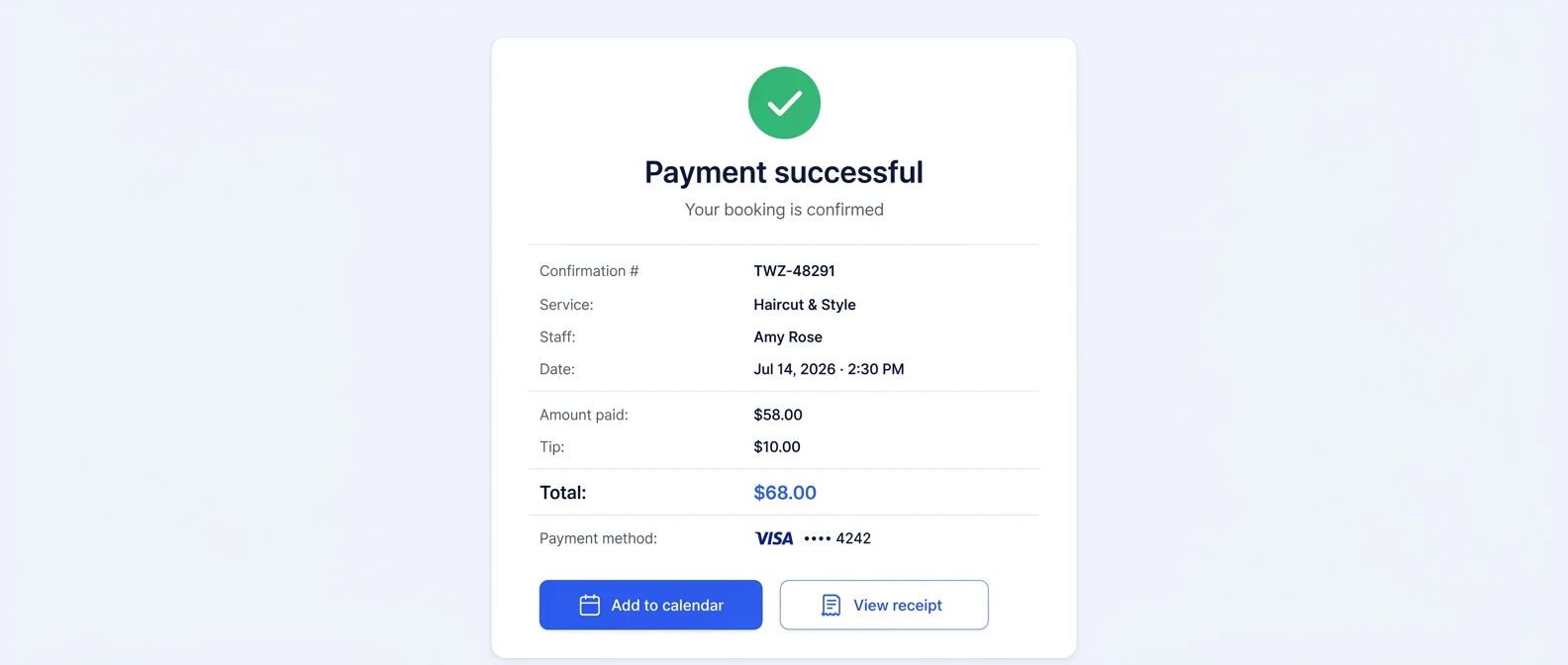
To see what each plan includes, compare the two plans.
Salon No-Show FAQ
What is a typical no-show rate for a salon?
No-show rates vary with clientele, location, booking channel, and policy, so the most useful benchmark is your own salon’s rate. Divide the appointments clients missed without notice by the total you booked over the last 90 days, then track that rate monthly by stylist, weekday, and service. If it is rising, start with the fixes in this guide: online booking, automated reminders, a clearly communicated cancellation policy, and prepayment on higher-value services.
How much does a no-show actually cost a salon?
Multiply your average ticket by the appointments clients miss without notice, then add any wages you pay for the empty time. For example, a stylist with a $60 average ticket who loses two appointments a week over 48 working weeks misses $5,760 in bookings a year. That revenue is gone unless a waitlist or a quick reschedule refills the slot.
Why do salon clients no-show?
Clients miss appointments for a few ordinary reasons. Some forget the date, which confirmations and reminders address. Others hit a late meeting or a sick child and find cancelling easier than finding a new time, which one-tap online rescheduling addresses. A purely transactional relationship makes skipping easier too, and personal touches address that. Your own no-show records show which cause leads in your salon.
How should a salon handle clients who repeatedly no-show?
Track the data first so you can separate a one-off bad day from a serial pattern. For repeat offenders, require a deposit on future bookings, limit their access to online booking, or have a direct conversation about the impact on your business. Pair that with the cancellation fee your policy states in advance.
Do deposits really prevent salon no-shows?
They give clients a financial reason to keep the appointment, which reminders and policies alone cannot do: once a client has paid part or all of the price at booking, skipping costs them money. Present the deposit or card requirement as a standard step in booking, state it in your policy, and compare the no-show rate on services that require payment with the rest to see the effect in your salon.
Should a salon overbook to make up for no-shows?
Only carefully, and only where your data supports it. Slight overbooking can make sense for specific time slots with a documented history of no-shows, or you can hold those slots for walk-ins instead. Fixing the causes is the safer play: reminders, deposits, and a waitlist recover lost revenue without the risk of two clients arriving for one chair.
Which no-show strategy should a salon start with?
Start by measuring your no-show rate for the last 90 days, then turn on confirmations and reminders, because they change nothing about how clients book or pay. Next, show the cancellation policy in the booking flow and every message, add prepayment to long or high-value services, and use online rescheduling and a waitlist to refill the gaps that remain.
What should a salon do after a client no-shows?
Mark the appointment as a no-show in your booking system instead of deleting it, so the pattern stays visible. The same day, send a short, friendly message with a link to rebook. Apply your stated policy the same way to every client, and review anyone with repeated no-shows, for example two in 90 days, before you accept their next online booking.
The Bottom Line: Systems Beat Willpower
Reducing no-shows isn’t about lecturing clients or hoping they’ll change. It’s about building systems that make showing up the path of least resistance, and skipping the appointment the path of most resistance.
Put together, the nine strategies come down to four habits: booking that is easy for clients, reminders that go out on their own, a policy applied the same way every time, and a monthly look at the numbers.
If appointments still live in phone calls and a paper book, moving them into one booking system is the step that makes the other eight possible.
Sources and methodology
- Twizzlo features page (opens in a new tab)Read . Supports: Twizzlo online booking, reminder, cancellation, prepaid booking, no-show fee, rescheduling, client profile and insights features named in the Where Twizzlo Fits section
- Twizzlo pricing page (opens in a new tab)Read . Supports: Twizzlo plans, booking cap, SMS allowance, guarantee, support and the online payment fee
From our editorial policy
- Twizzlo sells online booking and appointment scheduling software, the same category we write about. Twizzlo appears in our comparisons and roundups, and we have a commercial interest in you choosing it.
- We do not publish invented quotes, studies, statistics, customer stories or product tests, and we do not imply hands-on use of a product when the research came from the vendor's public documentation.
- To report an error, email support@twizzlo.com with the subject line "Correction: [page URL]". Tell us what is wrong and, if you can, link a source.
Update history
- : Retitled without 'Proven', removed unsourced cost and outcome figures, added a what-to-track column, a worked no-show-rate example and two FAQs, and moved Twizzlo's current plan details into one labeled section.
Start free, upgrade when you grow
Flat-rate booking software. No per-seat, per-chair or per-location fees.
- Free plan up to 150 bookings a month, not a trial
- Business Pro is $29.99 a month per business for unlimited bookings, with a 30-day money-back guarantee
- 24/7 support by email