
Private chef booking software for serious culinary pros
Online booking, prepaid bookings per event, and a calendar that respects buffer time and blackout dates.
Plans
- FreeUp to 150 bookings a month, not a trial
- $0/mo
- Business ProPer business: unlimited bookings, 50 SMS a month
- $29.99/mo
- Unlimited staff and locations on both plans
- 30-day money-back guarantee on Business Pro
- 24/7 support
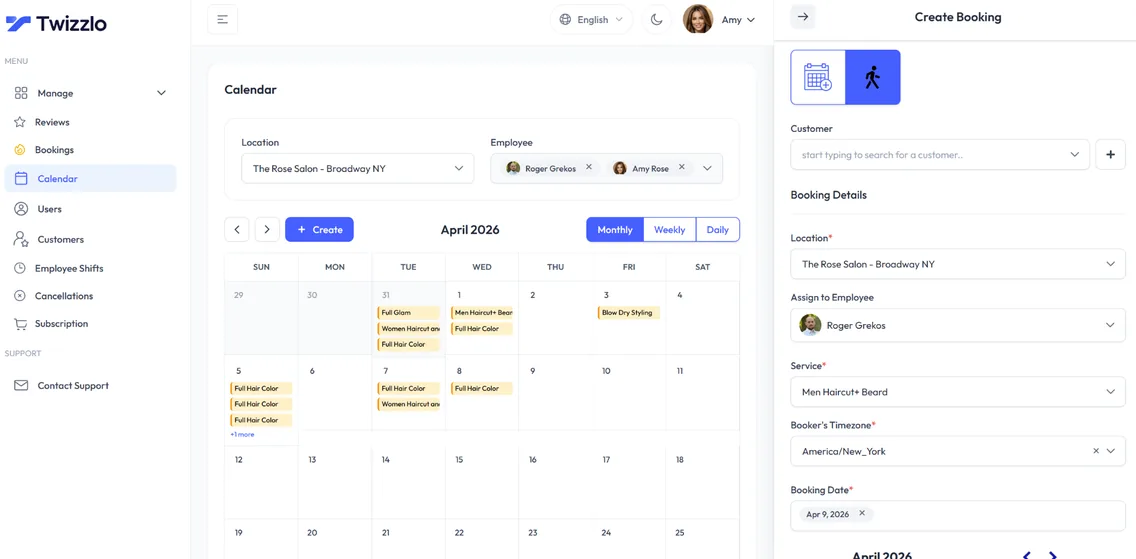
Twizzlo is private chef booking software for personal chefs, in-home dinner services and event chefs. Clients book from a public page, prepay if you require it, and the booking lands on your calendar linked to their client profile, where you keep contact details, notes, preferences and allergies. Cancellation handling and no-show fees support the policy you set.
As a personal chef CRM and chef booking app, Twizzlo tracks every event per client, keeps notes and preferences on file, and lets you block out prep days and blackout dates so prep days stay clear. Take the full event price up front as a prepaid booking, accept tips through Stripe and record other payments as manual payments.
Sound familiar?
Running a private chef business shouldn't feel like a full-time admin job.
Deposits chased over text
Prep days accidentally double-booked
Notes lost between events
Tools for private chef bookings
24/7 online booking
Clients book appointments any time from your booking link, with real-time availability on any device.
Per-staff calendars
A calendar per staff member with real-time availability, buffer times, time off and blackout dates. Drag an appointment to reschedule it.
SMS & email reminders
Automated confirmations and reminders by email, plus SMS on Business Pro.
Client CRM
Every visit, note, preference, allergy and total spend saved to a searchable profile.
Prepaid bookings & tips
Collect online payments and tips at the time of booking through Stripe. Protect long slots with prepaid bookings: the client pays the full service price when they book.
Staff & shift management
Bookable and non-bookable staff, per-staff schedules, multi-location shifts, role-based access and assigned services, with unlimited staff.
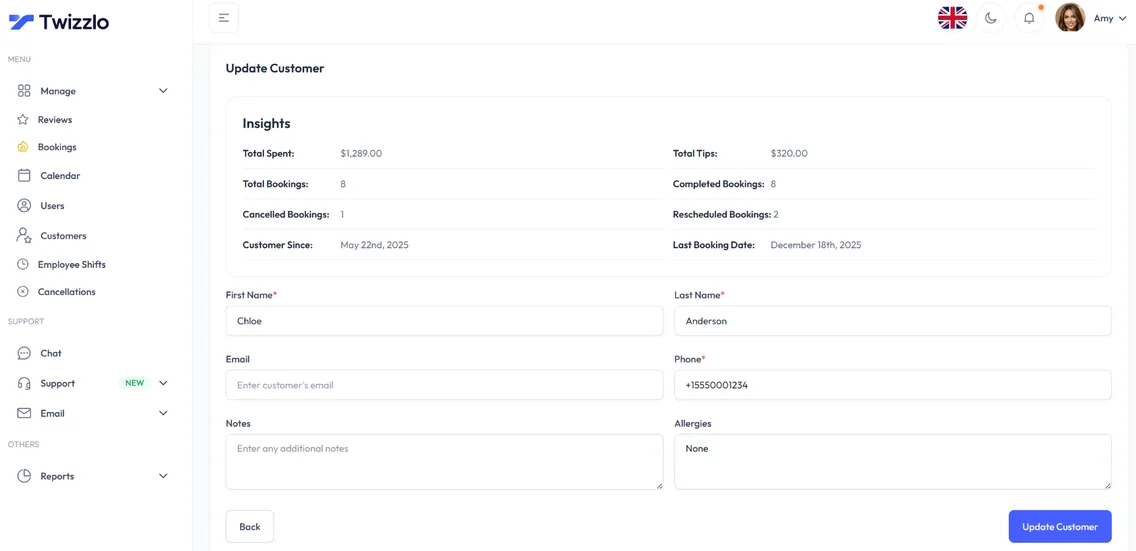
Know every client before you plan the menu
Past events, total spend, allergies, notes and preferences sit on one client profile, so every menu starts from what the client needs.
- Visit and spend history
- Notes, allergies and preferences
- Contact details on file
- Client search and filtering
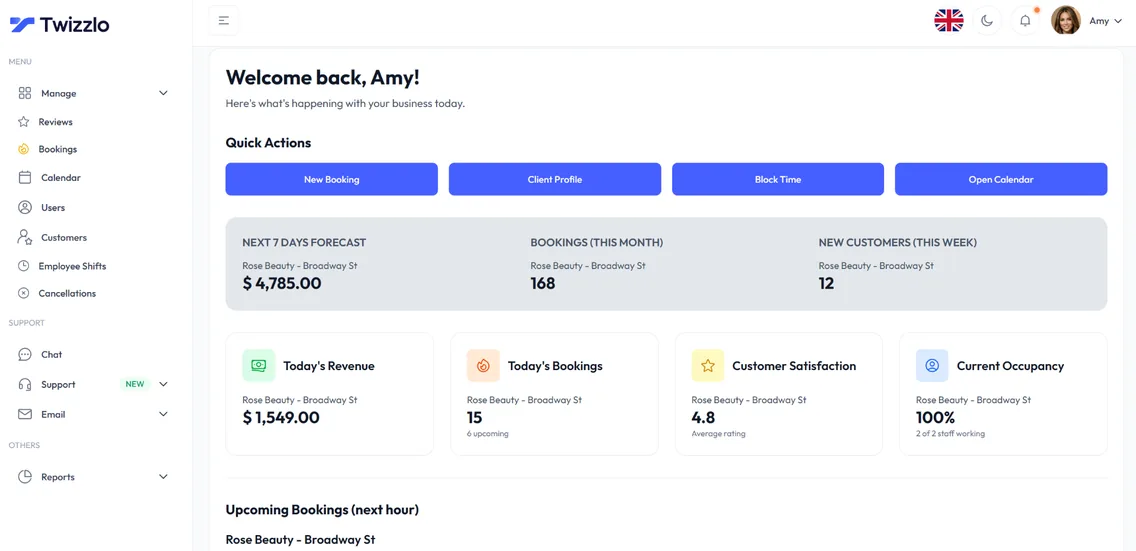
See what's working before the day starts
Bookings, revenue, next-hour insights and staff utilization are on the dashboard the moment you log in.
“Clients book, prepay, and every detail arrives before I plan the menu. I just cook.”
Compare Twizzlo with other booking tools
Side-by-side comparisons of pricing, fees and features.
Private chef booking software FAQ
How do you book a private chef with Twizzlo?
Clients open your booking page, pick the service (dinner, event), see real-time availability, prepay if you require it, and receive an email confirmation (and SMS on Business Pro). The booking lands on your calendar, linked to the client's profile with their contact details, notes and allergies.
Can I block prep days automatically?
Once you set them, yes. Mark each prep day, or any day you can't work, as a blackout date and Twizzlo keeps it off your booking page, so clients can't book it. Add a buffer time after each event for travel and cleanup.
Can I take a deposit at booking?
Not as a partial deposit. Twizzlo takes payment at booking with prepaid bookings: turn them on for any service and the client pays the full price of the dinner or event through Stripe when they book, so the booking is only confirmed once that payment is captured. If a client does not show, you decide whether to keep or refund it.
Is Twizzlo really free?
Yes. Free is $0 a month, free forever and not a trial. It covers up to 150 bookings a month with unlimited staff, locations and client records, real-time insights, email confirmations and reminders, and online payments and tips through Stripe. It does not include SMS reminders, which require Business Pro. There is no plan fee; online payments you take carry your Stripe processing rate plus a 1.5% Twizzlo platform fee.
How long does setup take?
There is nothing to install, and how long setup takes depends on how many services and staff you add. It is one short checklist: add your services with prices and durations, set your hours, add staff if you have a team, connect Stripe if you want online payments, then share your booking link.
Start taking private chef bookings online
Start with the Free plan, then choose Business Pro if you need unlimited bookings and SMS. Review the current plan limits and payment charges before choosing.
- Free plan, not a trial
- 30-day money-back guarantee on Business Pro
- 24/7 support