
Your Guide to Sales Reports Software in 2026

In short
Sales reports software turns the bookings, payments and client records in your booking system into reports you can act on. Four reports do most of the work for a salon or other appointment business: sales by service, peak booking hours, client retention and staff performance. Check the plan too, because some tools keep staff reports for higher tiers.
- Sales by service shows what earns, peak hours when to staff, retention who is drifting away and staff performance who needs support.
- Track six numbers: average revenue per appointment, retention rate, rebooking rate, client lifetime value, staff utilization and no-show rate.
- Square Appointments keeps its team performance report for Premium, and GlossGenius its staff performance report for Gold and Platinum (read September 27, 2026).
In this article9 sections

Sales reports software turns the appointments, payments and client records your booking system already holds into reports you can act on: which services earn the most, when chairs sit empty, which clients are drifting away and how each team member is doing. This guide covers the four reports and six numbers worth tracking, and which reports seven salon tools include on each plan. Twizzlo is our product; its reports are described in the last section.
So, What Exactly Is Sales Reports Software?
Sales reports software is the part of a booking or point-of-sale system that totals what happened over a period, such as revenue by service, bookings by hour, new versus returning clients and sales per staff member, and shows how those numbers change so an owner can decide what to do next.
Reports matter most for appointment-based businesses like pet groomers, day spas or personal training studios. You're not just selling a product off a shelf; you're selling your time and your team's expertise. Without data, owners make decisions based on gut feeling, not numbers.

Used well, sales reports software helps you understand three things:
- Financial Performance: See exactly where your money is coming from. Track revenue by service, staff member or location to find out what's really driving your income.
- Client Behavior: Get to know your clients on a deeper level. Identify your most loyal customers, understand their booking habits and spot who might be at risk of not coming back.
- Operational Efficiency: Pinpoint your busiest and slowest times with confidence. This lets you plan your staff schedule, minimize downtime and avoid being over or understaffed.
The four reports that do most of the work
Four reports answer most of an appointment business's questions: sales by service shows what earns, peak booking hours show when to staff, client retention shows who is drifting away and staff performance shows who needs support or more bookings.
| Report Type | Key Metrics Tracked | Business Question It Answers |
|---|---|---|
| Sales by Service | Revenue per service, number of times booked, and profitability of each offering. | “What are my most popular and profitable services?” |
| Peak Booking Hours | Appointment volume by time of day, day of week, and seasonality. | “When are my busiest and slowest times?” |
| Client Retention | New vs. returning clients, booking frequency, and time since last visit. | “Are my clients coming back, and who are my VIPs?” |
| Staff Performance | Sales, appointments, and client ratings per staff member. | “Who are my top performers and how can I support my team?” |
Sales by Service or Category
This report ranks your menu. At a glance, it shows which services clients book and pay for most and which ones rarely sell. It breaks down your total revenue by each individual service, painting a clear picture of what your clients value.
For example, a massage therapist might find that one service, such as a 60-minute deep tissue massage, brings in most of the month's revenue. That points to promoting it, reviewing prices on services that rarely sell or pairing a popular service with a newer one. Book event work, such as a wedding party signed on a bridal hair and makeup contract template, as its own service category so one large booking does not distort the month.
Peak Booking Hours Analysis
Time is your most finite resource, and this report helps you make the most of it. By analyzing your bookings by time of day, day of the week and season, it shows the natural rhythm of your business: your peaks and your valleys.
Think of a barbershop owner looking at this report. Saturdays are fully booked from 9 a.m. to 3 p.m. while Tuesdays are quiet. Now the owner has concrete data to act on: extend Saturday hours to capture more demand, or run a Tuesday offer to fill the empty chairs. The same report guides staff scheduling; our guide on how to schedule appointments shows how to match your team's hours to your busiest times.
Client Retention and Loyalty
Who are your most loyal clients? This report tells you. It separates new clients from regulars and tracks how often they come back. It is your key to understanding client loyalty and, more importantly, to spotting when a regular client might be about to drop off.
For a nail and beauty studio, this report can list every client who hasn't booked in over 90 days. That's the cue to send a targeted "We miss you" email with a small discount. It also flags the regulars who book like clockwork, which makes them easy to reward in a loyalty program. Watch the rebooking rate too: the share of visits that end with the next appointment already booked.
Staff Performance and Utilization
Knowing who your top performers are is about more than who brings in the most money. This report gives you a fuller view of your team, breaking down sales, number of appointments and client ratings for each staff member.
It helps you find the stories within your team. For example, a spa manager might notice that one massage therapist has slightly lower sales but the highest client retention rate in the spa. That is a strength, not a weakness, and how that therapist works with clients is something the rest of the team can learn from.
Key Performance Indicators Every Owner Should Track
Six numbers tell an owner whether the business is healthy: average revenue per appointment, client retention rate, rebooking rate, client lifetime value, staff utilization and no-show rate. Each comes from a report the booking system already keeps, and each has a one-line formula.
| KPI | Formula | Report it comes from |
|---|---|---|
| Average revenue per appointment | Revenue divided by completed appointments | Sales by service |
| Client retention rate | Clients from the last period who came back this period, divided by clients in the last period | Client retention |
| Rebooking rate | Visits that ended with the next visit booked, divided by all visits | Client retention |
| Client lifetime value (simple) | Average spend per visit times visits per year times years a client stays | Client retention and sales |
| Staff utilization | Booked hours divided by hours available to book | Staff performance |
| No-show rate | No-shows divided by booked appointments | No-show or cancellation report |
Example with round numbers for a hypothetical salon, not a benchmark: $12,000 of revenue across 240 appointments is $50 per appointment, and a stylist with 30 booked hours out of 40 available runs at 75% utilization.
Financial and Revenue KPIs
These metrics show not just what you make, but how well you make it.
- Average Revenue Per Appointment (ARPA): This is your total revenue divided by the number of completed appointments. If your ARPA is climbing, your upselling or recent price adjustments are paying off. A pet groomer, for instance, can watch this number to see whether a new premium de-shedding add-on is raising the average ticket.
- Client Lifetime Value (CLV): CLV estimates the total amount you can expect from a client over the entire time they do business with you. A rising CLV means clients stay longer or spend more per visit, the base of any sustainable service business.
Operational Efficiency KPIs
These numbers show how well you use what you have: your team's time, your space and your resources.
Staff Utilization Rate: This KPI measures the percentage of a team member's available time that is spent on billable appointments. It answers the question, "Is my team as busy as it could be?"
Imagine you're a spa owner looking at your reports. You notice that one of your massage therapists is consistently near full. That's a clear signal she's in high demand and might be heading for burnout, and it may be time to hire another therapist. On the flip side, a low rate could mean you need to step up your marketing or make online booking easier. Track the no-show rate next to it: every missed appointment is booked time that earned nothing.
How to Choose the Right Sales Reports Software
Choose sales reports software by where your data already lives: reports built into the booking system read every appointment, payment and client record without exports. Then check which plan includes the reports you need, whether staff can read them without training and how the price changes as the team grows.
Running bookings in one app, the client list in another and sales reports in a third invites data-entry errors and hours spent gluing the numbers together.
Look for reports built into your booking system
The most useful sales reports software is the one you don't have to think about: it works inside the booking platform you already use all day.
When your reporting is built in, every appointment booked, every product sold and every rescheduled service updates your reports. There is no exporting spreadsheets or syncing data between programs, so you can see how a new promotion is driving bookings or which stylist sells the most retail. If you are still choosing the booking system itself, our comparison of the best appointment scheduling software covers the calendars these reports are built on.
Check how the price changes as the team grows
Here's a question many owners forget to ask until it's too late: what happens to my software bill when my business starts to grow?
Vagaro charges per calendar. Square Appointments charges per location and tier. Mangomint charges per location plus per user. GlossGenius sells plans by team size. Twizzlo charges one price per business. (Pricing pages and Vagaro's US help center, read September 25, 2026.) Reports can be gated by plan too; the table below shows where.
Insist on Ease of Use and Customization
A reporting tool loaded with features is useless if you and your team can't figure it out. The data needs to be presented in a clean, visual way that you can understand at a glance.
Can your front-desk staff quickly pull up a daily sales summary? Can you check your team's utilization rates for the week in just a few clicks? If it feels like you need a degree in data science to get answers, it's the wrong tool for your business.
Customization is just as important. A hair salon needs to track retail sales alongside services. A personal training studio will want to see reports on how many sessions from a package have been used. The right software lets you focus on the numbers that matter to your business. Reporting is one line on a longer buying list; the features salon owners look for in salon management software checklist covers the rest.
Sales Tracking Software vs. Sales Reports Software
The two terms get used interchangeably, but they describe different layers of the same job. Sales tracking software records what happens: every appointment, sale, and payment as it occurs. Sales reports software takes that tracked data and aggregates it into trends, comparisons, and KPIs you can act on. One is the ledger, the other is the analysis.
For a service business, the practical answer is to have both in one system. When your booking platform tracks each transaction automatically and builds the reports from the same records, the numbers always reconcile and nobody spends Friday afternoon copying figures between tools.
Built-in reporting in seven salon tools, plan by plan
All seven tools we checked list some reporting on their entry plan; staff and retention reports are where plans differ. Square Appointments keeps its team performance report for Premium, $149 a month per location, and GlossGenius its staff performance report for Gold, $56 a month, and Platinum, on pricing pages read September 27, 2026.
| Tool | Reports listed on every plan | Reports on higher plans or paid add-ons |
|---|---|---|
| Booker | Reporting tools at a "Basic" level on Starter | Full reporting tools on Accelerate and Ultimate (plans priced by quote) |
| Fresha | Reporting, listed on Independent and Team | Insights, listed as a paid add-on |
| GlossGenius | Sales, appointment, most valuable clients, utilization and retention, commissions, expense and inventory reports on Standard ($28), Gold and Platinum | Staff Performance Report and full custom reports from Gold ($56); team goal setting and analytics on Platinum ($168) |
| Mangomint | Reporting, in the features every account gets | No plan tiers; paid add-ons cover phone, marketing and payroll |
| Square Appointments | Sales insights and a reconciliation report on Free ($0), Plus and Premium | Team sales and activity, labor cost and marketing reports from Plus ($49 a month per location); future bookings and team performance reports on Premium ($149) |
| Twizzlo | Booking volume, revenue, new customers, customer satisfaction, staff availability and utilization, next-hour insights and forecasts, by day, week or month | Same on Free and Business Pro |
| Vagaro | Live and historical reports on sales, employees, customers, appointments, inventory, messaging and billing, plus a new versus returning customers report, in the base subscription | Data Lake, a paid premium feature, adds custom reports and a Power BI template with more than 50 pre-built reports |
Report names follow each vendor's own page. Sources: Square Appointments' pricing page (plan grid read September 27, 2026; prices September 25, 2026), GlossGenius's pricing page as saved September 27, 2026 (Beauty & Wellness plans, billed monthly), Mangomint's and Booker's pricing pages read September 27, 2026, Fresha's pricing page read September 28, 2026 (Canadian view), Vagaro's US help center articles on features in the base subscription and plans and premium features read September 28, 2026, and Twizzlo's features page read September 28, 2026.
The table does not show how easy each report is to read; ask for a demo of the staff and retention reports you plan to use every week. For prices and booking features beyond reporting, our guide to the best salon software compares 12 platforms. Our Square Appointments pricing and GlossGenius pricing pages break each bill down further.
Putting Your Sales Data into Action
A report is useful when it leads to one change you can measure: spot the signal, find the cause, make one change and read the same report again two to four weeks later.
From Insight to Impact
The same four steps work for any report:
- Spot the signal. Pick one number that moved or looks off, such as fewer Tuesday bookings than last month.
- Find the cause. Split the report by service, day, staff member or new versus returning clients to see where the change sits, for example one stylist's Tuesday column.
- Change one thing. Adjust a price, move a shift, run an off-peak offer, add a reminder or require prepaid bookings for the services with the most no-shows.
- Read the same report again. After two to four weeks, compare the same number over the same days, then keep the change or drop it.
Changing one thing at a time keeps the cause clear. If you change a price and a shift in the same week, the report cannot tell you which one worked.
Example: bringing first-time clients back
Suppose a spa group's new versus returning report shows that most first-time clients never book a second visit. One change to test is a follow-up email three weeks after the first appointment; the same report, read again over the next two months, shows whether second visits rise.
A clear first-visit process matters as much as the offer; our guide to user onboarding best practices covers the first weeks of a new client relationship.
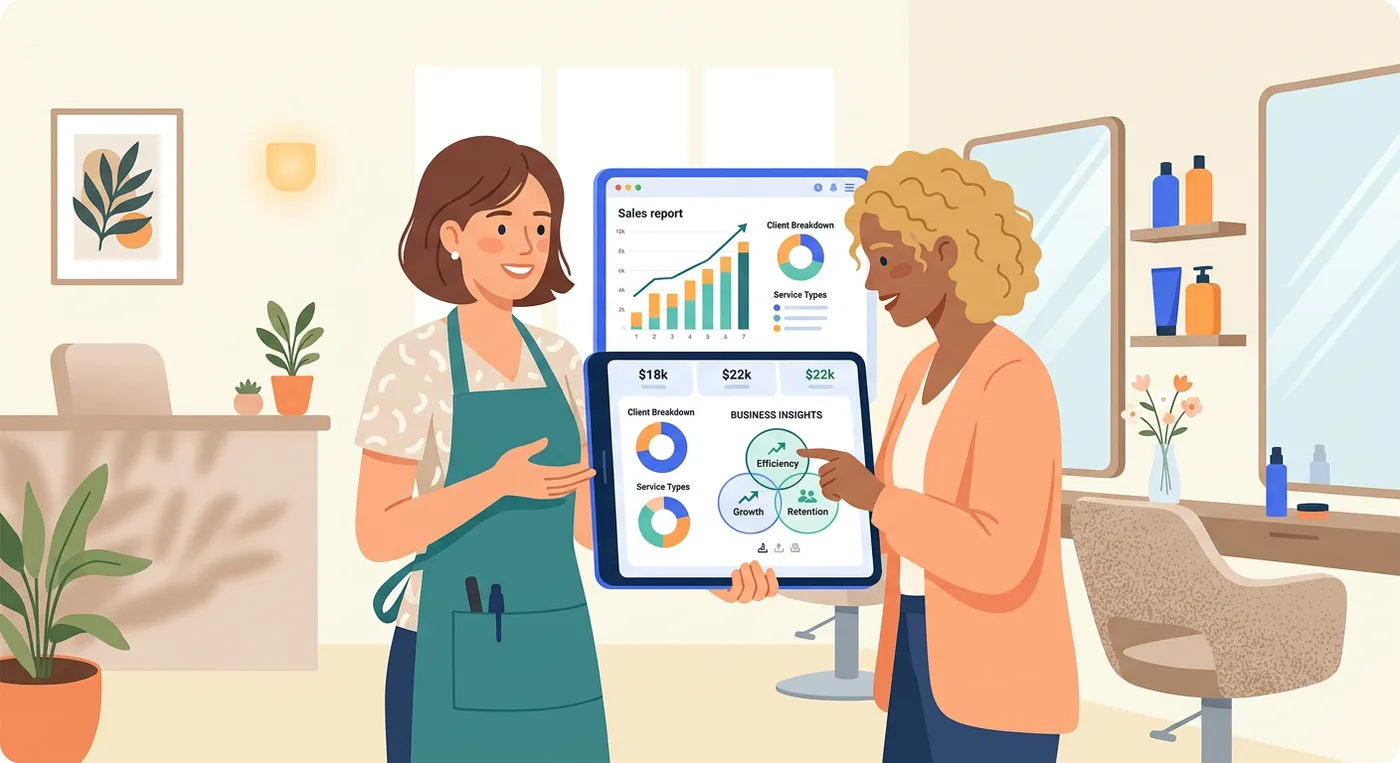
Common questions about sales reports
These answers cover how often to read reports, no-shows, reporting without a data background, CRMs and spreadsheets.
How Often Should I Check My Sales Reports?
Weekly for short-term trends and monthly for patterns. A weekly check catches which services are suddenly popular and which team members are filling their books, without the noise of single days.
A monthly review shows client retention, rebooking and seasonal patterns, which is the view to use for marketing campaigns and staffing for the busy season.
Can This Software Really Help Reduce My No-Shows?
It helps in two ways. A no-show report shows how many appointments were missed, which clients miss repeatedly and which services or times see the most no-shows, so a policy can target the pattern.
Automatic reminders by text or email reach clients who would otherwise forget, and prepaid bookings or a no-show fee, applied at the business's discretion, cover the rest.
Do I Need to Be a Data Expert to Use These Tools?
No. Reporting in a booking system is built for owners, not analysts. Modern platforms skip the confusing spreadsheets and present everything on clean, visual dashboards with easy-to-read charts and graphs. The whole point is to give you quick answers, not a new job analyzing numbers.
For instance, instead of a massive table of sales figures, you'll see a simple bar chart showing your busiest days of the week at a glance. The software does the complicated analysis behind the scenes, so you can stay focused on what you do best: running your business.
What Is the Difference Between Sales Reporting and a CRM?
Here's an easy way to think about it. Your CRM (customer relationship management, often called the client book in a salon) is your digital address book. It holds the vital information about your clients: their contact details, appointment history, product preferences and personal notes.
Sales reporting takes all that information and tells you a story with it. It digs into the data from your CRM and appointment book to show you what's really happening in your business.
- A CRM answers: Who is this client?
- A Sales Report answers: How valuable is this client to my business?
When both run on the same platform, the reports read the same client records the CRM keeps, so the numbers match. Your CRM provides the raw data, and your sales reports turn it into insights you can use to grow.
What Is a Sales Report?
A sales report is a summary of your business activity over a period: what was sold, by whom, to whom, and for how much. For an appointment-based business, that means revenue by service, bookings by day and hour, new versus returning clients, and per-staff performance, presented so you can spot trends and act on them.
What Should a Sales Report Include for a Service Business?
Start with the four essentials covered in this guide: sales by service or category, peak booking hours, client retention, and staff performance. Layer in your core KPIs, including average revenue per appointment, client lifetime value, and staff utilization. Together those answer the questions that actually drive decisions. Add the rebooking rate and the no-show rate if your system reports them.
Can I Just Use a Spreadsheet Instead of Sales Reports Software?
You can start there, but spreadsheets depend on manual entry, which means stale numbers and copy-paste errors. Dedicated software pulls data straight from your bookings and payments, updates in real time, and does the analysis for you. Compare the hours spent copying numbers each week with the tool's monthly price.
How Twizzlo can help
Twizzlo is web-based online booking and appointment scheduling software for appointment-based service businesses, and it includes the same reports on both plans: booking volume, revenue, new customers, customer satisfaction, staff availability and utilization, next-hour insights and forecasts, by day, week or month, with one centralized view across locations.
Client profiles keep visit history, notes and preferences and total spend, and repeat clients are tracked, so retention questions start from the same records as the calendar.
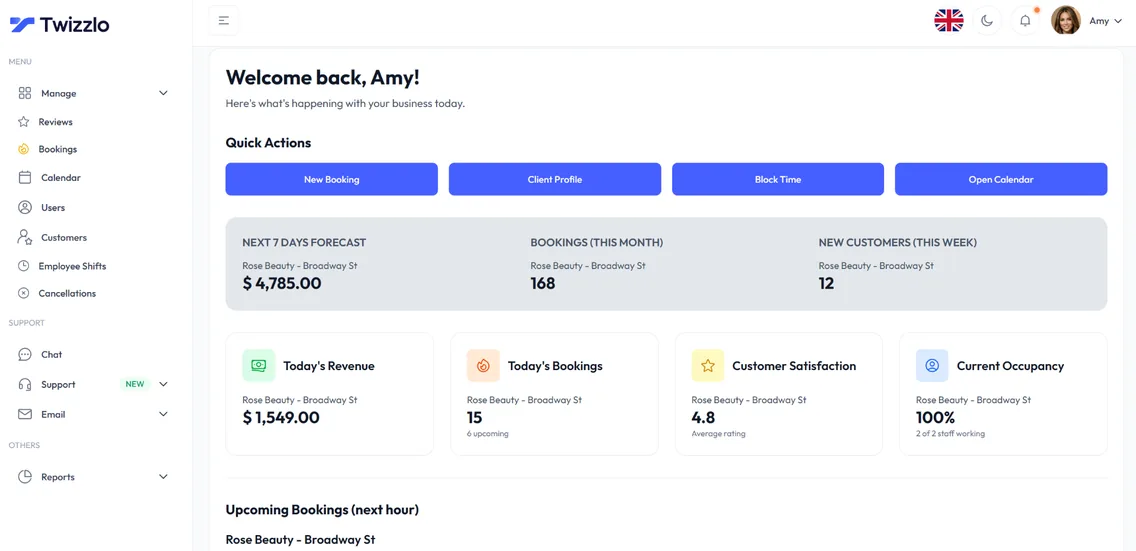
Twizzlo has two plans. Free is $0 a month for up to 150 bookings, with no SMS, and includes the core booking, CRM, staff, insights and online payment features. Business Pro is $29.99 a month per business with unlimited bookings, 50 SMS a month and then $0.03 each, and a 30-day money-back guarantee. Both plans include unlimited staff and locations and 24/7 support.
Online payments carry your Stripe processing rate plus a 1.5% Twizzlo platform fee.
The full list of reports is on our features page. Salons can see how booking and reporting fit together on our online booking for hair salons page, or compare the two plans.
Sources and methodology
Prices read
- Square Appointments pricing page (US) (opens in a new tab)Read . Supports: Free, Plus and Premium prices per location; plan grid of reports (sales insights, reconciliation, team sales and activity, labor cost, marketing, future bookings, team performance) read 2026-09-27
- GlossGenius pricing page (opens in a new tab)Read . Supports: Standard, Gold and Platinum prices billed monthly and the Beauty & Wellness report rows, including the Staff Performance Report and custom reports
- Mangomint pricing page (opens in a new tab)Read . Supports: Reporting in the features every account gets; billing per location plus per user
- Booker pricing page (opens in a new tab)Read . Supports: Reporting tools at a Basic level on Starter and in full on Accelerate and Ultimate
- Vagaro base subscription features help article (US) (opens in a new tab)Read . Supports: live and historical reports and the new versus returning customers report in the base subscription
- Vagaro plans and premium features help article (US) (opens in a new tab)Read . Supports: Data Lake premium feature with custom reports and a Power BI template; billing per calendar
- Twizzlo features page (opens in a new tab)Read . Supports: Twizzlo reports and business insights, client profiles and the insights dashboard
- Twizzlo pricing page (opens in a new tab)Read . Supports: Twizzlo plans, SMS allowance, guarantee, support and the online payment fee
From our editorial policy
- Twizzlo sells online booking and appointment scheduling software, the same category we write about. Twizzlo appears in our comparisons and roundups, and we have a commercial interest in you choosing it.
- We do not publish invented quotes, studies, statistics, customer stories or product tests, and we do not imply hands-on use of a product when the research came from the vendor's public documentation.
- To report an error, email support@twizzlo.com with the subject line "Correction: [page URL]". Tell us what is wrong and, if you can, link a source.
Update history
- : Removed market-size figures and an example we could not source, added KPI formulas and a plan-by-plan table of the reports seven tools include (read September 27 and 28, 2026), and updated Twizzlo's plan details.
Start free, upgrade when you grow
Flat-rate booking software. No per-seat, per-chair or per-location fees.
- Free plan up to 150 bookings a month, not a trial
- Business Pro is $29.99 a month per business for unlimited bookings, with a 30-day money-back guarantee
- 24/7 support by email