
How to Scale a Service Business Beyond One Location

In short
To scale a service business, prove steady demand first, then fill the hours you already have, document your best-selling services so others can deliver them, and hire and train to that standard. Open a second location only when the first runs without you and shared booking, client records and per-location reporting are in place.
- Before signing a lease, work out how many booked hours a month the new site needs to cover its fixed costs.
- Compare locations on the same few numbers each month, such as utilization, rebooking rate and revenue per booked hour.
- Hire for how people treat clients, then train the technique; your first hires set the standard later sites copy.
In this article9 sections
Scaling a service business means adding revenue faster than cost: more clients served to one standard, by more people, in more hours and eventually in more places. This guide takes the steps in order, from proof of demand and spare capacity to documented services, hiring and training, pricing and local marketing for a new site, and the numbers to compare across locations. Twizzlo, which publishes this guide, sells booking software; its booking and reminder features are covered in the section before the FAQ.
Build Your Foundation for Multi-Location Growth
A service business is ready to scale when demand is proven, its best-selling services can be taught to someone else, and it can run for a week without the owner; until then, a new location copies the problems along with the revenue.
This first phase runs on data, not gut feeling. It starts with proof of product-market fit: not just a busy week, but a full appointment book, a waiting list at peak times and new clients who arrive through referrals you never asked for.
Identify Your Hero Services
Once demand is clear, look closely at your service menu. Not everything you offer is built for scale. Find your “hero” services: the ones that are popular, profitable and, most importantly, teachable.
A restaurant makes the point. A chef’s signature 20-ingredient dish that only the chef can make is art, but it does not scale. The chef’s burger does: the recipe can be written down, taught to a line cook and made the same way in a dozen locations. Your hero service is your “perfect burger.”
To find yours, dig into your business and ask:
- Which services bring in the highest profit margins? Look at the real cost of your time, your team’s time and any materials used.
- What are new and returning clients booking most often? Your appointment data has the answer.
- Can this service be broken down into a clear, step-by-step process? If it relies entirely on your personal touch, it’s not a hero service.
Validate demand first, then standardize what works best.
Create a Repeatable Blueprint
With your hero services chosen, build your operational blueprint. Document everything, from the exact products you use and why, to the script for answering the phone, to the way you greet a client walking in the door.
The blueprint turns your business into a system that someone else can pick up and run to the same standard. Before you take the leap, run a quick self-audit to see whether the foundation is ready.
Growth Readiness Checklist
A yes in every row means the model is ready to copy; any no shows where to work first.
| Growth Area | Question to Ask | Indicator of Readiness |
|---|---|---|
| Demand | Is your appointment book consistently full with a waiting list? | Yes, demand outstrips your current capacity. |
| Profitability | Do you know your exact profit margin for each service? | Yes, and you have clear “hero services” that are highly profitable. |
| Referrals | Are new clients finding you through word-of-mouth without prompting? | Yes, you have a steady stream of organic referrals. |
| Processes | Could a new hire perform your key services consistently with a manual? | Yes, your core processes are documented and teachable. |
| Your Role | Can the business operate for a week without you being there? | Yes, the team can manage daily operations independently. |
Add capacity in the cheapest order
A second location is the most expensive way to add capacity, so use the cheaper steps first: fill the empty hours you already pay for, add staff to chairs or rooms that sit idle, then extend opening hours.
| Step | What it adds | Main cost | Move to the next step when |
|---|---|---|---|
| 1. Fill empty hours | Bookings in quiet hours you already staff | Your time on rebooking at checkout, reminders and off-peak offers | Peak hours are full most weeks and quiet hours have filled |
| 2. Staff idle chairs or rooms | More bookable hours in the same space | Pay, hiring and training | Chairs or rooms are in use for most of the opening day |
| 3. Extend opening hours | More hours from the same space and team | Evening or weekend pay and running costs | Clients are still turned away at the hours they want, or many travel from another area |
| 4. Open a second location | A new area and a full new set of hours | Lease, fit-out, a full team, licenses and a new local profile | Steps 1 to 3 are used up and the first site runs without you |
Each lower step also tests the model at lower risk: a new hire in a chair you already have shows whether your written procedures work before a lease depends on them.
Measure how full you are
Utilization shows which step you have reached. Utilization = booked service hours ÷ available service hours, where available hours = bookable staff × bookable hours in the period. For example, with hypothetical round numbers:
| Line | Hypothetical salon, one week |
|---|---|
| Bookable staff | 4 stylists |
| Bookable hours per stylist | 36 |
| Available service hours | 4 × 36 = 144 |
| Booked service hours | 118 |
| Utilization | 118 ÷ 144 = 82% |
If Saturdays are full but weekday mornings are half empty, step 1 still has room. Set your trigger before you look, for example a level held for eight straight weeks, so one busy month does not decide a lease.
Developing Scalable Systems and Technology
Before you add people or places, move booking, client records and reporting into one shared system, so every location works from the same calendar, client history and numbers.
Get Your Scheduling Under Control
Start with a central appointment system. It is the gateway for every client and every dollar. A solid online booking system does more than stop phone tag; it frees your team to focus on serving clients.
It also prevents the costly mistakes common with manual methods, like double bookings or missed appointments, and becomes the one place staff and clients can trust for accurate availability across every person and location. Our comparison of the best appointment scheduling software covers the central booking systems to shortlist.
Go Deeper with a Client Relationship Management (CRM) System
Getting clients in the door is one thing; knowing them is what builds loyalty and brings them back. An integrated client relationship management (CRM) system holds a profile of every person you serve, beyond names and phone numbers.
When a regular client visits your new downtown location for the first time, a shared CRM lets the front desk see that client’s history: every past service and notes from the last visit, such as “prefers lavender essential oil” or “books with the same stylist every six weeks.”
A good CRM lets you:
- Track Client History: See every appointment and interaction across all locations.
- Store Personal Preferences: Keep notes on everything from their favorite drink to their preferred stylist or therapist.
- Segment Your Audience: Group clients for targeted marketing, like sending a special offer to everyone who hasn’t booked in 90 days.
Let Data Drive Your Decisions
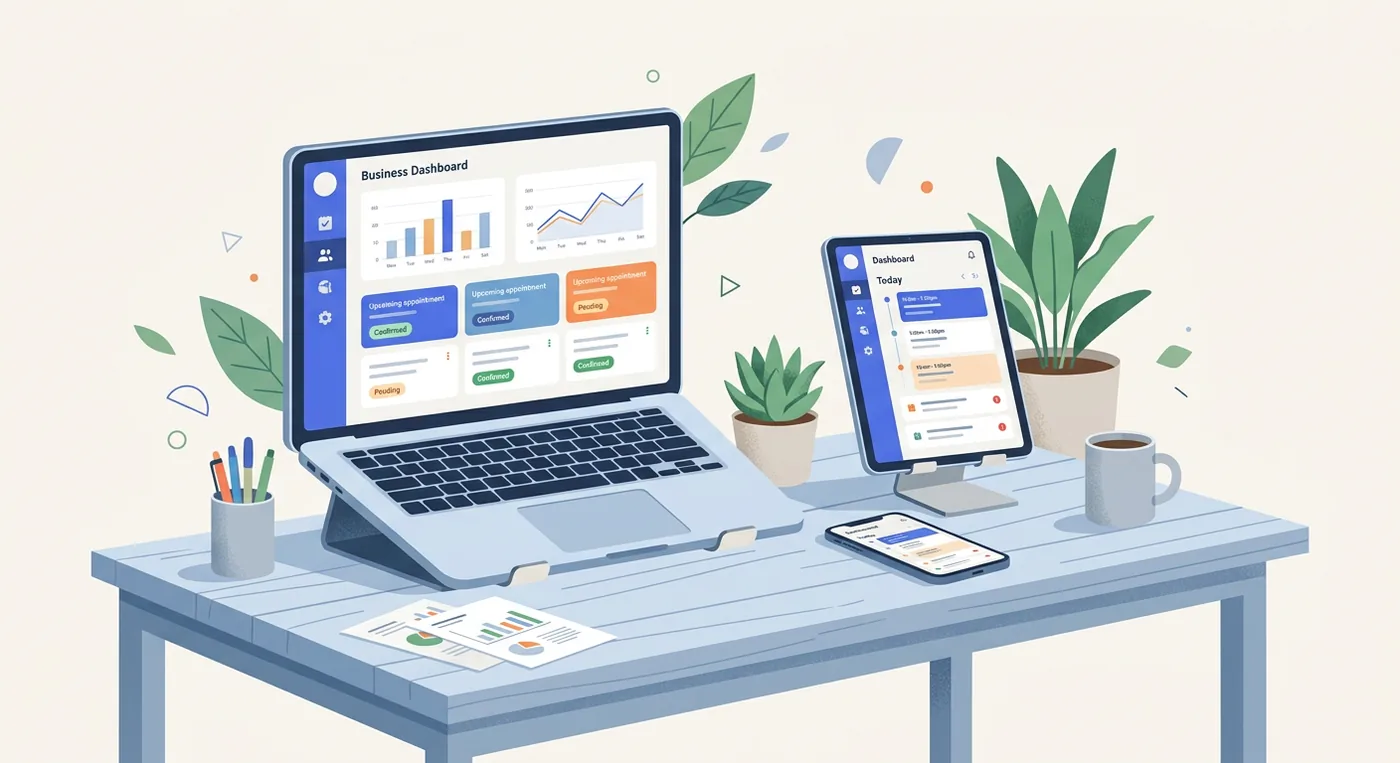
The final piece is reporting. A unified dashboard should show every location on one screen, so you can compare them without merging spreadsheets. At a glance, you should be able to pull reports on:
- Staff Performance: Who are your top earners? Who might need extra training?
- Service Popularity: What services drive the most revenue, and does that change by location?
- Peak Hours: When are you busiest? This shows where to add staff hours and where off-peak offers can fill gaps.
- Client Retention: What percentage of clients return? How does this vary from one location to the next?
This removes the guesswork. Instead of wondering why one location is ahead while another lags, you can see the why: staff utilization, the service mix or local demand. Our guide to multi location scheduling software covers how one account reports across sites.
Building a Team That Can Drive Your Growth
Scaling moves the owner from doing the work to setting the standard others deliver, so hiring, written procedures and training decide whether a second location feels like the first.
Your skills, personality and reputation built the business, and they are also its limit: you can’t be in two places at once. The hardest shift is from star player to coach, and the fear behind it is fair: “Will anyone else do this as well as I do?” Probably not at first, unless a clear system sets new staff up to succeed. So hire people who can deliver your standard of service without you looking over their shoulder, not only people with the right technical skills.
Hire for Attitude, Train for Aptitude
You can teach someone how to perform a service. You can’t teach them to have a great attitude or to care about the client’s experience. When you’re hiring, look first for people who fit your company’s values.
If your brand is known for a warm, upbeat welcome, a technically brilliant but grumpy technician will undo it at a new location. Treat your first few hires as the people who set the standard; they create the blueprint for everyone who follows.
Get past the resume and ask questions in the interview that reveal character:
- “Walk me through a time a client was unhappy. What was the situation and how did you handle it?”
- “What does great service actually look like to you?”
- “What do you do when your day gets turned upside down by a last-minute schedule change?”
How they answer tells you more about their long-term potential than a skills test. You can train the how, but you have to hire the who.
Get Your Business Down on Paper
Your standard operating procedures (SOPs) are the official playbook for your business. The goal isn’t a team of robots; it’s a consistent standard of quality, so every client gets the experience that made you successful, whichever team member they see.
A good SOP binder or shared folder maps the entire client journey, from the first phone call to the final follow-up email. It should be a living document your team uses daily. Written procedures let new hires reach your standard sooner and stop the same questions reaching you all day.
Start by outlining the client lifecycle, from start to finish.
What your playbook should cover
Make the playbook visual and easy to follow, with checklists, photos and short video clips. It should cover:
- Client Communication Scripts: Provide clear examples for answering the phone, responding to emails and handling booking questions. Clear communication builds trust from the first call; these client communication best practices go further.
- The Service Delivery Checklist: A step-by-step guide for performing each of your hero services, from how to set up the room and greet the client to the specific products and techniques you expect them to use.
- Opening and Closing Checklists: Simple daily lists for opening and closing, so the space is always ready for clients and secure at night.
Standardizing these functions doesn’t kill creativity. It gives your team a reliable foundation and the confidence to perform at their best, and it frees you to work on the business, not just in it.
Rethinking Your Pricing and Marketing as You Grow
Each new location adds rent, pay and running costs before it earns anything, so price its services from those costs, then market it to the neighborhood it serves.
What worked in one neighborhood can fall flat in another with different clients, expectations and competition, so treat each new site as its own market.
Price each new location from its costs
When you had one location, pricing was simple. A new site adds its own rent, utilities and pay, and your current prices may not cover them. Work out how many booked hours the site needs before it covers its fixed costs, then compare that with the hours its team can offer.
| Line | Hypothetical new site, per month |
|---|---|
| Fixed costs: rent, utilities, insurance, software, a manager’s base pay | $12,000 |
| Average price per booked hour | $90 |
| Direct cost per booked hour: provider pay, products, card fees | $50 |
| What each booked hour leaves | $40 |
| Booked hours to break even | 12,000 ÷ 40 = 300 a month, about 69 a week |
| Available hours with 3 providers at 36 hours a week | about 468 a month |
| Utilization needed to break even | about 64% |
Compare the break-even level with how long your first location took to fill. If the numbers only work at a higher price, test that price at the first location before the second opens.
If a lender or partner will fund the new site, these numbers and your written procedures become the projections and operations sections of a business plan; our salon business plan template lays those sections out.
Market each new location to its neighborhood
As you expand, one big campaign won’t win every neighborhood. Win over each new community on its own terms while keeping your brand’s core message the same.
Give each location its own Google Business Profile with its own address, hours and booking link. Google’s Business Profile page says a profile is free, and its help page on local business links says a profile can hold up to 10 links per category, such as booking links (both read September 28, 2026). Google’s guidelines for representing your business, read the same day, bar more than one profile for each location and ask a business with several locations to keep the same name and category at each one. Keep each location’s name, address and phone number the same everywhere they appear online.
Ask every client for a review the same way, since Google’s review policy, read September 28, 2026, bars incentives and asking only happy clients; our guide to getting Google reviews covers the routine. Print each location’s booking link on its cards too; our guide to business cards QR codes covers the printing side.
Local ads can be limited to people near the new address. Google Ads, for example, can target regions, cities or postal codes, depending on the country, or a radius of at least 1 km around a location, according to its location targeting help page, read September 28, 2026. Photos of the new space or an introductory offer for that location make the ads feel local.
Finally, don’t overlook referrals. A referral program can turn your happiest clients into advocates, and a small credit or discount for both the existing client and the new one they bring in is a modest cost for word-of-mouth marketing. Our guide to marketing for beauty salon owners covers the other local channels.
Run several locations to one standard
Running several locations means comparing them on the same numbers every month and fixing the gaps, while clients get the same services and standards whichever door they walk through.
Choose the next site and keep the experience consistent

Your first big decision is where to open next. Don’t let a cheap lease lure you into a weak location. Start from where your current clients already travel from, then use local market data to find the neighborhoods where your ideal clients live, work and spend their time.
Once you open, keep the experience consistent. A client should walk into any of your locations and recognize it, from the music in the lobby to how your team answers the phone.
- A Cohesive Look and Feel: Use the same branding, colors and interior style at every location.
- Your Signature Services: Offer your core, most popular services everywhere, so clients can rely on them.
- Shared team channels: Use virtual all-hands meetings and shared communication channels (like Slack or a team chat) to build one company culture.
Track the Right Numbers for Each Location
Compare every location on the same few numbers each month. When one location lags, the last column shows where to look first.
| Number | How to count it | If one location lags, look first at |
|---|---|---|
| Utilization | Booked service hours ÷ available service hours | Local demand, marketing, or staff hours that miss the times clients book |
| Rebooking rate | Clients who book their next visit before leaving ÷ clients served | The checkout routine and how consistently staff offer the next visit |
| Client retention | Clients who return within their usual visit cycle ÷ clients from the earlier period | Service quality and the experience at that site |
| Revenue per booked hour | Service revenue ÷ booked service hours | Prices, service mix and discounting |
| Revenue per location | Service revenue for the month | The combined result; read it with the four rows above |
Reading these numbers side by side lets you manage ahead of problems instead of reacting to them. The same comparison works for a group of salons, spas or studios; spa owners can also see our spa management software page.
Keep fixed costs from rising faster than bookings
Growth should make you more profitable, not just more expensive to run. List every fixed cost the new site adds and how each one is billed: per user, per location or per business. Costs billed per head or per site rise with every hire and every location, so model them at the headcount you plan to reach. Our guide to flat rate booking software compares those billing models.
Where Twizzlo fits when you add staff or a location
Twizzlo is web-based online booking and appointment scheduling software for appointment-based service businesses, and it handles the booking side of growth: a 24/7 booking page with a booking link for each location, working hours set per location, staff shifts across locations, shared client profiles and insights for every location in one account.
Staff and location counts never change the price: both plans include unlimited staff and locations, so a new hire or a second site adds no software line.
Email confirmations and reminders are included on both plans. Text messages (SMS) are on Business Pro only: 50 SMS a month are included, then $0.03 each. Free has no SMS.
Twizzlo has two plans. Free is $0 a month for up to 150 bookings, with no SMS, and includes the core booking, CRM, staff, insights and online payment features. Business Pro is $29.99 a month per business with unlimited bookings, 50 SMS a month and then $0.03 each, and a 30-day money-back guarantee. Support is available 24/7. Online payments carry your Stripe processing rate plus a 1.5% Twizzlo platform fee.
To try it with your first location, start on the free plan, or compare the two plans.
Frequently Asked Questions About Scaling Your Business
These answers cover common scaling mistakes, culture, software timing, the numbers to track, profit, systems, staffing order and break-even.
What Is the Biggest Mistake Businesses Make When Trying to Scale?
The biggest mistake is treating being busy as being ready to scale, and it is also the most expensive one.
Owners see a full appointment book and rush to sign a lease on a second location before they have nailed down their processes, standardized their services or put the right systems in place. Instead of duplicating their success, they multiply their problems: the chaos, uneven service quality and scheduling headaches of location one now cost money at location two, with double the overhead.
Scaling your problems is not growth; perfect the model first, then copy it. It’s a deliberate process, and the goal is a foundation solid enough that the business thrives without you there every minute.
How Do I Maintain Company Culture Across Multiple Locations?
Keeping your culture alive as you grow doesn’t happen by accident; it takes a deliberate plan. Your culture is what makes your client experience distinctive and keeps your team connected to something bigger.
The first step is to write down your core values. Create a “culture playbook” that defines what you stand for, your mission and the behaviors you expect from everyone. This document becomes the reference for hiring, training and daily operations at every location.
Here’s how to bring it to life:
- Hire for culture fit first. You can always train someone on the technical parts of the job, but you can’t train a great attitude or a belief in your mission.
- Use tech to bridge the distance. A shared team chat or an internal portal helps everyone feel like one team, even when they’re miles apart.
- Hold regular all-hands meetings. A short virtual huddle once a week reinforces that everyone is part of one company, working toward the same goals.
- Empower your location managers. They carry your culture day to day. Train them on operations and on how to lead by example and champion your core values.
A strong, shared culture holds a multi-location business together. It ensures every client gets the same experience, no matter which location they visit.
When Is the Right Time to Invest in Management Software?
The best time to invest is before the pain becomes unbearable. If you’re already wrestling with double bookings, losing hours every week to manual scheduling or have no real data on how the business performs, you’ve probably waited too long.
A good rule of thumb is to put a scalable platform in place when you hire your first employee or when you start planning location number two. Switching systems in the middle of an expansion is much harder.
Starting early with a solid system builds the right operational habits from day one, and a small investment now prevents a painful data migration later.
What KPIs Are Most Important for a Service Business?
When you’re scaling, focus on the handful of key performance indicators (KPIs) that directly affect profit, efficiency and client happiness:
- Client Lifetime Value (CLV): How much total revenue does an average client bring in over their entire time with you? Raising it is fundamental to long-term profitability.
- Client Acquisition Cost (CAC): How much do you spend on marketing and sales to win one new client? Keep your CLV well above your CAC.
- Staff Utilization Rate: Your team’s booked hours measured against their total available hours. It shows inefficiency and guides staffing decisions.
- Client Retention Rate: What percentage of your clients come back for another service? A high retention rate is one of the strongest signals of good service.
As you add locations, track these numbers for each location separately. That is how you see which locations are doing well and which need more operational support or a marketing push.
How Do You Scale a Service Business Without Losing Profit?
Protect margins on two fronts: pricing and fixed costs. Price each location’s services to cover its own rent, pay and running costs, and check how every tool you pay for bills as you grow: per user, per location or per business. Costs that rise with each hire or site eat the extra revenue.
What Systems Should Be in Place Before Opening a Second Location?
Three things at minimum: a central appointment system every location shares, a unified client database so histories and preferences follow clients between locations, and reporting that breaks performance out by location. Add documented SOPs for your hero services and daily routines.
What Is the Difference Between Growing and Scaling a Service Business?
Growth adds revenue by adding roughly proportional cost: more staff, more hours, more overhead. Scaling adds revenue faster than cost, because you duplicate a documented, repeatable model at every location. A service business becomes scalable when its best-selling services are documented and taught, so a new location copies a model instead of reinventing it. That is why the foundation work matters: product-market fit, hero services and SOPs turn a busy single shop into a system you can copy profitably.
Should You Hire More Staff or Open a Second Location First?
In most cases, fill the location you have first. Adding staff to chairs or rooms that sit empty, or extending opening hours, usually costs less than a new lease and fit-out. Open a second location when the first is close to full at the hours clients want and the business runs without the owner.
How Do You Work Out the Break-Even Point for a New Location?
Add up the new location’s fixed monthly costs, such as rent, utilities, base pay, insurance and software. Divide that total by what each booked hour leaves after its direct costs, such as the provider’s pay, products and card fees. The result is the booked hours a month the location needs before it makes a profit.
Sources and methodology
- Google, Business Profile product page (opens in a new tab)Read . Supports: a Google Business Profile is free
- Google Business Profile Help, Manage your local business links (opens in a new tab)Read . Supports: a profile can hold up to 10 links per category, including booking links
- Google Business Profile Help, Guidelines for representing your business on Google (opens in a new tab)Read . Supports: no more than one profile for each location; the same name and category across a business's locations
- Google, Maps User Generated Content Policy: Prohibited and restricted content (opens in a new tab)Read . Supports: no incentives for reviews and no selective requests for positive reviews
- Google Ads Help, Target ads to geographic locations (opens in a new tab)Read . Supports: targeting regions, cities or postal codes, depending on the country, or a radius of at least 1 km around a location
- Twizzlo pricing page (opens in a new tab)Read . Supports: Twizzlo plans, booking cap, SMS allowance, money-back guarantee, 24/7 support and online payment fee
- Twizzlo features page (opens in a new tab)Read . Supports: 24/7 booking page, a booking link and working hours for each location, employee shifts across locations, client profiles and multi-location insights
From our editorial policy
- We do not publish invented quotes, studies, statistics, customer stories or product tests, and we do not imply hands-on use of a product when the research came from the vendor's public documentation.
- To report an error, email support@twizzlo.com with the subject line "Correction: [page URL]". Tell us what is wrong and, if you can, link a source.
Update history
- : Added a summary, a capacity ladder, break-even and location comparison tables and two FAQs; removed unsourced claims and first-person anecdotes; updated Twizzlo's plan details.
Start free, upgrade when you grow
Flat-rate booking software. No per-seat, per-chair or per-location fees.
- Free plan up to 150 bookings a month, not a trial
- Business Pro is $29.99 a month per business for unlimited bookings, with a 30-day money-back guarantee
- 24/7 support by email