
10 User Onboarding Best Practices for Service Businesses

Getting your new appointment scheduling software set up can feel like another item on an endless to-do list. You’re juggling multiple tools—one for booking, another for reminders, another for staff—and the transition feels complicated. The gap between signing up for a new tool and seeing its real value is where most small business owners get stuck, costing valuable time and money.
Tools like Twizzlo are built specifically for this—combining booking, staff scheduling, client history, and performance insights in one platform, without the tiered pricing that most tools use to penalize growth. Yet, a great tool is only half the battle; the other half is effective onboarding that gets both your staff and clients comfortable quickly.
This guide moves beyond generic advice to provide a clear, actionable roadmap. We will break down the essential user onboarding best practices that turn new software into your business’s most valuable asset. You’ll learn how to create first-use experiences that stick, whether you’re a salon owner training a new receptionist or a pet groomer helping clients book their first online appointment. We’ll cover everything from interactive product tours and personalized email sequences to setting up smart, contextual help that guides users exactly when they need it. The goal is to make your online booking software work for you, not the other way around, from the moment you start.
1. Interactive Product Tour with Contextual Guidance
One of the most effective user onboarding best practices is to move beyond generic, one-size-fits-all tutorials. Instead, an interactive product tour provides a guided walkthrough that introduces new users to your software’s core features within the context of their specific business needs. This approach ensures immediate relevance and accelerates the time it takes for a user to see real value from your platform.
For a booking software admin, this means the tour adapts based on their business type. A new barbershop owner is first shown how to set up stylist schedules and add services like “Beard Trim” or “Buzz Cut.” In contrast, a physical therapist’s tour would prioritize features for creating recurring patient appointments and managing client notes. By showing the most relevant tools first, you prevent new users from feeling overwhelmed by features they don’t need right away, like multi-location analytics or complex payroll reports. This targeted guidance helps them achieve their first “win”—like successfully adding their first appointment—sooner.
Key Insight: A contextual tour’s goal isn’t to show every feature; it’s to guide the user to their first “aha!” moment as quickly as possible. This builds confidence and momentum, making them more likely to explore the rest of the platform on their own.
How to Implement Contextual Tours
- Segment by Role and Goal: Create different tour paths for business owners, front-desk staff, and individual service providers. A manager needs to see the main dashboard and staff scheduling, while a stylist just needs to see their own calendar and client list.
- Keep it Short and Action-Oriented: Break the tour into small, digestible steps, each taking no more than 2-3 minutes. Focus each step on completing a single, valuable action, such as “Add your first service” or “Block off your first holiday.”
- Provide an ‘Out’: Always include a “Skip Tour” button and a “Schedule a Live Demo” call-to-action for users who prefer human guidance.
- Analyze and Refine: Track which tour steps users frequently skip or abandon. This data is a goldmine for identifying confusing interface elements or features that need a clearer explanation.
2. Pre-populated Demo Data for a Booking Software for Service Businesses
One of the best user onboarding practices is to eliminate the intimidating “blank slate” new users face. By pre-populating a new account with sample data—like appointment schedules, client profiles, and staff rosters—that mirrors their specific business type, you allow them to instantly visualize the software’s value. Instead of starting from zero, they see an active, functional system from the moment they log in.
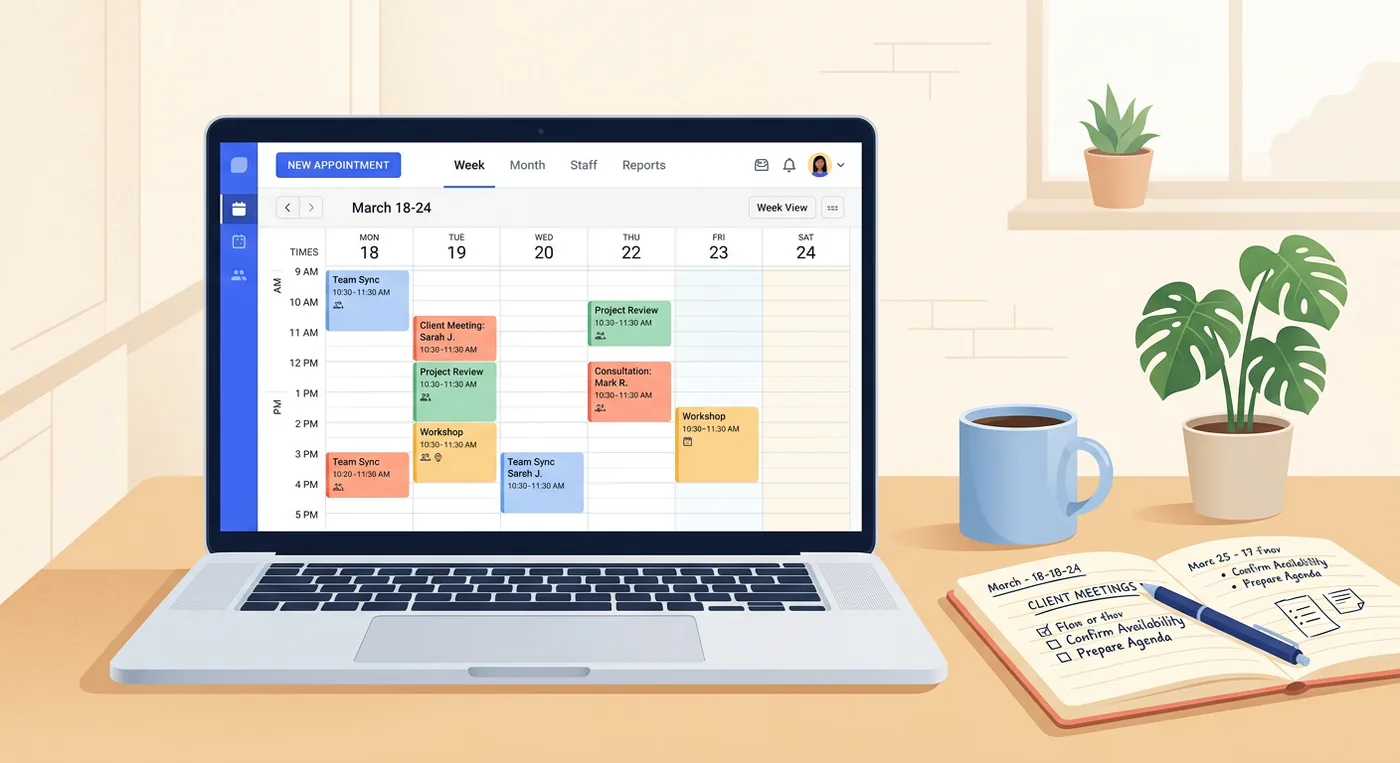
For a pet grooming business, this means their new dashboard is filled with sample appointments for “Full Groom” and “Nail Trim” across several mock groomers. A wellness clinic owner would see a calendar with appointments for “Initial Consultation” and “Follow-up Session,” complete with example client notes. This approach immediately answers the question, “What would my business look like in this software?” It shows them how dashboard insights, revenue reports, and staff utilization charts will appear once they’re fully set up, making the end goal tangible and motivating them to input their own data.
Key Insight: Demo data transforms an abstract tool into a concrete solution. It helps new users understand the “why” behind the setup process by showing them the powerful end result first.
How to Implement Pre-populated Demo Data
- Create Industry-Specific Data Sets: Develop 3-4 distinct demo environments for your core user groups, such as one for salons/spas, one for fitness studios, and another for home service businesses. This ensures the sample data is instantly recognizable and relevant.
- Guide Exploration with a Checklist: Don’t just show the data; guide users through it. Add a simple checklist like, “1. View a sample client profile,” “2. See how revenue is tracked,” and “3. Check a staff member’s schedule” to direct their attention.
- Explain the “Why”: Use small tooltips or notes within the demo data to explain certain setups. For instance, a note on a recurring appointment could explain how it helps secure future revenue for a therapy practice.
- Make it Safe and Clear: Prominently display a banner or watermark indicating that the account is in “Demo Mode.” This prevents any confusion and makes it obvious that this is sample information, not live client data. Add a clear button to “Clear Demo Data and Start Fresh.”
3. Progressive Feature Reveal Based on User Actions
Another of the most effective user onboarding best practices is to avoid showing a new user every single feature at once. Instead, a progressive feature reveal introduces advanced capabilities only after a user has completed key initial actions. This strategy prevents overwhelm and presents new tools at the exact moment they become relevant to the user’s journey. It turns feature discovery into a natural, rewarding process rather than a front-loaded chore.
For a salon owner using new booking software, this means the initial focus is on setting up services like “Haircut & Style” and adding their first client appointment. Once they’ve successfully received a few bookings, the system might introduce performance insights, highlighting which days are their busiest. After they add a second stylist to their staff profile, a tooltip could point out the team collaboration and staff scheduling software tools. This approach ensures the user masters the basics first, building a solid foundation before moving on to more complex functions like multi-location management or detailed client reporting.
Key Insight: The goal is to make advanced features feel like a helpful suggestion, not a mandatory lesson. By tying feature reveals to user accomplishments, you make the platform feel intelligent and responsive to their needs.
This is where Twizzlo stands out. Unlike most platforms that lock key features behind expensive tiers, hide addons, or force upgrades, Twizzlo offers one plan with unlimited appointments, staff, locations, and clients. This means you get peace of mind with stable pricing that doesn’t jump or surprise you with hidden fees, allowing your business to scale from a solo practice to a multi-location enterprise.
How to Implement Progressive Feature Reveals
- Define Clear Milestones: Map out key actions that signal a user is ready for more, such as “first appointment booked,” “first staff member added,” or “first 10 clients imported.”
- Use Contextual In-App Messaging: Introduce new features with subtle tooltips or short messages that appear naturally within the user’s workflow, not as disruptive pop-ups.
- Provide a “Features Roadmap”: Give curious power users a way to see what else is available and opt-in to advanced capabilities early if they choose.
- A/B Test Your Timing: Experiment with when you introduce certain features. Does showing analytics after 10 bookings work better than after 20? Use data to refine the timing for optimal engagement.
- Always Include a ‘Skip’ Option: Ensure users can easily dismiss feature suggestions. Forcing them to engage can create friction and frustration, undermining the goal of a smooth onboarding.
4. Video-Based Onboarding for Complex Workflows
Some processes are simply easier to show than to explain with text. This is where video-based onboarding becomes a critical tool, especially for appointment-based businesses with multifaceted workflows. Instead of long-form articles, this approach uses short, focused video tutorials (typically 60-90 seconds) to demonstrate common tasks. It’s a highly effective way to guide new users through complex actions within your appointment scheduling software. This is one of the most valuable user onboarding best practices for busy business owners who prefer visual learning.
For a multi-location spa owner, a short video can clearly show how to manage staff schedules across different branches from a single dashboard. For a pet groomer, a quick tutorial on how to handle a last-minute cancellation and re-book another client from the waitlist provides immediate, practical value. This visual guidance makes complex features feel more approachable and less intimidating.
Key Insight: Video tutorials turn abstract instructions into concrete, repeatable actions. By showing a workflow in real-time, you remove ambiguity and give users the confidence to perform the task themselves.
How to Implement Video-Based Onboarding
- Keep it Short and Focused: Each video should tackle a single workflow and be under 90 seconds. Break down larger processes, like end-of-month reporting, into a series of short, sequential videos.
- Address Real Scenarios: Create videos that solve specific problems for your audience, such as “How to Set Up Recurring Appointments for a Therapy Client” or “Managing Your Waitlist During Peak Hours.”
- Add Timestamps: Include clickable chapters or timestamps in your video descriptions. This allows a front-desk coordinator, for instance, to jump directly to the section on processing a deposit without watching the entire tutorial.
- Gather Feedback: Monitor video views and ask users which tutorials are most helpful. This feedback loop is essential for prioritizing the creation of new content and improving your overall onboarding experience.
5. Personalized Email Onboarding Sequence Based on User Profile
A key part of successful user onboarding best practices is extending the experience beyond the application itself. An automated, personalized email sequence sent over the first few weeks helps maintain momentum after signup. This series of 5-7 targeted emails should guide new users through setup based on their business type, company size, and stated goals, reinforcing the value they can get from your platform.
This strategy ensures the guidance remains relevant. A solo pet groomer receives a sequence focused on setting up their mobile services and sending automated appointment reminders. In contrast, the owner of a multi-location wellness clinic gets emails detailing how to add staff across different branches, manage unified client records, and view performance insights for each location. By timing these emails to user actions (or inactions), you can deliver helpful tips, setup checklists, and success stories from similar businesses at just the right moment.
Key Insight: A personalized email sequence acts as a proactive support agent, anticipating a user’s next steps and answering questions before they even have to ask. It keeps your software top-of-mind and guides them toward activation milestones.
How to Implement Personalized Email Sequences
- Segment and Personalize: Create distinct email paths based on signup data. Use specific examples relevant to their industry, such as mentioning “manicures and pedicures” for a nail studio or “deep tissue massage” for a therapy clinic.
- Time Your Sends: Send the first email within an hour of signup to capitalize on their initial excitement. Space subsequent emails 2-3 days apart to provide a steady stream of guidance without overwhelming their inbox.
- Focus on Action and Value: Each email should have a clear purpose, like “Set Up Your Online Booking Page” or “See How [Similar Business] Reduced No-Shows.” Include a single, clear call-to-action in each message.
- Monitor and Adjust: Track open rates, click-through rates, and unsubscribe rates for each segment. If a particular email in the sequence for barbershops has a high unsubscribe rate, it’s a sign that the content isn’t relevant and needs to be revised.
6. First-Use Success Path with Micro-Milestones and Celebrations
One of the most powerful user onboarding best practices is to build a structured “success path” for a user’s first session. This involves breaking down the setup process into small, achievable tasks called micro-milestones. By guiding a new business owner through these steps and celebrating each completion, you create immediate momentum and a sense of accomplishment, turning a potentially tedious setup into an engaging experience.
For a salon owner using new appointment booking software, this path could start with “Add Your Business Info,” then “Create Your First Service” (e.g., ‘Women’s Haircut’). Upon completion, a small visual cue like a checkmark or a burst of confetti appears, and the next task, “Add Your First Staff Member,” is unlocked. Each milestone reinforces that the user is making real progress toward getting their business online. This approach effectively gamifies setup, motivating users to complete the crucial first steps that lead to receiving their first online booking.
Key Insight: The goal of a success path is not just setup; it’s to build user confidence. Small, celebrated wins make users feel competent and invested, motivating them to continue exploring the software’s value on their own.
How to Implement a First-Use Success Path
- Sequence for Value: Structure your milestones to lead directly to a tangible outcome. Guide the user from adding their business info to creating a service, setting availability, and finally, seeing their live booking page.
- Celebrate Appropriately: Calibrate your celebrations. A massage therapy clinic owner might prefer a subtle progress bar update and a “Well done!” message over loud animations. Keep it professional but encouraging.
- Show the Outcome: After a milestone is completed, show the user what they just accomplished. For example, after they set their hours, show a preview of their calendar with the text, “Your business is now open for bookings on Wednesdays!”
- Track Skips and Stalls: Allow users to skip steps. If many users are skipping the “Add Staff Member” milestone, it may indicate your customer base is primarily solo practitioners or that the step is too complex. Use this data to refine your onboarding flow.
7. Live Chat and Personalized Onboarding Support
Automated tours are powerful, but nothing replaces the value of timely human assistance during the critical first few weeks of using new software. Integrating live chat and personalized support into your onboarding is one of the most effective user onboarding best practices for reducing friction and building user confidence. This approach provides a safety net, assuring new users that an expert is available the moment they get stuck.
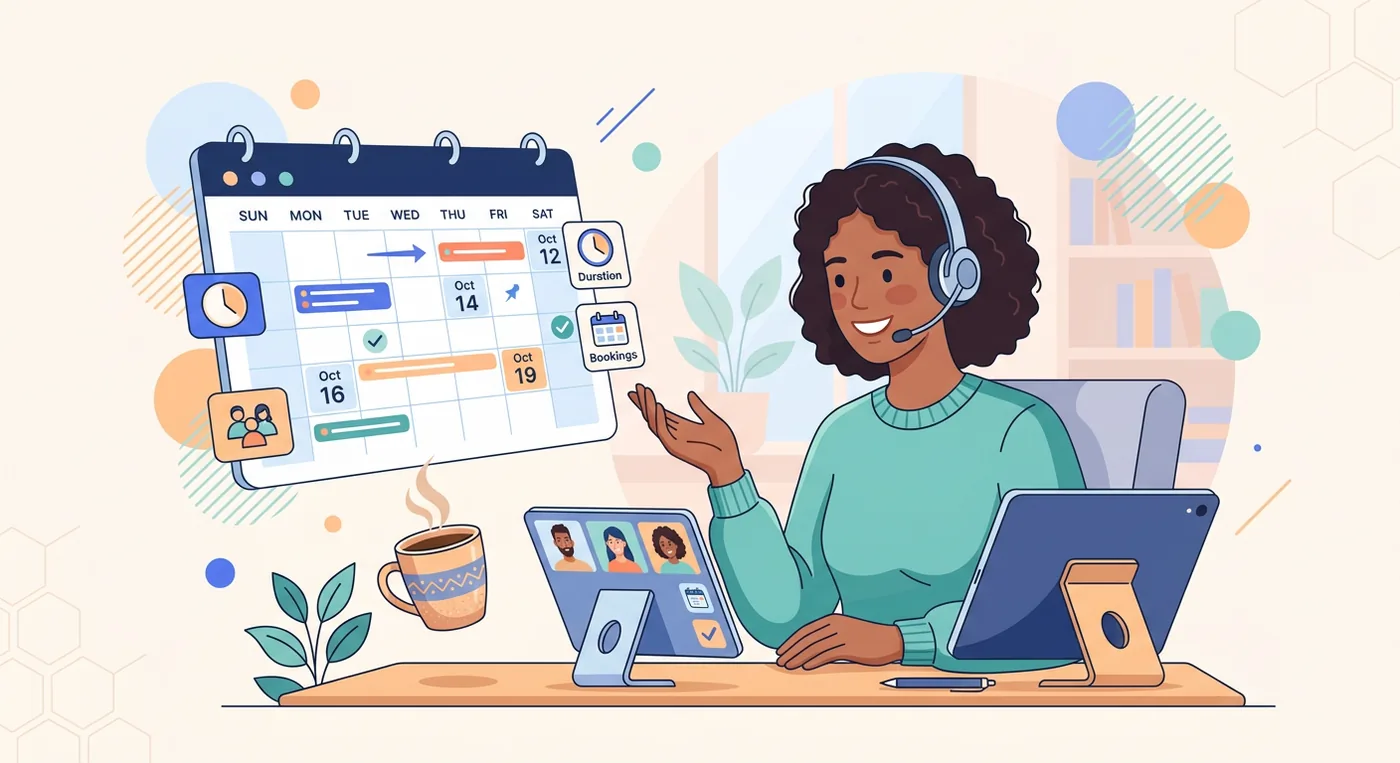
For a busy salon owner trying to migrate client data on a Sunday night, a proactive chat message asking, “Need help importing your client list?” can be the difference between a successful setup and a frustrated abandonment. Similarly, a personal trainer struggling to configure different class types can receive immediate, targeted guidance from a support agent who understands their specific business needs. This transforms a potential negative experience into a positive one, reinforcing the value of both your product and your company.
Key Insight: The goal of proactive support is not just to solve a problem, but to intervene before a user becomes frustrated. This transforms a potential negative experience into a positive one, reinforcing the value of both your product and your company.
How to Implement Live Chat and Personalized Support
- Define Proactive Triggers: Set up automated chat messages based on specific user actions or inactions. Common triggers include a user spending more than three minutes on the setup page, abandoning the staff scheduling form, or repeatedly skipping a product tour step.
- Train for Business Context: Your support team must speak the language of your customers. Ensure they understand the difference between a “balayage” and a “root touch-up” for salons, or the logistics of “mobile grooming” for a pet service business. This specialized knowledge makes the support feel more personal and effective.
- Offer Multiple Support Channels: While chat is great for quick questions, complex issues like data migration may require more. Always offer an easy way to escalate to a scheduled 1-on-1 setup call, which can be invaluable for larger or less tech-savvy businesses.
- Gather Onboarding Feedback: Use every chat interaction as an opportunity to learn. Ask users what they found confusing or what they were trying to accomplish. This direct feedback is critical for refining your onboarding flow and improving your client management software over time.
8. Contextual In-App Help and Smart Tooltips
Effective user onboarding best practices include providing help exactly where and when users need it, without forcing them to leave the page. A contextual in-app help system, featuring smart tooltips and on-demand guidance, anticipates user questions and offers answers directly within the interface. This proactive support prevents frustration and reduces the need for users to open a new tab to search for help or contact your support team.
For a busy massage therapist setting up their booking page, this means seeing a small tooltip when they hover over the “cancellation policy” field, explaining best practices for setting a fair policy. When they encounter an error—like trying to set overlapping staff hours—the system doesn’t just show a red warning; it provides a smart suggestion like, “It looks like Maria’s shifts overlap. Would you like to adjust the morning or afternoon schedule?” This turns a moment of confusion into a guided learning opportunity, building the user’s confidence in their ability to manage the software.
Key Insight: The best help system feels like a quiet, knowledgeable assistant, appearing only when needed and offering clear, simple advice. It empowers users to solve their own problems instantly, making your platform feel intuitive and supportive.
How to Implement In-App Help and Tooltips
- Write for the User: Craft tooltip copy in conversational, plain language. A pet groomer doesn’t need to know about API parameters; they need to know what “sync with personal calendar” means for their daily schedule.
- Keep it Brief: Tooltips should be concise, ideally one to two sentences. For more complex topics, use a “Learn More” link that opens a detailed guide in a pop-up or sidebar, keeping the user in their workflow.
- Use Progressive Disclosure: Show basic information first. A simple hover-based tooltip can offer a quick definition, while a click can reveal a more in-depth explanation or a link to a full knowledge base article.
- Test and Refine: A/B test the wording and placement of your tooltips. Analyze support tickets to identify common questions that could be answered proactively with a new tooltip, ultimately reducing support workload and improving the user experience.
9. Community-Driven Peer Learning and User Groups
Effective onboarding doesn’t stop when the product tour ends. One of the best user onboarding best practices is to create a dedicated space where your customers can learn from their peers. A community forum, Slack channel, or private Facebook group connects new users with experienced ones who can share industry-specific advice, turning your platform into a hub of collective knowledge.
Imagine a pet groomer struggling to optimize their schedule for different dog breeds. Instead of searching generic help docs, they can post in the community and get immediate advice from another groomer who has already solved that exact problem. This peer-to-peer validation is often more powerful than guidance from a software company. It builds trust and shows new users that they are part of a supportive network of fellow business owners, not just customers of a tool.
Key Insight: A community turns onboarding from a one-time event into an ongoing process of discovery. It gives users a reason to stay engaged with your brand and platform, long after they’ve mastered the basic features.
How to Implement Community Learning
- Seed the Ground: Before inviting new users, populate the community with high-quality content from your team. Post common questions, share helpful tips, and create discussion prompts to set a positive and constructive tone.
- Create a Welcome Mat: Designate a specific “New User Introductions” channel or thread. Actively welcome every new member to make them feel seen and encourage them to participate from day one.
- Incentivize Contribution: Recognize and reward your most helpful users. This can be as simple as a “Top Contributor” badge or as tangible as exclusive perks and early access to new features.
- Organize Focused Events: Host industry-specific webinars or virtual meetups. A session on “How to Reduce No-Shows for Massage Therapists” or “Marketing Your Salon for the Holidays” provides targeted value and strengthens connections.
10. Onboarding Metrics and a Feedback Loop to Optimize Experience
Great onboarding isn’t a one-time setup; it’s an ongoing process of refinement. One of the most important user onboarding best practices is to systematically measure your process and create a continuous feedback loop. By tracking key metrics and collecting user feedback, you can identify friction points and make data-driven improvements to your videos, tours, and email sequences.
For a growing pet grooming business, this means tracking how long it takes a new front-desk hire to successfully create their first recurring client booking. If you notice a high drop-off rate during the staff scheduling setup or a spike in support tickets about calendar syncing, that’s a clear signal to improve that part of the onboarding. These insights allow you to iterate on your guidance with precision. You might discover a confusing button label or realize a tutorial video needs to be updated.
Key Insight: Don’t guess what’s working. Treat your onboarding as a product in itself, one that requires constant measurement, user feedback, and iteration to deliver the best possible experience and drive long-term adoption.
How to Implement Onboarding Metrics and Feedback
- Define Critical Metrics Upfront: Set clear success targets. For example, aim for 60% of new users to complete their business profile within their first session, or for 50% to receive their first online booking within 48 hours.
- Survey Users at Key Moments: Use short, in-app surveys to gather feedback after a user completes a major milestone (like their first booking) or after their first week. Ask open-ended questions like, “What was the most confusing part of setting up your services?”
- Review Data Cross-Functionally: Hold monthly meetings with team members from product, support, and sales to review onboarding funnels, survey results, and session recordings. This ensures everyone understands user pain points and can contribute to solutions.
- A/B Test High-Impact Elements: Don’t be afraid to test changes. Run A/B tests on your welcome email subject lines, the placement of a “Book a Demo” button, or the thumbnail of your first tutorial video to see what drives better engagement.
The 10 Practices at a Glance
| Practice | What it does | Example from this guide |
|---|---|---|
| 1. Interactive product tour | Guides new users to a first win with steps matched to their business type | A barbershop owner is shown stylist schedules and services first |
| 2. Pre-populated demo data | Removes the blank-slate problem by showing a working account on day one | A groomer’s dashboard filled with sample “Full Groom” appointments |
| 3. Progressive feature reveal | Introduces advanced tools only after key actions are completed | Performance insights appear after the first few bookings |
| 4. Video-based onboarding | Demonstrates complex workflows in short, focused clips | Managing multi-location staff schedules from one dashboard |
| 5. Personalized email sequence | Guides setup over the first weeks based on business type and goals | A solo groomer gets mobile-service tips; a clinic gets multi-staff guidance |
| 6. First-use success path | Breaks setup into small, celebrated micro-milestones | Business info, then a first service, then a first staff member |
| 7. Live chat and personal support | Puts human help in reach before frustration sets in | A proactive “Need help importing your client list?” message |
| 8. Contextual in-app help | Answers questions inside the interface at the moment they arise | A tooltip explaining the cancellation policy field |
| 9. Community peer learning | Lets users trade industry-specific advice with each other | A groomer gets scheduling advice from another groomer |
| 10. Metrics and feedback loop | Measures friction points and drives continuous improvement | Tracking how fast a new hire creates a recurring booking |
Putting Your Onboarding Plan into Action
We’ve explored a wide range of user onboarding best practices, from interactive product tours that guide new users step-by-step, to personalized email sequences that keep them engaged. The journey from initial setup to full adoption is critical, whether you’re bringing a new client into your booking system or training a new stylist at your salon. The core idea is to transform a potentially complex process into a simple, rewarding experience that demonstrates value immediately.
Remember the power of context. A pre-populated demo account showing a busy week at a pet grooming studio is far more effective than an empty calendar. Likewise, progressively revealing features as a user needs them prevents overwhelm and builds confidence. The goal isn’t just to show users what your booking software can do, but to show them what it can do for them and their specific business, be it a multi-location wellness clinic or a solo massage practice.
Key Takeaways for Your Business
To make these concepts stick, focus on three central pillars:
- Guidance over Instruction: Instead of just telling users what to do, guide them through tasks that deliver immediate value. Celebrate small wins, like a front-desk coordinator successfully setting up their first staff schedule or a new client booking their first appointment online. These micro-milestones build momentum.
- Personalization is Paramount: A one-size-fits-all approach no longer works. Segment your onboarding by user type. A business owner needs to see performance insights and multi-location management, while a new staff member needs to understand their schedule and client notes. This targeted approach makes the software feel like it was built just for their role.
- Iterate Based on Feedback: Your first onboarding flow won’t be your last. Use in-app surveys, support tickets, and direct conversations to understand where users get stuck. The metrics and feedback loops we discussed are your roadmap to a smoother, more effective process. This continuous improvement is a hallmark of strong operations.
Your Actionable Next Steps
Translating these ideas into reality requires a structured approach. Start small.
- Map Your “First-Use Success Path”: Identify the single most important action a new user (client or staff) must take to see value. Is it booking an appointment? Setting their work hours? Focus your entire initial onboarding on achieving that one goal.
- Choose Your Tools: Decide which methods fit your needs. Will you use a series of short video tutorials for complex features like staff scheduling? Or will you rely on contextual tooltips and a robust in-app help center? Many businesses find great success by looking into the strategic advantages of automating customer onboarding, which can free up staff time while ensuring a consistent, high-quality user experience.
- Implement and Measure: Roll out your new onboarding flow for a small segment of users. Track key metrics: How long does it take for a new staff member to become fully active? Are new clients successfully using the online booking portal? Use this data to refine your strategy.
Ultimately, mastering these user onboarding best practices is about more than just software adoption. It’s about building a foundation for operational excellence. It reduces costly no-shows, empowers your staff to work more efficiently, and provides a seamless booking experience that keeps clients coming back. A great onboarding process ensures your appointment scheduling software is not just another tool, but a central driver of your business’s growth and stability.
User Onboarding FAQ
What is user onboarding?
User onboarding is the process of taking someone from first login to the point where a tool delivers real value. For an appointment-based business it runs in two directions: getting owners and staff comfortable with new booking software, and getting clients through their first online booking. Product tours, demo data, milestone checklists, and contextual help are all onboarding tools aimed at the same goal — a fast first win.
How do you improve an existing user onboarding process?
Measure before you change anything. Track where users drop off, how long it takes a new hire to complete a core task, and which steps generate support tickets. Survey users right after key milestones, review the results across product, support, and sales, and A/B test high-impact elements like welcome emails and tutorial thumbnails. Treat onboarding as a product that ships improvements continuously, not a one-time setup.
How long should user onboarding take?
The first session should produce a visible win — a completed business profile, a first service created, or a live booking page. Deeper adoption unfolds over the first few weeks, which is why a five-to-seven email sequence spaced two to three days apart works well. Set concrete milestones, such as receiving the first online booking within 48 hours, and track how long each one actually takes your users.
What is the difference between onboarding staff and onboarding clients?
The principles are identical — reduce friction and deliver a quick first win — but the paths differ. Staff need role-based onboarding: an owner should see the dashboard and staff scheduling, while a stylist only needs their own calendar and client list. Clients need a friction-free first online booking. Segmenting by role keeps each group from wading through features that are irrelevant to them.
Which user onboarding best practice should a small business implement first?
Map the first-use success path. Identify the single most important action a new user must take to see value — booking an appointment, setting work hours — and focus the entire initial experience on that one goal. Then pick supporting tools: short videos for complex workflows like staff scheduling, or contextual tooltips for quick questions. For most booking software, the first win is a cleanly scheduled appointment.
How Twizzlo Can Help
If you’re running an appointment-based business and tired of stitching together multiple tools—or getting hit with surprise fees every time you grow—Twizzlo is worth a look. It brings bookings, staff scheduling, client history, and performance insights into one platform, with one transparent plan and no feature lockouts.
👉 Start with Twizzlo at twizzlo.com
Try Twizzlo — built for appointment-based businesses that want to scale without the pricing games.
Try Twizzlo free
Flat-rate booking software. No per-seat, per-chair or per-location fees.