
What Is CRM Software Used For? A 2026 Guide

In short
CRM software is used to keep one record per customer and act on it. A sales team uses it to track leads and deals. A service business that runs on appointments uses it as its client book: contact details, visit history, service notes and messages, which drive reminders, rebooking and follow-ups.
- Keep booking and client records in one system, so every appointment, cancellation and message updates the same record without retyping.
- Most of the payoff is repeat visits: reminders, rebooking prompts and lapsed-client follow-ups protect the clients you already won.
- Check what a vendor counts before comparing prices: some charge per user, some per location and some per business.
Source: Microsoft Dynamics 365: What is CRM? (opens in a new tab), read
In this article8 sections
If you own a salon, spa, barbershop or grooming business, you may already be doing CRM work without calling it that. Every time you jot down a color formula, remember a client hates late afternoon appointments, or text someone who missed their last visit, you’re managing customer relationships.
Tools like scheduling software, reminders, staff calendars, and client notes often live in separate places. That creates gaps. The front desk can’t see what the stylist noted. The provider doesn’t know the client canceled twice last month. The owner can’t easily spot who hasn’t rebooked.
Twizzlo publishes this guide and makes booking software with a built-in client record, so it competes with some of the tools described here. You can see every scheduling feature on one page.
What is CRM software used for in a service business?
In a service business, CRM software is used as the client book behind the calendar: one record per client with contact details, visit history, service notes and messages, updated every time the client books, cancels, visits or replies.
Some trades use a heavier version. A photography studio's CRM also carries the quote, contract, questionnaire and invoice for each shoot, which is why our guide to photography studio management software treats it as a separate category from a booking app; the best photography booking software guide covers the booking side.
What sits inside a service-business CRM
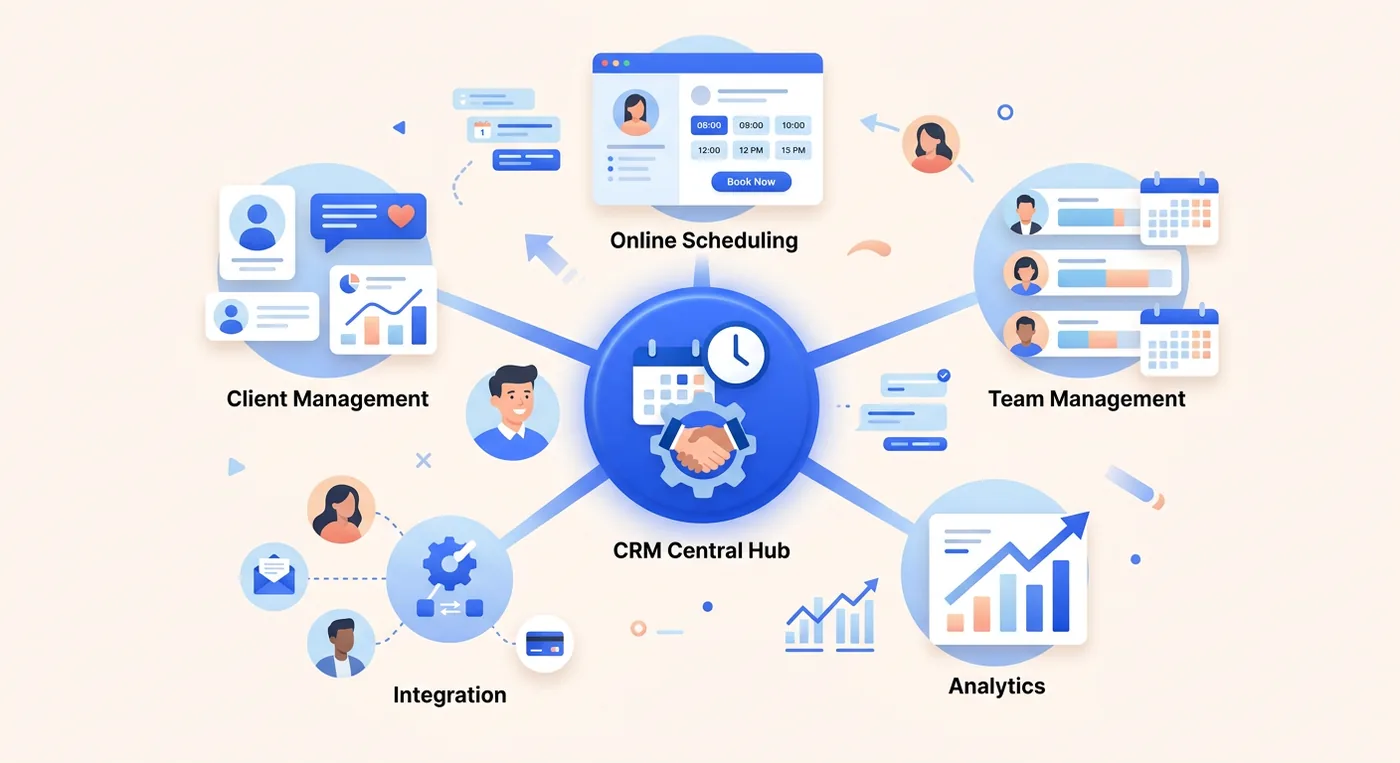
A service-business CRM holds the client information your staff uses every day:
- Contact details like phone number, email, birthday, and preferred way to hear from you
- Visit records that show what service was booked, when the client came in, and which staff member helped them
- Service notes such as color formulas, product sensitivities, pressure preferences, or grooming instructions
- Booking habits like no-show history, last-minute cancellations, or how often the client usually returns
- Message history including confirmations, reminders, follow-ups, and replies
Choosing small business booking software with the client record built in avoids patching together one tool for scheduling, another for notes and another for follow-up messages. In that setup, CRM is not an extra layer; it is the memory of the system.
What does a service-business CRM do day to day?
A service-business CRM does six jobs: one profile per client, visit and service history, notes the team can read, automated reminders, client groups for outreach, and reports on repeat visits.
1. Unified client profiles
Keep one profile for each client. Instead of hunting through texts, paper cards and staff memory, your team opens one record and sees the client’s contact details, past visits, notes and booking activity.
2. Appointment and service history
A useful CRM shows what the client booked, when they came in, who served them, what they usually add on, and how often they return. In a spa, that might mean spotting a client who books facials every six weeks. In a salon, it helps staff recommend the next service based on what the client does, not what you hope they will buy.
3. Internal notes the whole team can read
Maybe a color client prefers extra consultation time. Maybe a massage client wants a quieter room. Maybe a pet grooming customer gets anxious during nail trimming and does better with one specific groomer. In an integrated CRM, those notes stay attached to the client record instead of living in one person’s head.
Use the sick-day test: if your busiest team member called out today, could someone else open the schedule and still take good care of their clients?
4. Automated reminders and follow-ups
The system sends confirmations, reminders, and follow-up messages without your front desk writing each one by hand.
For an appointment business, this is one of the clearest answers to what CRM software is used for: it handles repeat communication while staff stay with the client in the chair.
5. Segmentation and targeted outreach
A good CRM lets you group clients by real behavior, then contact each group in a way that makes sense, for example:
- Lapsed clients who have not booked in several months
- Regulars who are due for their usual service
- Birthday clients who may respond to a timely offer
- Frequent reschedulers or no-show risks who need stronger reminder settings
6. Reporting that helps you make decisions
An integrated CRM can show which services lead to repeat visits, which providers rebook most often, where cancellations cluster, and which client groups are slipping away.
If your booking platform keeps reports tied to client records, you see how the business is doing day to day without exporting anything; our guide to the best appointment scheduling software compares booking platforms side by side.
The six core functions next to a sales CRM
A sales CRM does the same six jobs for a different goal. The Microsoft Dynamics 365 guide to CRM, read September 28, 2026, lists sales features such as account and opportunity management and opportunity scoring, and describes a typical CRM dashboard of pipeline value, deal stages and lead sources.
| CRM function | What it does for an appointment business | What a sales CRM does instead |
|---|---|---|
| Unified client profiles | One record with contact details, past visits, notes, and booking activity | A contact and company record tied to open deals |
| Appointment and service history | Shows what was booked, who served the client, and how often they return | A log of calls and emails on each deal |
| Internal notes | Keeps formulas, sensitivities, and preferences attached to the client record | Call notes on the lead or opportunity |
| Automated reminders and follow-ups | Sends confirmations and reminders without manual front-desk work | Campaigns that nurture leads toward a sale |
| Segmentation and outreach | Groups lapsed clients, regulars, and no-show risks for targeted messages | Audience segments and opportunity scores |
| Reporting | Surfaces rebooking patterns, cancellation clusters, and slipping client groups | Pipeline value, deal stages and lead sources |
How does a CRM work during one salon visit?
In one salon visit, the client record is created at booking, read at the consultation, updated after the service and used again to prompt the next booking.
1. Before the appointment
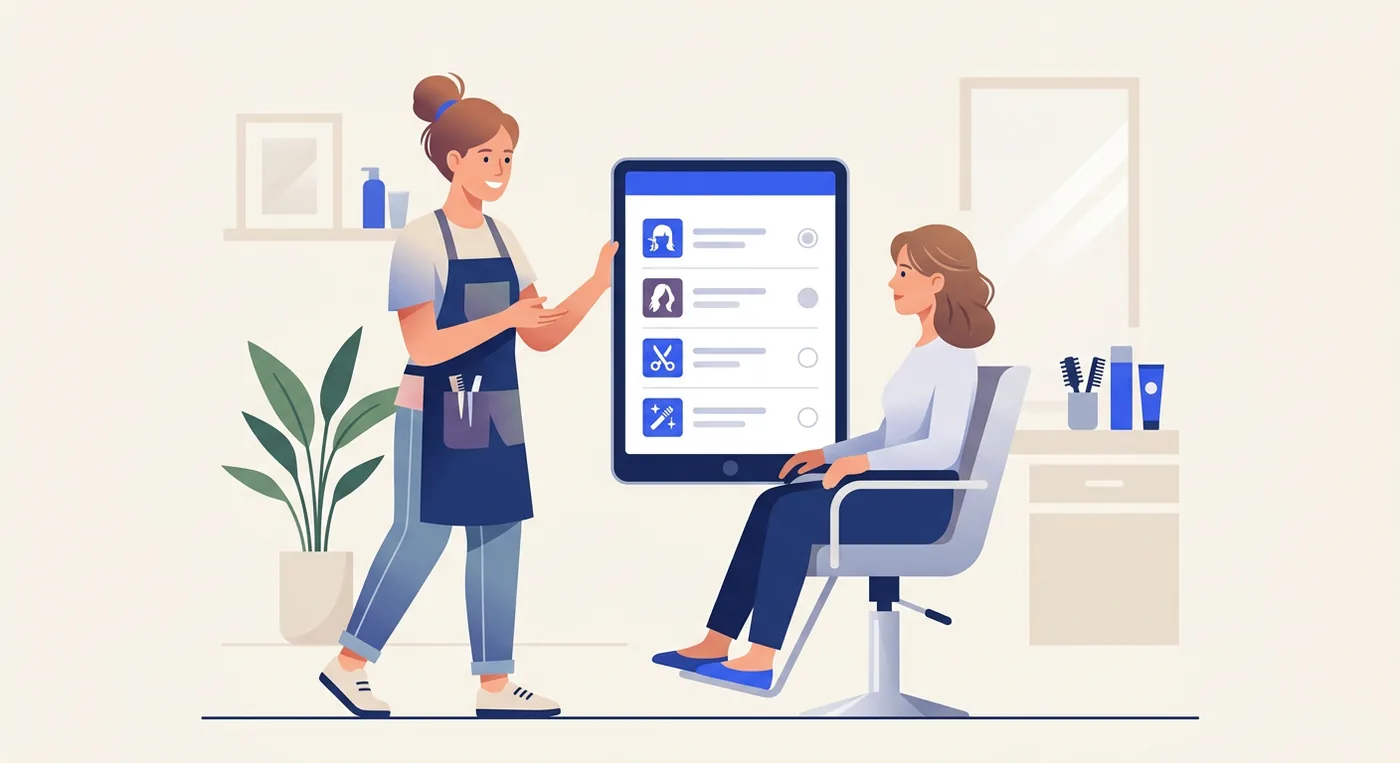
A new client books online for a color and cut. The moment she books, the system creates her profile with her contact details, service selection, and appointment time.
The salon sends a confirmation automatically. Later, it sends a reminder without the front desk needing to call or text manually.
2. During the appointment
When she arrives, the stylist opens her profile before the consultation, and the details she gave when she booked are already there, so nobody asks the same basic questions twice.
After the service, the stylist adds notes. Maybe the client liked a cooler tone, asked to avoid too much length off, and mentioned she prefers weekday mornings. Those notes are now available the next time anyone on the team sees her.
Salon owners comparing booking tools with a built-in client record can start with our best salon software roundup.
3. After the appointment
Once checkout is complete, the system can trigger a thank-you message or a rebooking prompt. If the client usually returns on a pattern, the business can reach out at roughly the right time instead of waiting until she disappears.
How does a CRM protect revenue and retention?
A CRM protects revenue in an appointment business in three ways: it keeps regulars rebooking, it cuts forgotten appointments, and it shows which services and staff bring clients back.
1. Better retention
In a salon, spa or barbershop, retention comes from small moments handled well: the right reminder, a color formula that is easy to find, and a follow-up when a regular has not rebooked on her usual schedule.
2. Fewer no-shows
A CRM helps reduce no-shows by automating reminders and follow-ups based on appointment timing and client history. A client who tends to forget evening bookings may need a different reminder cadence than a client who books months in advance and always arrives early.
3. Smarter revenue decisions
A good CRM also helps owners answer basic operating questions with evidence instead of guesswork: which services bring clients back fastest, which team members retain clients well and which regulars have quietly stopped booking.
When client records connect to tools like sales performance reports for appointment businesses, you can compare repeat visits, cancellations, and rebooking patterns without piecing spreadsheets together by hand.
Which CRM features does an appointment business need?
An appointment business needs seven CRM features before any others, and each one keeps the client record tied to the calendar.
The non-negotiables
Use this checklist when comparing platforms:
- A shared client database so staff can see the same contact details, appointment history, and notes
- Notes tied to the client record for preferences, formulas, sensitivities, or special instructions
- Automated reminders and follow-ups by email or SMS
- Segmentation or tagging so you can reach lapsed clients, regulars, or specific service groups
- Booking and CRM in one workflow so appointments automatically update the client record
- Reporting tools that show cancellations, returning clients, and service patterns
- Multi-staff visibility so front desk and service providers aren’t working from separate systems
For a salon team, our salon CRM software guide covers what the record should hold for every client and what each staff login costs.
Where does Twizzlo fit as a service-business CRM?
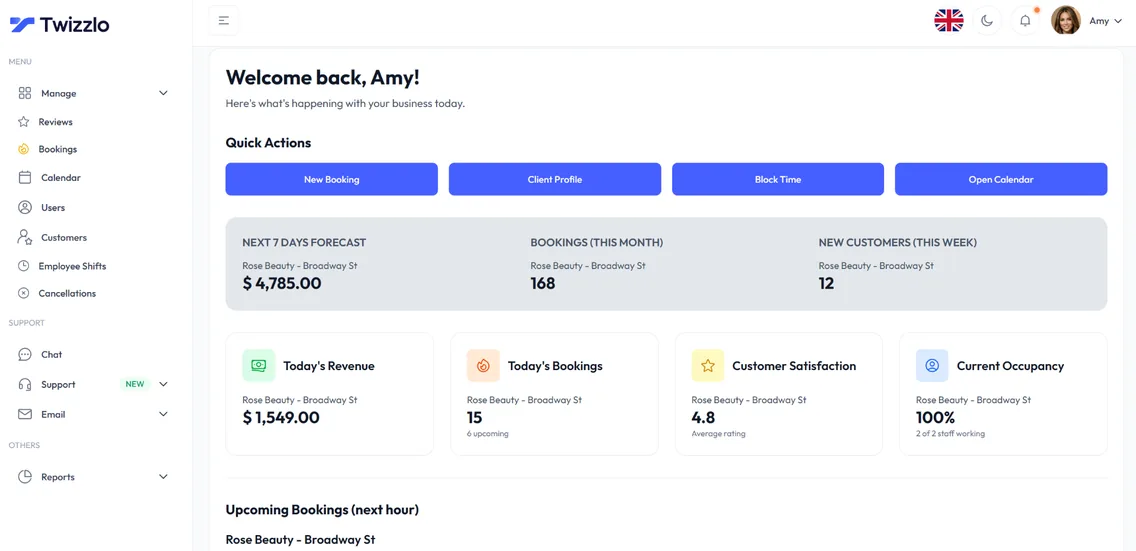
Twizzlo is web-based online booking and appointment scheduling software for appointment-based service businesses, with the client record built in. Each client has one profile with contact details, visit history, notes and preferences, total spend across appointments and tips, and repeat-visit tracking, and you can search and filter the client list. The same calendar sends confirmations and reminders by email, and by SMS on Business Pro within its allowance. Staff open the record through their own Twizzlo access, with role-based permissions.
Free is $0 a month for up to 150 bookings, with no SMS; it is free forever, not a trial. Business Pro is $29.99 a month per business, with unlimited bookings, 50 SMS a month then $0.03 each, and a 30-day money-back guarantee. Both plans include unlimited staff and locations, and support is 24/7. You can compare the two plans on the pricing page.
Online payments carry your Stripe processing rate plus a 1.5% Twizzlo platform fee. Staff can also record manual payments.
The Free plan is enough to test the client record with real bookings, and the full list of booking and reminder features is on one page.
Frequently Asked Questions About CRM Software
Can I import my existing client list into a CRM
Usually, yes. Most modern systems let you bring in contacts from a spreadsheet or another platform. Before importing, clean up duplicate names, outdated phone numbers, and missing emails.
Is cloud-based CRM safe for client data
That depends on the provider’s security practices, permissions, and data handling. Ask how access is controlled, how data is stored, and what backup processes exist before choosing a platform.
Do I need technical skills to use a CRM
Not usually. For a service business, the best CRM feels like an extension of your booking process, not a separate technical project. If your staff can manage an online calendar, they can usually learn the basics.
Can CRM help with no-shows
Yes, mainly with clients who forget. A CRM sends confirmations and reminders from the booking record without anyone at the front desk writing them, and its visit history shows which clients have missed or canceled before, so you can give those clients an earlier reminder or ask them to pay when they book.
Is CRM only useful for consumer service businesses
No. The same principles apply in business-to-business settings too. An accountant, a consultant or a repair service keeps the same kind of record: who the client is, what was done and when to follow up. A business that sells through a sales team adds a pipeline of deals to that record.
What does CRM stand for
CRM stands for customer relationship management. The term covers both the practice of managing client relationships and the software that supports it. In an appointment business, that software is less a sales pipeline and more the system of record for who your clients are, what they book, and how you stay in touch between visits.
Is a CRM different from booking software
They started as separate categories: booking software manages the calendar, while a CRM manages client data. In appointment businesses that split creates gaps between the front desk and the service provider, which is why integrated platforms now handle both. If every booking, cancellation, and message updates the same client record, you effectively have a CRM without running a second system.
How much does CRM software cost for a small service business
It depends on what the vendor counts. On pricing pages read September 25, 2026, Setmore Pro is $12 per user a month on monthly billing, Square Appointments Plus is $49 a month per location, and Booksy is $29.99 a month plus tax, with $20 a month for each added team member. Twizzlo prices per business: Free is $0 a month for up to 150 bookings, with no SMS, and Business Pro is $29.99 a month per business; both plans include unlimited staff and locations.
Who uses CRM software
Any business that needs to remember its customers between contacts. Sales teams use it to track leads and deals, support teams to track requests, and appointment businesses such as salons, barbershops, spas, groomers and personal trainers to keep visit history, notes and reminders on each client.
What is an example of CRM in a service business
A returning salon client books a color appointment online. Her record already shows her last formula, the stylist she prefers and one late cancellation in the spring, so the salon sends her usual reminder, the stylist reads the note before she arrives, and after the visit the record shows when she is due to rebook.
Sources and methodology
Prices read
- Microsoft Dynamics 365: What is CRM? (opens in a new tab)Read . Supports: the CRM definition; sales features (account and opportunity management, opportunity scoring, pipeline value, deal stages and lead sources, lead campaigns, audience segmentation) used in the sales-CRM column
- Setmore pricing page (opens in a new tab)Read . Supports: Pro price per user a month on monthly billing
- Square Appointments pricing page (US) (opens in a new tab)Read . Supports: Plus price per location a month
- Booksy pricing page (opens in a new tab)Read . Supports: subscription price plus tax and the fee for each added team member
- Twizzlo features page (opens in a new tab)Read . Supports: client profiles, visit history, notes, total spend, repeat client tracking, search and filtering, reminders, role-based access and manual payments
- Twizzlo pricing page (opens in a new tab)Read . Supports: Twizzlo plans, SMS allowance, guarantee, support and the online payment fee
From our editorial policy
- We do not publish invented quotes, studies, statistics, customer stories or product tests, and we do not imply hands-on use of a product when the research came from the vendor's public documentation.
- To report an error, email support@twizzlo.com with the subject line "Correction: [page URL]". Tell us what is wrong and, if you can, link a source.
Update history
- : Rewrote the FAQ to match its schema, removed an unsourced no-show statistic and a vendor video, added a sales-CRM comparison and two FAQs, and gave Twizzlo's plan details their own section.
Start free, upgrade when you grow
Flat-rate booking software. No per-seat, per-chair or per-location fees.
- Free plan up to 150 bookings a month, not a trial
- Business Pro is $29.99 a month per business for unlimited bookings, with a 30-day money-back guarantee
- 24/7 support by email