
A Guide to Getting Google Reviews for Your Business

In short
Getting Google reviews works best as a routine: complete your Google Business Profile, copy its review link and send it to every client soon after each appointment, with one reminder at most. Google's policy bars incentives and asking only happy clients, so ask everyone the same way, then reply to every review, good or bad.
- Give staff one short script for every checkout, with no review quotas and no request to name them in the review.
- Put one direct review link in follow-up messages, email signatures, your website and a printed QR code at the desk.
- Each week, count requests sent and new reviews, note the average rating and check that every review got a reply.
In this article10 sections
Getting Google reviews is a routine, not a one-off campaign. This guide covers the profile to fix first, where to put your review link, when and how to ask, what Google’s review policy allows and bars, how to reply and which numbers to track each week. Twizzlo, which publishes this guide, sells appointment scheduling software; its part in the routine is described in the section before the FAQ.
Why Google reviews matter for appointment businesses
Getting Google reviews matters because reviews sit next to your business name on Search and Maps, so a person choosing between two studios sees your rating and recent comments before your website. Google’s help page on local ranking, read September 28, 2026, also says more reviews and positive ratings can help a business’s local ranking.
Reviews are one channel in a wider plan; our guide to marketing for beauty salon businesses covers the others.
What usually goes wrong
- The ask happens too late. By the next day, the visit is no longer fresh.
- The link is hard to find. If clients need to search for your profile themselves, many won’t finish.
- Nobody owns the process. The front desk thinks the provider asked. The provider assumes automation handled it.
- Reviews come in spikes. That creates inconsistency instead of a steady flow.
What Google’s review policy allows and bars
Google’s content policy for Maps reviews lets a business ask clients to review a genuine visit, as long as it offers nothing in return, asks every client rather than only the happy ones, and does not pressure clients on the premises or tell them what to write.
| Google’s policy | What it means at the front desk |
|---|---|
| Businesses may ask for reviews of a genuine experience, without incentives and without influencing the rating or content | Ask every client for an honest review of their visit |
| No incentives, such as payment, discounts, free goods or services, for posting a review or for changing or removing a negative one | No discount, free add-on, gift or payment for a review, and nothing in return for editing one |
| No discouraging negative reviews and no selectively asking for positive ones | Send the same request after every visit; do not screen clients or steer unhappy ones elsewhere first |
| No requiring or pressuring clients to review while on the premises | Mention the link at checkout, then let the client review later, on their own time |
| No requests for specific content | Never ask for five stars, keywords or particular words |
| No asking staff to collect a set number of reviews | No review quotas, targets or contests for staff |
| No asking for content that identifies a staff member | Do not ask clients to name the stylist, therapist or artist in the review |
| No reviews based on a conflict of interest, such as current or former employment, or posted from several accounts at one person’s request | Staff, former staff and the owner’s family do not review the business |
The rest of this guide follows these rules: every client gets the same request, and nobody is screened out first.
First, Optimize Your Google Business Profile for Reviews
Before you ask for a single review, check the Google Business Profile the client will land on: business name and category, hours, phone, website and booking link, services, description and recent photos of your space and team.
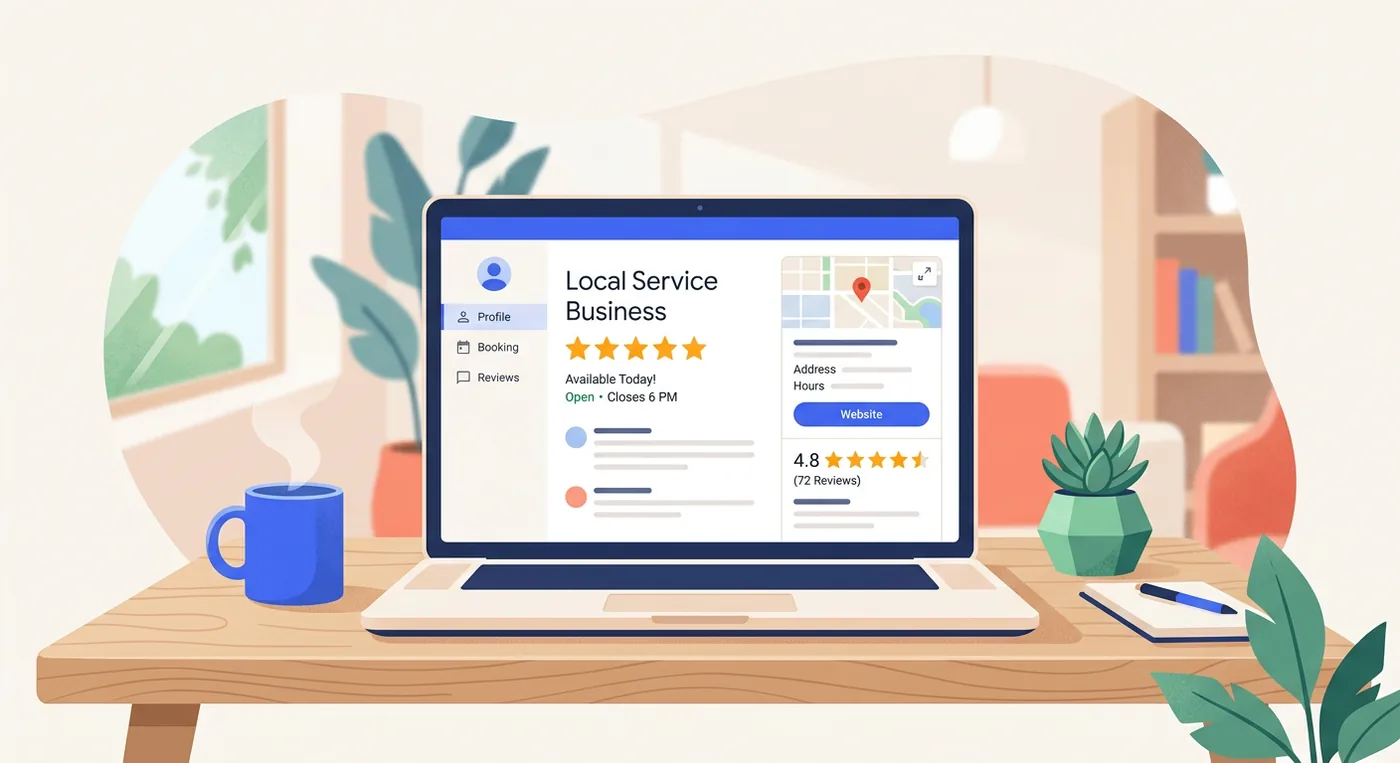
Check these profile basics
- Business name and category. Use your real business name and the most accurate primary category.
- Hours and holiday hours. Wrong hours send clients to a closed door.
- Phone, website and booking link. Make sure every path leads to a real next step. Google’s help page on local business links, read September 28, 2026, says a profile can list up to 10 booking links and mark one as “Business preferred.”
- Service list. Add your core services clearly so visitors understand what you do.
- Description. Write in plain language. Say who you help, what you offer and what makes the experience different.
- Photos. Add real photos of your space and team, not stock images, plus your reception area and finished work where appropriate.
What a strong profile does for reviews
A review doesn’t live alone. Prospects read the review, then inspect the profile around it. If they see outdated photos, a blank services area or inconsistent information, the review loses some of its persuasive power.
A quick pre-flight checklist
Use this before you start asking for reviews:
| Profile element | What to check | Why it matters |
|---|---|---|
| Contact info | Phone, website, booking path | Reduces drop-off |
| Photos | Recent, high-quality, realistic | Builds confidence |
| Services | Clear naming and organization | Helps buyers self-qualify |
| Business description | Specific and readable | Improves first impression |
| Booking link | Opens your booking page | Lets a reader book from the profile |
Create and Share Your One-Click Review Link
A direct review link takes a client from your message straight to your profile’s review form, so nobody has to search for your business name first.
How to get the link
Google’s help page on creating a review link or QR code, read September 28, 2026, gives three steps:
- Go to your Business Profile.
- Select Read Reviews, then Get more reviews.
- Share the link or QR code directly. To copy the review link, select Copy; to download the QR code, right-click it and select Save image as.
Don’t let this live in one manager’s bookmarks. Put it in your written procedures, team notes or shared docs so the front desk, owner and marketing lead all use the same link.
Where to place it so reviews come in passively
It is easy to create the link once and then use it only in occasional email blasts. Put it in places clients already interact with:
- Email signatures for owners, front desk staff and providers
- Post-visit follow-up messages
- Website footer or contact page
- Social media bio link pages
- Printed cards at reception
- QR codes on appointment cards or take-home aftercare sheets
For businesses that want an offline-to-online bridge, this guide to business cards with QR codes is a practical way to turn a printed touchpoint into a review request. A link used after every visit keeps new reviews arriving each week, instead of in one burst after a launch.
A placement plan for a salon, spa or studio
A practical setup looks like this:
- Add the link to every completed appointment follow-up.
- Create a QR code version for the checkout counter.
- Include it in staff email signatures.
- Add the link to your website’s footer or contact page.
- Train staff to mention it the same way at every checkout.
When and how to ask for a review
Send the request by text or email the same day, after the client has left, then one reminder at most, and stop once the client has left a review.
A five-step request routine
For a salon, spa or studio, the cleanest process usually looks like this:
- Note which appointments took place that day.
- Wait a short period so the client isn’t being prompted while still at the desk.
- Send one short message by SMS or email with the direct review link.
- Stop after one follow-up if they don’t respond. Repeated nudges get annoying.
- Treat complaints as service problems. Resolve them directly, and keep the client on the same request list as everyone else.
Appointment status, not memory, should serve as the trigger. If your business already sends confirmations and reminders, add the review request to the same follow-up routine, whether a system or a person sends it. Teams already refining that side of the journey can borrow ideas from this article on appointment confirmation text.
Request templates for text and email
For a salon:
Thanks for visiting us today, Mia. If you have a minute, we’d really appreciate a Google review. It helps other clients find us. [review link]
For a massage studio:
Thanks for coming in today. If you’d like to share how your massage went, here is our Google review link: [review link]
For a barbershop:
Thanks for the visit today. Reviews help other clients find us. Leave one on Google here if you like: [review link]
By email:
Subject: Thanks for visiting [business name]
Hi [first name], thanks for coming in today. If you’d like to share how your visit went, you can leave a Google review here: [review link]. Thank you, [your name]
Reminder, sent once, two or three days later:
Hi [first name], a quick reminder in case you’d like to review your visit on Google: [review link]. No need to reply.
Notice what’s missing: no guilt, no request for a particular rating, no staff names and no long paragraph about how much reviews matter to the business.
What not to automate blindly
Avoid these common mistakes:
- Sending every request at the same rigid time when your services vary widely in length and context
- Getting the client’s name wrong or not personalizing basic fields
- Requesting a review after a cancellation or no-show
- Sending the same message to someone who already left a review recently
How staff can ask within Google’s rules
Staff can mention the review link at checkout as long as they say the same thing to every client, never ask for a particular rating or for their own name in the review, and never work toward a review quota.
A short mention at checkout makes the later message feel expected.
Give staff a short script, not a speech
Staff need one natural line, not a pitch, that they can use without thinking.
Good examples:
- At checkout: “Glad you came in today. If you have a minute later, we’d love a Google review.”
- After praise: “Thank you, that means a lot. We send everyone a review link after the visit, if you’d like to leave one.”
- At rebooking: “We’ll text the details over, and there’s also a review link in there if you’d like to leave feedback.”
Bad examples sound transactional or needy. Avoid lines like:
- Pressure-heavy: “Can you leave us a 5-star review today?” Asking for five stars tries to influence the rating, which Google’s policy bars (Table 1, rows 1 and 5).
- Too long: “Our small business depends on reviews to survive and it would mean so much if…”
- Awkwardly scripted: “Please support our online presence by sharing your exceptional satisfaction.”
Staff coaching rules
Don’t tell your team to “get more reviews.” Tell them what to say, and to say it the same way to every client.
| Situation | Staff action |
|---|---|
| Any client at checkout | Mention the review link with the approved line, the same way every time |
| Client praises a team member | Thank them and mention the link like any other client, without asking them to name anyone |
| Client raises a complaint | Hand it to a manager to resolve; the client still gets the same follow-up message |
| New team member feels awkward | Use the approved line word for word until it feels natural |
For salon managers, review requests fit inside the wider topic of client communication best practices. The tone should feel the same as the rest of your brand: warm, brief and easy.
No quotas, contests or rewards
Google’s policy also bars businesses from asking staff to collect a set number of reviews, so skip review targets, leaderboards and per-review bonuses. Coach consistency instead: did the team mention the link at every checkout, use the approved line and hand complaints to a manager?
How to Respond to All Reviews and Track Your Growth
Reply to every review within a few days: thank positive reviewers and mention the service they had, and answer negative ones calmly, with an apology and an offline next step.
SOCi’s report The State of Google Reviews studied 31,326 Google profiles of multi-location brands that SOCi manages, using review data from January 2015 to July 2022 (read September 28, 2026). It linked replying to every review, rather than none, with conversion rates 16.4% higher, and each tenth of a star in the average rating with conversion roughly 4.4% higher. SOCi measures conversion as the share of search appearances that lead to a call, website click or request for directions.
How to reply to positive reviews
Don’t paste the same thank-you line every time. People can spot canned replies quickly. A simple formula:
- Thank them by name if available.
- Mention the service or experience.
- Reinforce something specific.
- Welcome them back.
Example for a salon:
Thanks, Jasmine. We’re glad you loved your color appointment and felt taken care of by the team. We appreciate you taking the time to leave a review and look forward to seeing you again.
Example for a massage studio:
Thank you for your feedback, Daniel. We’re glad your massage felt relaxing and your visit ran smoothly. We appreciate you choosing our studio.
How to handle negative reviews without making it worse
Negative reviews don’t require a perfect defense. They require a calm response. Use the Acknowledge, Apologize, Act pattern:
- Acknowledge the issue clearly
- Apologize for the experience
- Act by inviting an offline resolution
Example:
Thank you for the feedback. We’re sorry your visit didn’t meet expectations. That’s not the experience we want clients to have. Please contact our team directly so we can look into what happened and make this right.
Don’t argue facts in public unless there’s a serious factual error that needs brief correction. Even then, keep it restrained. Write the reply for the next person reading it, not only the reviewer.
What to track each week
Four numbers show whether the routine is running and working:
| Number | How to count it | What it tells you |
|---|---|---|
| Requests sent | Follow-up messages that carried the review link this week | Whether the routine ran after every visit |
| Request-to-review rate | New reviews divided by requests sent | Whether the message and timing work |
| Average rating | The rating on your profile at the end of the week | The trend, read over months rather than days |
| Response rate | Reviews you replied to divided by reviews received | Whether every reviewer got an answer |
Example with round numbers for a hypothetical studio, not a benchmark: 60 requests and 9 new reviews in a week is a 15% request-to-review rate, and replies to 8 of those 9 reviews are an 89% response rate. Reviews that arrive without a request count too, so read the rate as a trend.
Also note repeated phrases in reviews and mentions of staff names, wait times, cleanliness, friendliness or results. Read the week’s reviews next to your booking and revenue reports to see whether complaints cluster on certain days, services or staff; our guide to sales reports software covers those reports.
What review trends tell you operationally
Reviews are also a management signal. If a lash studio keeps getting praise for one artist, you may have a repeatable service standard worth documenting. If a barbershop sees repeated comments about waiting past appointment time, that is a scheduling and capacity question first; our guide on how to scale a service business covers the team and systems that growth needs. If a massage studio gets positive reviews that mention the atmosphere but not outcomes, your positioning may be stronger than your service communication.
The point isn’t just to get more reviews. It’s to use them.
Where Twizzlo fits in a review routine
Twizzlo is web-based online booking and appointment scheduling software for appointment-based service businesses, and it handles the booking side of this routine: a 24/7 booking page with a booking link for each location, automated confirmations and reminders, and client profiles with contact details and visit history.
Add each location’s booking link to its Google Business Profile, so someone reading your reviews can book from the profile.
Twizzlo has two plans. Free is $0 a month for up to 150 bookings, with no SMS, and includes the core booking, CRM, staff, insights and online payment features. Business Pro is $29.99 a month per business with unlimited bookings, 50 SMS a month and then $0.03 each, and a 30-day money-back guarantee. Both plans include unlimited staff and locations, and support is available 24/7. Online payments carry your Stripe processing rate plus a 1.5% Twizzlo platform fee.
To put a booking link on your profile, start on the free plan, or compare the two plans.
Frequently Asked Questions About Getting Google Reviews
These answers cover who to ask, incentives, timing, bad or missing reviews, local ranking, staff and the review link.
Can I ask every client for a Google review
Yes, and ask all of them the same way. Google’s review policy bars businesses from selectively asking for positive reviews, so send the same request after every completed appointment. Skip only visits that did not happen, such as cancellations and no-shows, because there is no visit to review.
Should I offer discounts or gifts for reviews
No. Google’s policy bars businesses from offering incentives, such as payment, discounts or free goods or services, in exchange for a review. Focus on timing, convenience and good service instead.
How often should I send review requests
Use one timely request after the appointment, then one light follow-up if needed. Beyond that, it starts to feel repetitive. Once a client has left a review, stop asking.
What if I get a fake or unfair review
Respond calmly if needed, document the issue internally, and use Google’s reporting process when the review appears to violate platform rules. Don’t get pulled into a public argument.
Should I only showcase 5-star reviews on my website
No. Balanced feedback usually feels more credible. A mix of positive reviews with real detail builds more trust than a page that looks overly filtered.
Can I delete a bad Google review
Not directly. You can’t remove someone else’s review just because it’s negative. Your options are to respond calmly, work toward an offline resolution, and flag the review through Google’s reporting process if it appears to violate content policies. For ordinary criticism, a professional response usually does more for future prospects than removal ever would.
Why are my Google reviews not showing up
Google checks new reviews against its policies before they appear, which can take a few days, and removes reviews that break them, such as spam, according to its help page on missing or delayed reviews, read September 28, 2026. Reviews removed for a policy violation are not restored. Keep collection steady, and avoid anything that resembles incentivized or bulk reviewing.
Do Google reviews help local SEO
Yes. Google’s help page on local ranking, read September 28, 2026, says more reviews and positive ratings can help a business’s local ranking. Steady, recent reviews and a reply to each one also show searchers that the business is active.
Is it against Google’s rules to ask for reviews
No. Google’s content policy for Maps reviews lets businesses ask clients to review a genuine experience. What it bars is offering an incentive, asking only the clients you expect to be happy, pressuring clients to review while they are still on the premises and telling them what to write.
Can staff ask clients to mention them by name in a review
No. Google’s policy counts a request for specific content, including content that names a staff member, as one businesses should not make. Staff can mention the review link at checkout, but the client decides what to write and whether to name anyone.
How do I find my Google review link
Google’s help page on review links, read September 28, 2026, says to go to your Business Profile and select Read Reviews, then Get more reviews. From there you can copy the review link or save the QR code to share with clients.
Sources and methodology
- Google, Maps User Generated Content Policy: Prohibited and restricted content (opens in a new tab)Read . Supports: what merchants may and may not do when soliciting reviews (Table 1, FAQs 1, 2, 9 and 10)
- Google Business Profile Help, Create a Google link or QR code to request reviews (opens in a new tab)Read . Supports: the steps to get, copy and share the review link or QR code
- Google Business Profile Help, Tips to improve your local ranking on Google (opens in a new tab)Read . Supports: more reviews and positive ratings can help a business's local ranking
- Google Business Profile Help, Manage your local business links (opens in a new tab)Read . Supports: up to 10 links per category, including booking links, and a preferred link
- Google Business Profile Help, Report inappropriate reviews on your Business Profile (opens in a new tab)Read . Supports: only reviews that violate Google policies are eligible for removal; how to report one
- Google Business Profile Help, About missing or delayed reviews (opens in a new tab)Read . Supports: policy checks can delay a review by a few days; reviews removed for policy violations are not restored
- SOCi, The State of Google Reviews (opens in a new tab)Read . Supports: how review replies and rating changes were linked to conversion across 31,326 profiles of multi-location brands SOCi manages, January 2015 to July 2022
- Twizzlo pricing page (opens in a new tab)Read . Supports: Twizzlo plans, booking cap, SMS allowance, money-back guarantee and online payment fee
- Twizzlo features page (opens in a new tab)Read . Supports: 24/7 booking page, per-location booking link, automated confirmations and reminders, client profiles
From our editorial policy
- We do not publish invented quotes, studies, statistics, customer stories or product tests, and we do not imply hands-on use of a product when the research came from the vendor's public documentation.
- To report an error, email support@twizzlo.com with the subject line "Correction: [page URL]". Tell us what is wrong and, if you can, link a source.
Update history
- : Aligned the advice with Google's review policy (read September 28, 2026), removed statistics we could not source, added a policy table, weekly review numbers and request templates, and added Twizzlo's plan details.
Start free, upgrade when you grow
Flat-rate booking software. No per-seat, per-chair or per-location fees.
- Free plan up to 150 bookings a month, not a trial
- Business Pro is $29.99 a month per business for unlimited bookings, with a 30-day money-back guarantee
- 24/7 support by email