Employee scheduling software for healthcare

Promotional banner: 'Employee Scheduling Software for Healthcare' with blue line-art illustrations of healthcare staff around the edges.

TL;DR: Healthcare employee scheduling software automates shift planning, tracks credentials and compliance rules, and connects scheduling with other clinic systems. In many healthcare settings, 53% of staff time is consumed by scheduling tasks, and proper EMR integration can deliver a 30% improvement in administrative processing times when staff availability and appointments are aligned correctly.

Published: April 16, 2026
Last updated: April 16, 2026
Read time: 14 min

If you’re running a wellness clinic, physical therapy practice, or multi-provider treatment center on spreadsheets, shared calendars, and text threads, you’re paying for it every week. The cost doesn’t just show up in admin time. It shows up in missed appointments, payroll confusion, overtime, and staff frustration.

The market is moving in one direction for a reason. The global healthcare staff scheduling software market is projected to reach USD 3.28 billion by 2034, with a 9.2% CAGR, reflecting a broad shift toward digitized workforce operations in healthcare settings (Intel Market Research).

For smaller appointment-based clinics, that shift matters even more. You don’t have the staffing cushion of a hospital system. One scheduling mistake can throw off the whole day. Tools like Twizzlo are built specifically for this workflow, combining booking, staff scheduling, client history, and performance insights in one platform, without the tiered pricing that punishes growth.

Healthcare employee scheduling software is a system that helps clinics assign the right people to the right shifts, enforce labor and credential rules, track attendance, and connect scheduling with tools like EMRs, payroll, and booking systems so daily operations run with fewer errors and less manual work.

Why Spreadsheets and Calendars Fail in Healthcare

One preventable scheduling mistake can wipe out the margin on several appointments. In a small clinic, that is not a minor admin issue. It is a weekly profit leak.

Spreadsheets and shared calendars break down fast in appointment-based healthcare because they were never built to manage shifting availability, role restrictions, last-minute callouts, payroll implications, and patient bookings at the same time. A three-provider physical therapy clinic feels this immediately. One therapist swaps a shift, one aide calls out, one evaluation runs long, and the front desk starts rearranging the day by hand while patients wait for callbacks.

A tired female doctor sitting at a cluttered office desk filled with stacks of shift scheduling paperwork.

Manual scheduling eats time you already don’t have

Small clinics usually do not have a dedicated operations team. The scheduling burden lands on whoever is available. Often that means the front desk lead, an office manager, or the owner.

For a three-practitioner wellness or PT clinic, the waste shows up in very specific ways:

  • Front desk staff spend part of the day confirming provider availability, fixing double bookings, and calling patients about changes that should have been caught earlier.
  • Practice managers end up checking hours manually before payroll, chasing missed break rules, and filling gaps with text messages.
  • Clinicians lose billable time when the schedule is built from outdated availability, room conflicts, or incomplete service blocks.

This is why disconnected tools stop working. If you are managing appointments in one place and staff coverage somewhere else, errors become routine. A small business booking system tied to staff scheduling gives smaller clinics one source of truth, which is what spreadsheets never provide.

Practical rule: If one person in your clinic is the only one who really understands the schedule, your clinic has a single point of failure.

Compliance errors don’t stay small

Healthcare scheduling has rules attached to it. Credentials expire. Some staff can perform certain services and not others. Overtime can trigger labor cost problems quickly. Last-minute edits need a record.

A spreadsheet does none of that on its own.

It will not warn you that a certification is about to lapse. It will not block an unqualified assignment when the clinic is busy and someone is trying to fill an open slot fast. It will not give you a clean audit trail when a shift changes three times in one afternoon.

That matters just as much in smaller regulated settings as it does in larger organizations. If you want a useful outside perspective on how poor leave and rota controls affect care operations, this piece on understanding how rota chaos impacts care homes is worth reading. The setting is different, but the operational pattern is the same.

Staff morale drops faster than owners expect

Schedule chaos trains staff not to trust the schedule. They save screenshots. They ask for confirmation twice. They assume a shift change was not communicated properly because that has happened before.

The result is predictable.

  1. More shift disputes
    Staff question what changed, who approved it, and whether everyone was notified.

  2. More burnout pressure
    The same dependable people get asked to cover gaps again and again.

  3. More turnover risk
    Good employees rarely leave because of one bad schedule. They leave because daily friction becomes normal.

Clinic owners often tolerate this longer than they should because spreadsheets look cheap. They are not cheap. They hide labor waste, create avoidable patient disruption, and drain manager time that should be spent improving capacity and revenue.

Core Components of Modern Healthcare Scheduling Software

Small clinics do not need enterprise complexity. They need software that keeps the week stable, handles daily changes without chaos, and gives the owner clear control over labor.

That is the standard.

The right system should do five jobs well. If it misses even one, your team ends up back in texts, side conversations, and manual corrections.

A diagram outlining the five key pillars of modern healthcare scheduling software for workforce management and efficiency.

Automated shift management

This is the scheduling engine. It should build the schedule around real clinic constraints, not force a manager to patch problems after the fact.

For a wellness center, that means assigning the right therapist or clinician to the right service length, room, and time block. For a physical therapy clinic, it means separating evaluations, follow-ups, specialty visits, and support coverage without creating bottlenecks at the front desk.

Good automation protects manager time. It also protects revenue. When one cancellation, callout, or availability change forces someone to rebuild half the week manually, the software is not doing its job.

Look for systems that support:

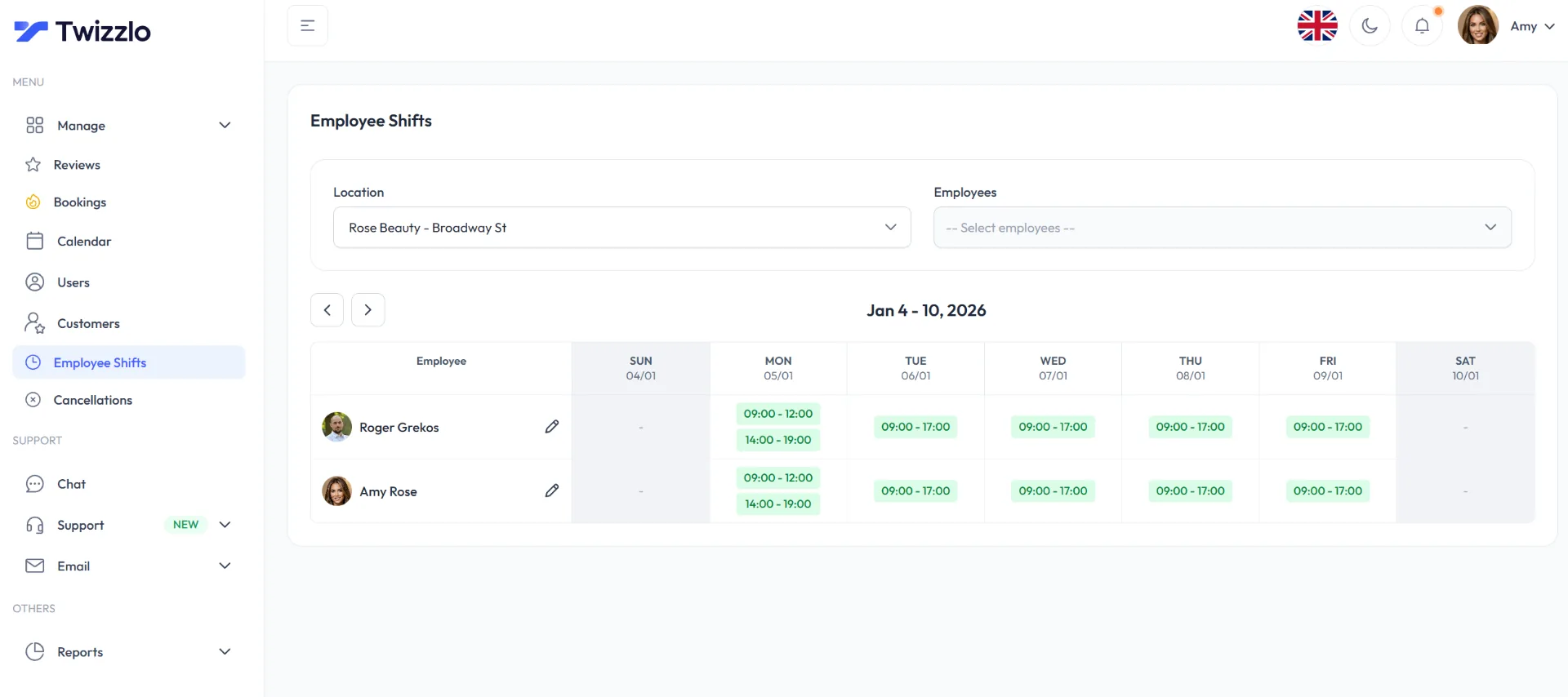
  • Availability rules for part-time staff, fixed-hour providers, and recurring exceptions
  • Role and service matching so only qualified staff appear for certain assignments
  • Template schedules for repeatable operating patterns by day or location
  • Open shift coverage tools so managers are not calling or texting people one at a time

For a practical outside overview of what buyers should look for in healthcare staff scheduling software, that guide covers the category well.

Compliance and regulation tracking

Small practices often assume compliance tracking is a hospital problem. It is not. A six-provider clinic can create just as much risk with one bad assignment, one expired credential, or one overtime mistake.

Your scheduling system should track the rules that affect daily staffing decisions. That includes rest periods, overtime thresholds, certifications, supervision requirements, and internal coverage rules. If those checks live in a manager’s memory, you do not have a system. You have a liability.

Here is what that looks like in practice:

Problem What the software should do
Overtime surprises Flag hours before the schedule is published
Expiring credentials Alert managers before someone is assigned incorrectly
Rule violations Warn or block assignments that break policy
Missing audit history Record every schedule change with timestamps and approvals

Communication and collaboration

Schedules change. The question is whether your clinic handles those changes cleanly or burns time chasing confirmations.

Email and text threads fail because they split the conversation across too many places. Front desk staff see one version. Providers see another. A manager assumes everyone got the update. Someone still shows up to the wrong shift or misses a change.

A useful platform gives the team one current version of the schedule and one channel for schedule-related actions. Staff should be able to:

  • View updates quickly
  • Request swaps or time off
  • Acknowledge schedule changes
  • Check the live schedule from their phone or desktop

If a system cannot keep communication tied to the schedule itself, it creates more administrative work than it removes.

A schedule is only useful when the whole team can trust the current version.

Reporting and analytics

Scheduling software should show you where labor is being wasted.

That matters in a two-location wellness practice just as much as in a larger organization. If Mondays are overstaffed, Fridays run thin, one provider generates repeated overtime, or a specific service line creates constant coverage gaps, you need that exposed quickly. Otherwise, the owner keeps making staffing decisions by instinct and wondering why margins stay tight.

At a minimum, your reporting should show absenteeism patterns, overtime exposure, open shift frequency, staffing by service or location, and recurring schedule gaps. Those are not executive vanity metrics. They are operating metrics.

Employee self-service

At this point, adoption succeeds or fails.

If every availability change, time-off request, or swap still has to pass through a manager manually, you have digitized the calendar and kept the same bottleneck. Staff should be able to handle routine requests on their own within the rules you set.

That controlled flexibility matters more in smaller appointment-based clinics because one late change can affect rooms, provider utilization, and patient flow for the entire day.

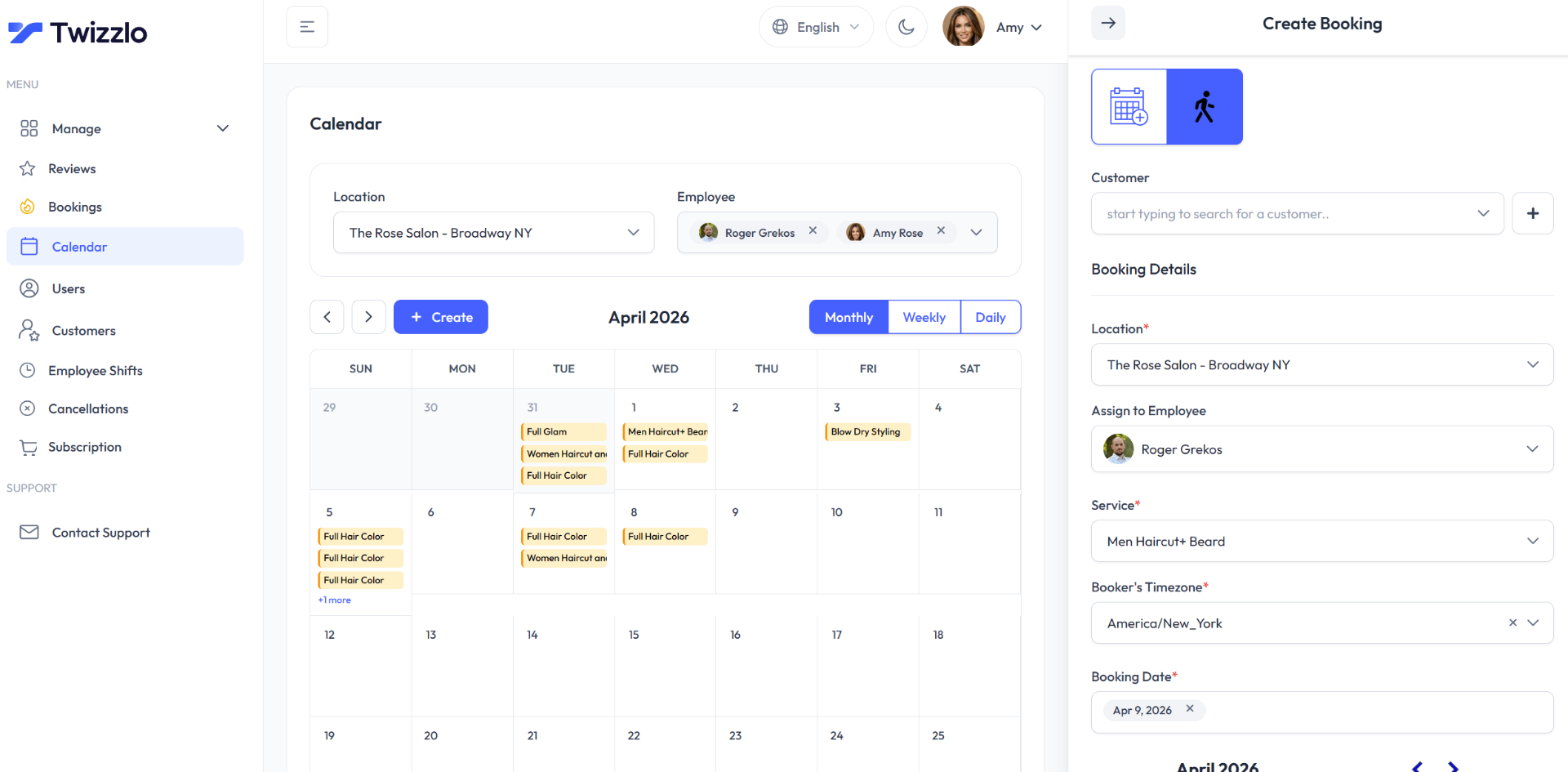
If you are comparing tools that combine staffing and booking workflows, appointment scheduling software for clinics with recurring services and provider availability can be a better fit than buying separate systems and forcing them to work together later.

Critical Features for Patient-Centered and Compliant Operations

A lot of software demos are built to impress, not to protect your clinic. Shiny dashboards are easy. Reliable operations are harder.

For healthcare, a few features are essential. If a platform handles these poorly, move on.

EMR integration is not optional

This is the line item that separates a scheduling tool from a real operational platform.

Proper EMR integration is proven to deliver a 30% improvement in administrative processing times by aligning patient appointments with qualified staff availability and reducing manual errors (WTT Solutions).

That matters immediately in smaller clinics. If your scheduler has to bounce between the booking calendar, the EMR, staff credential records, and a payroll file, your system is fragile.

You want scheduling software that can support:

  • Staff-to-appointment alignment
  • Role and qualification matching
  • Fewer manual handoffs between systems
  • Cleaner downstream payroll and reporting data

If the vendor is vague about integrations, assume the work will fall back on your team.

Credential and license tracking

This should be built into the workflow, not handled in a separate spreadsheet.

For example, if a physical therapy assistant, nurse practitioner, or specialist therapist has a credential with an approaching expiration date, the system should surface that before a scheduling decision becomes a risk.

What to demand:

  • Alerts before expiration dates
  • Qualified-staff matching for assigned services
  • Clear records on who approved schedule changes
  • Restricted assignment rules when credentials aren’t current

Without this, managers rely on memory. Memory is not a control system.

Time and attendance tied to real operations

The time and attendance segment held the largest revenue share of 28.06% in 2024, which makes sense because hour tracking, overtime, absenteeism, and payroll accuracy are where many clinics feel immediate value. That figure appears in the market and scheduling references already discussed earlier.

For smaller practices, time and attendance matters for one reason above all: it closes the loop. It shows whether the planned schedule and the worked schedule match.

You need to know:

  • Who clocked in when expected
  • Where overtime started
  • Which locations or service blocks are understaffed
  • Whether absenteeism is recurring with certain shifts

A scheduling platform without strong attendance tracking leaves managers guessing after the fact.

Mobile access with guardrails

Healthcare staff are moving. They aren’t waiting to get back to a desk to check tomorrow’s rota.

Mobile access should support speed without sacrificing control. Staff should be able to view shifts, request changes, and receive updates quickly, but managers should still retain approval workflows and compliance checks.

That’s especially important for clinics using part-time providers, floating assistants, or shared staff across multiple sites.

Buy software that reduces decision friction for staff and control friction for managers. If it only does one of those well, it won’t last.

If you want a more detailed checklist of what operational controls matter in practice, this guide to employee schedule management software key features to track is a useful place to pressure-test your shortlist.

Your Practical Implementation Checklist

Most scheduling software rollouts fail for boring reasons. Bad data. Unclear rules. Staff who weren’t consulted. Managers who got trained on the easy path but not the messy one.

Rollout needs structure, especially in smaller clinics where daily operations can’t pause for a long implementation project.

A female doctor reviewing software implementation checklists on a tablet in a clinical office setting.

Step 1 Define your scheduling rules before you touch the software

Write down how scheduling works today. Not how you think it works. Not how the policy manual says it works.

List the facts:

  • Who can perform which services
  • Which staff work across locations
  • What counts as overtime risk
  • How time-off approvals happen
  • What exceptions show up every week

Pro tip: Involve the people who live inside the schedule. That usually means front desk leads, senior clinicians, and the manager who fixes coverage problems. If you skip them, you’ll automate bad assumptions.

Step 2 Clean your data before migration

Don’t dump years of messy staff records into a new system and hope for the best.

Review employee names, roles, qualifications, work locations, contract patterns, and current availability. If credentials are tracked in more than one place, reconcile them before import.

Pro tip: Migrate only what the new workflow needs first. Historic clutter slows setup and confuses users.

Step 3 Pilot one team or location first

A phased rollout is smarter than a clinic-wide switch on day one.

Pick a department with enough complexity to test the system properly, but not so much complexity that every issue becomes a crisis. For many smaller organizations, one location or one provider group is the right pilot.

Start where the pain is visible but manageable. You want honest feedback, not a public meltdown.

Step 4 Train for exceptions

Most software training is too clean. It teaches publishing a perfect schedule. Real clinics don’t operate in perfect conditions.

Train managers and staff on what happens when:

  • Someone calls out
  • A provider needs to swap locations
  • A credential issue blocks an assignment
  • A patient schedule changes and staffing needs shift

If you need a practical change-management framework, this piece on online staff scheduling and how to roll it out without pushback is useful because it focuses on adoption, not just setup.

A short demo can also help your team visualize the transition:

Step 5 Set a hard review point after launch

Don’t treat go-live as the finish line.

Schedule a review after the first few weeks and examine where the system is still creating friction. Staff usually surface the same kinds of issues early: missing permissions, confusing notifications, poor mobile usability, or rules that were set too rigidly.

Pro tip: Track complaints by category, not by volume. Ten comments about shift swaps usually point to one workflow problem.

How to Evaluate Software and Avoid Common Pitfalls

Most clinics compare software the wrong way. They compare feature lists, not operating consequences.

That leads to bad purchases. A platform can look strong in a demo and still create expensive headaches after launch.

Pitfall one is weak integration

A 2025 healthcare workforce report found that 68% of facilities face significant scheduling delays due to poor system integrations, leading to overtime cost increases of 15-20% (Shiftboard).

That’s the trap. Vendors talk about integration as if all integrations are equal. They aren’t.

Ask blunt questions:

Evaluation question Why it matters
Does it connect with your EMR, payroll, and booking setup? Fragmented tools create duplicate work
Is data synced both ways or only imported? One-way syncs create stale records
Who handles setup and troubleshooting? Weak support shifts the burden to your staff
What breaks if one integration fails? You need to know the operational fallback

If the answer is vague, assume the integration is fragile.

Pitfall two is buying for today only

A lot of smaller clinics pick software that fits the current headcount but not the next stage of growth.

That becomes painful when you add a second site, introduce new service categories, or bring on more staff with different availability patterns. Suddenly the tool that felt simple becomes restrictive.

Twizzlo sets itself apart. Unlike most scheduling platforms that lock key features behind expensive tiers or charge per seat, Twizzlo offers one plan with unlimited appointments, staff, locations, and clients, so growing your business doesn’t mean growing your software bill.

Pitfall three is underestimating training

Owners often assume staff will “figure it out.” They won’t, at least not consistently.

Poor training creates shadow processes. Staff keep using old spreadsheets. Managers text schedule updates outside the platform. Front desk teams maintain backup notes because they don’t trust the system yet.

Watch for these warning signs during evaluation:

  • The demo only covers ideal workflows
  • Support looks strong before purchase but vague after rollout
  • Mobile use feels clunky
  • Permissions are hard to understand
  • Reporting requires too many manual exports

Cheap software gets expensive when your team has to build workarounds around it.

What to prioritize instead

For a smaller appointment-based clinic, the strongest shortlist usually includes software that is:

  • Easy to adopt for front desk and clinical staff
  • Structured enough to enforce roles and rules
  • Flexible enough to handle daily changes
  • Integrated enough to avoid duplicate entry
  • Predictable enough in pricing that growth doesn’t trigger constant upgrades

Don’t buy the flashiest platform. Buy the one your clinic can run on.

Measuring Success and Calculating Your Return on Investment

Labor usually eats the biggest share of overhead in a small clinic. If your new scheduling system does not lower admin time, reduce avoidable payroll leakage, or improve appointment flow within the first few months, it is not doing its job.

A healthcare professional using employee scheduling software on a computer to review performance metrics.

Track the right KPIs

Start with a baseline before launch. Then compare the same numbers every month for at least 90 days.

For a physical therapy practice, wellness clinic, or multi-provider office, the best measures are the ones that show whether the front desk is spending less time fixing schedules and whether providers are being used more efficiently.

KPI What to compare before and after
Schedule admin time Hours spent building, updating, and communicating schedules
Overtime exposure Overtime incidents tied to poor scheduling or late changes
No-show impact Missed appointments linked to coordination gaps and outdated workflows
Attendance accuracy Planned shifts versus actual worked shifts

You do not need a complicated finance model to prove value. If your office manager gets back several hours a week, if overtime drops, and if fewer appointments are disrupted by staffing confusion, the software is paying for itself.

Build your ROI case in plain language

Owners should calculate return from four places:

  • Less admin labor spent creating schedules, calling staff, and fixing conflicts
  • Fewer payroll mistakes and fewer unnecessary overtime hours
  • Better staff utilization across busy and slow appointment blocks
  • Stronger patient flow with fewer preventable gaps, delays, and missed visits

This matters more in smaller appointment-based clinics than many buyers realize. A hospital can absorb some inefficiency. A five-provider clinic cannot. One bad staffing decision can leave a treatment room idle, push visits behind schedule, and force the front desk into damage-control mode for the rest of the day.

Use reporting to improve margins, not just schedules

The first return comes from replacing manual scheduling. The bigger return comes from using the data to make better staffing decisions every week.

Look for patterns. Which days run short on support staff by noon? Which provider templates create bottlenecks? Which locations carry labor that does not match booked demand? Answers like that help you cut waste without cutting service.

If you want to compare staffing coverage with revenue trends, sales reporting tools for clinic performance can help you see whether labor deployment matches the work that brings in revenue.

Frequently Asked Questions

Question Answer
What is healthcare employee scheduling software? It’s software that automates staff scheduling, tracks attendance, supports compliance rules, manages credentials, and connects staffing with systems like EMRs, payroll, and booking tools.
Is this only useful for hospitals? No. Smaller clinics often feel scheduling mistakes faster because one absence or bad assignment can disrupt the whole day.
Why does EMR integration matter so much? It helps align appointments with qualified staff and cuts manual admin work. That reduces scheduling errors and operational delays.
What should a small clinic prioritize first? Start with role-based scheduling, attendance tracking, mobile access, and integration with the systems your team already uses daily.
How do I avoid a failed rollout? Define your rules early, clean your data, pilot one team first, and train staff on exceptions, not just ideal workflows.

If you’re running an appointment-based business and tired of stitching together multiple tools, or getting hit with surprise fees every time you grow, Twizzlo is worth a look. It brings bookings, staff scheduling, client history, and performance insights into one platform, with one transparent plan and no feature lockouts. Start with Twizzlo at twizzlo.com.

Author: Daniel Mercer
Daniel Mercer is a healthcare operations advisor who works with clinics and appointment-based service businesses on scheduling, workflow design, and software selection. He has spent years helping teams move off spreadsheets and fragmented tools into systems that improve daily operations. Author page: https://twizzlo.com

Related articles:


If your clinic is juggling bookings, staff schedules, client records, and multiple locations across separate tools, Twizzlo gives you one place to manage them. See how Twizzlo helps service businesses run smoother at twizzlo.com.

author avatar
Roger Grekos Founder - Editor
Roger Grekos is the founder of Twizzlo, a flat-rate appointment booking platform built for salons, barbershops, spas, and service businesses. With over a decade in product management — including senior roles at Find.co and PayEm — he writes about the real operational challenges service business owners face every day.

Discover more from Twizzlo

Subscribe now to keep reading and get access to the full archive.

Continue reading