
Appointment scheduling software features for service businesses
Twizzlo is online booking and appointment scheduling software for barbershops, salons, spas, tattoo studios, cleaning companies and other service businesses. Clients book 24/7, confirmations and reminders go out automatically, and your client records, staff shifts, payments and reports live in one cloud-based workspace.
30-day money-back guarantee on Business Pro
$0
Free plan for up to 150 bookings a month, not a trial
$29.99
Business Pro per month, per business: unlimited bookings, 50 SMS a month
Unlimited
Staff and locations on both plans
24/7
Email support, average reply under 2 hours
Questions before you switch? Email sales@twizzlo.com
Online booking system and appointment scheduling
Give clients a 24/7 online booking page that shows only the times you can actually take, based on real-time availability. Buffer times, custom booking rules and blackout dates keep the day realistic. Clients can reschedule themselves instead of calling, and your team can drag any booking to a new time on the calendar. Automated confirmations and reminders go out by email on both plans, and by SMS on Business Pro.
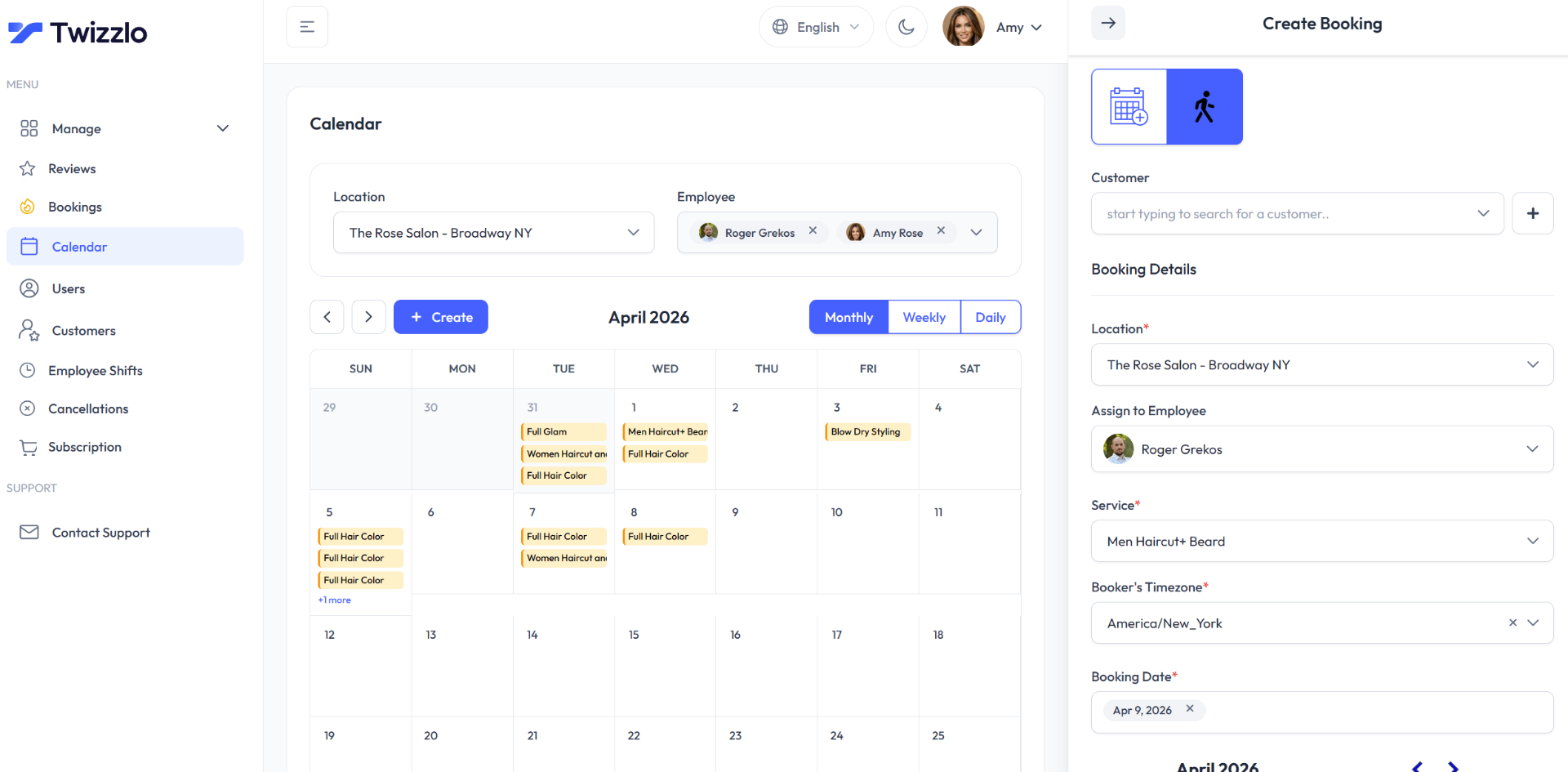
Online booking features
- Real-time availability
- 24/7 online booking page for clients
- Prepaid bookings to reduce no-shows
- Per-location booking link
- Collect online payments and tips at booking
- Automated email confirmations and reminders
- Appointment reminders by SMS on Business Pro
- Walk-in bookings supported
- Buffer times between appointments
- Custom booking rules
- Client self-rescheduling
- Drag-to-reschedule on the calendar
- Cancellation handling
- Time-off and blackout dates
- Multi-location bookings & centralized control
- Multiple time zones supported
Client management (CRM) and client history
Every client gets one profile with contact details, visit history, notes and preferences, allergies and total spend, tips included. Your team can see what a client had last time before they arrive, and repeat client tracking shows who keeps coming back. Search and filter the list, or add a client by hand when they call or walk in.
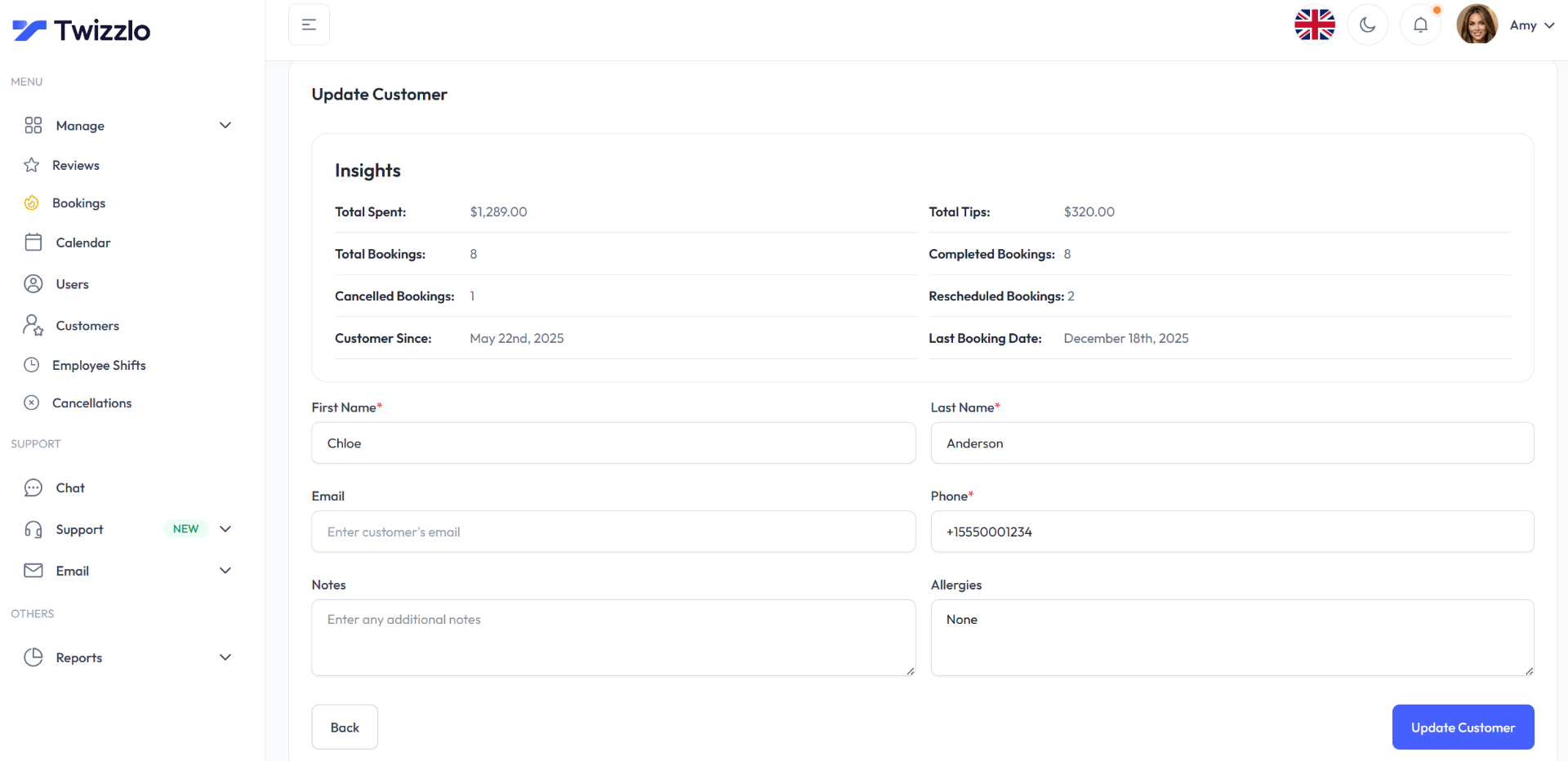
Client management features
- Centralized client profiles
- Client history and visit log
- Notes and preferences per client
- Total spend per client (appointments + tips)
- Contact details
- Repeat client tracking
- Client search and filtering
- Manual client creation
- Allergies handling
Staff scheduling and employee shifts
Give each team member a profile, their own schedule and the services they perform, so bookings follow who is actually working. Plan employee shifts across one or several locations, manage availability and time off, and use role-based access to decide what each person can see. Staff never raise your price: both plans include unlimited staff.
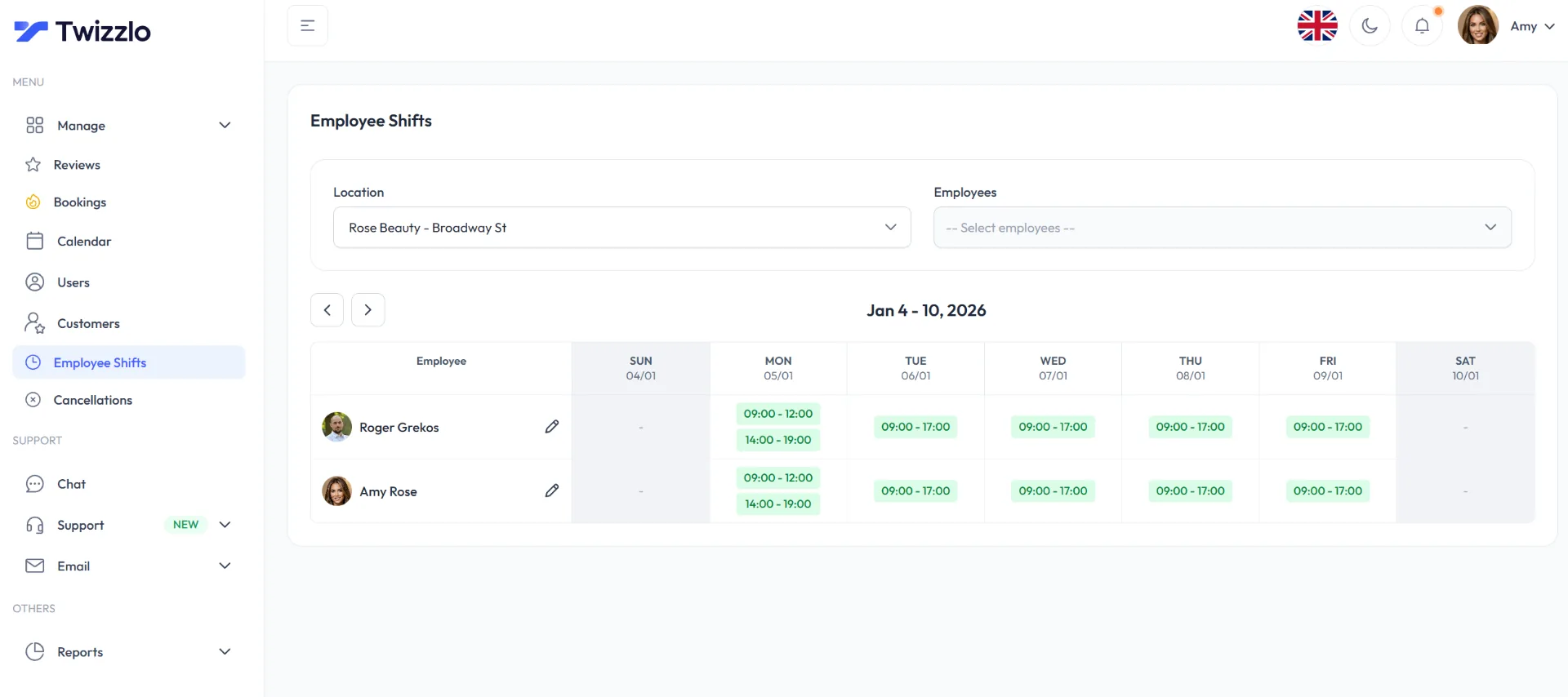
Staff scheduling features
- Staff profiles
- Twizzlo access for staff
- Bookable & non-bookable staff types
- Individual staff schedules
- Centralized staff management
- Multi-location staff shifts and schedules
- Role-based access
- Assign services to staff
- Availability & time-off management
- Staff performance visibility
- Calendar view per staff member
- Unlimited staff members
Try Twizzlo with your own services and team
Free up to 150 bookings a month, not a trial. Unlimited staff and locations on both plans.
Online payments, prepaid bookings and tips
Take payment online when clients book, through Stripe, and let them add a tip at checkout. Turn on prepaid bookings for any service to reduce no-shows: the client pays the full service price when they book, and if they do not show, you decide whether to keep or refund it. Record manual payments so each client's total spend stays complete.
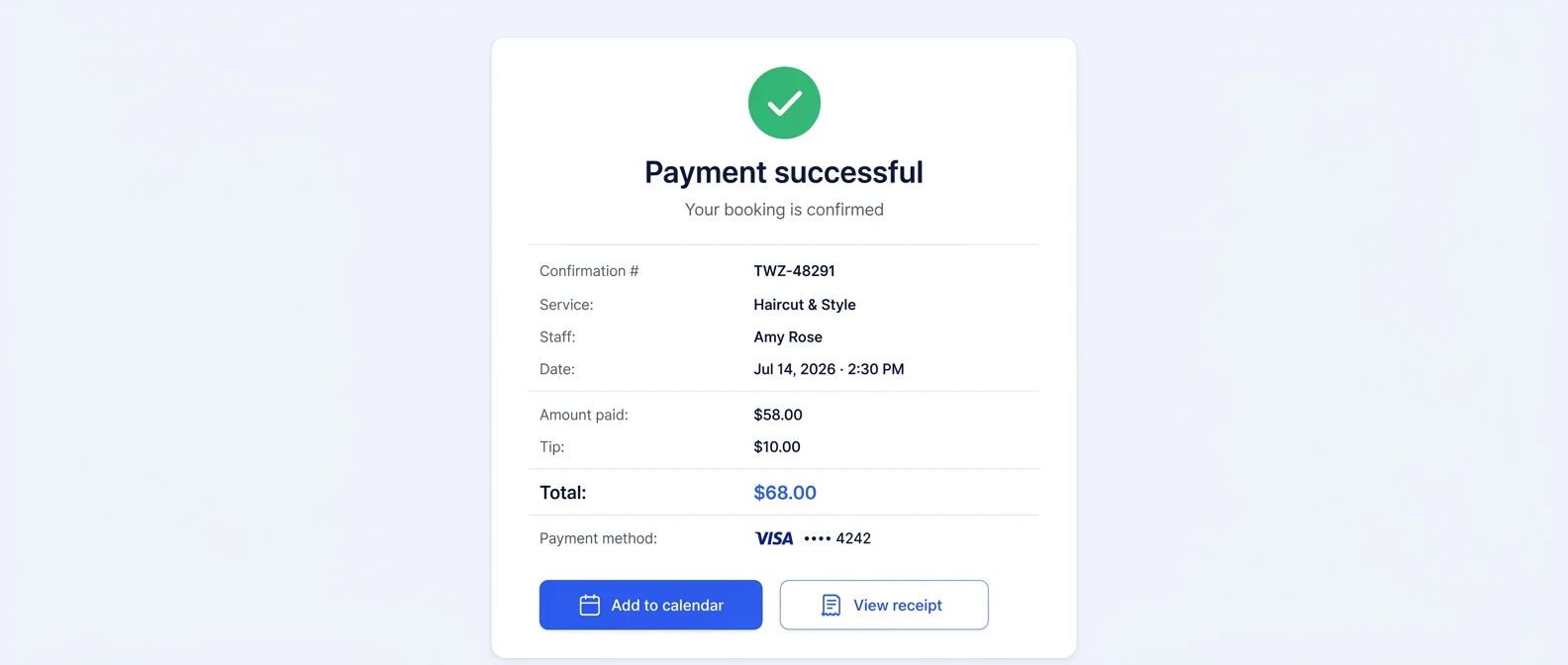
What online payments cost
On both plans, online payments carry your Stripe processing rate plus a 1.5% Twizzlo platform fee. See pricing and plan limits.
Payment features
- Collect online payments at booking (Stripe)
- Accept tips at checkout
- Prepaid bookings on any service
- Record manual payments
- No-show fees, applied at your discretion
Reports and business insights
See booking volume, revenue, new customers and customer satisfaction by day, week or month. Staff availability and utilization show where the schedule has room, next-hour insights show what is coming up right now, and forecasts help you plan ahead. With several locations, the numbers come together in one centralized view.
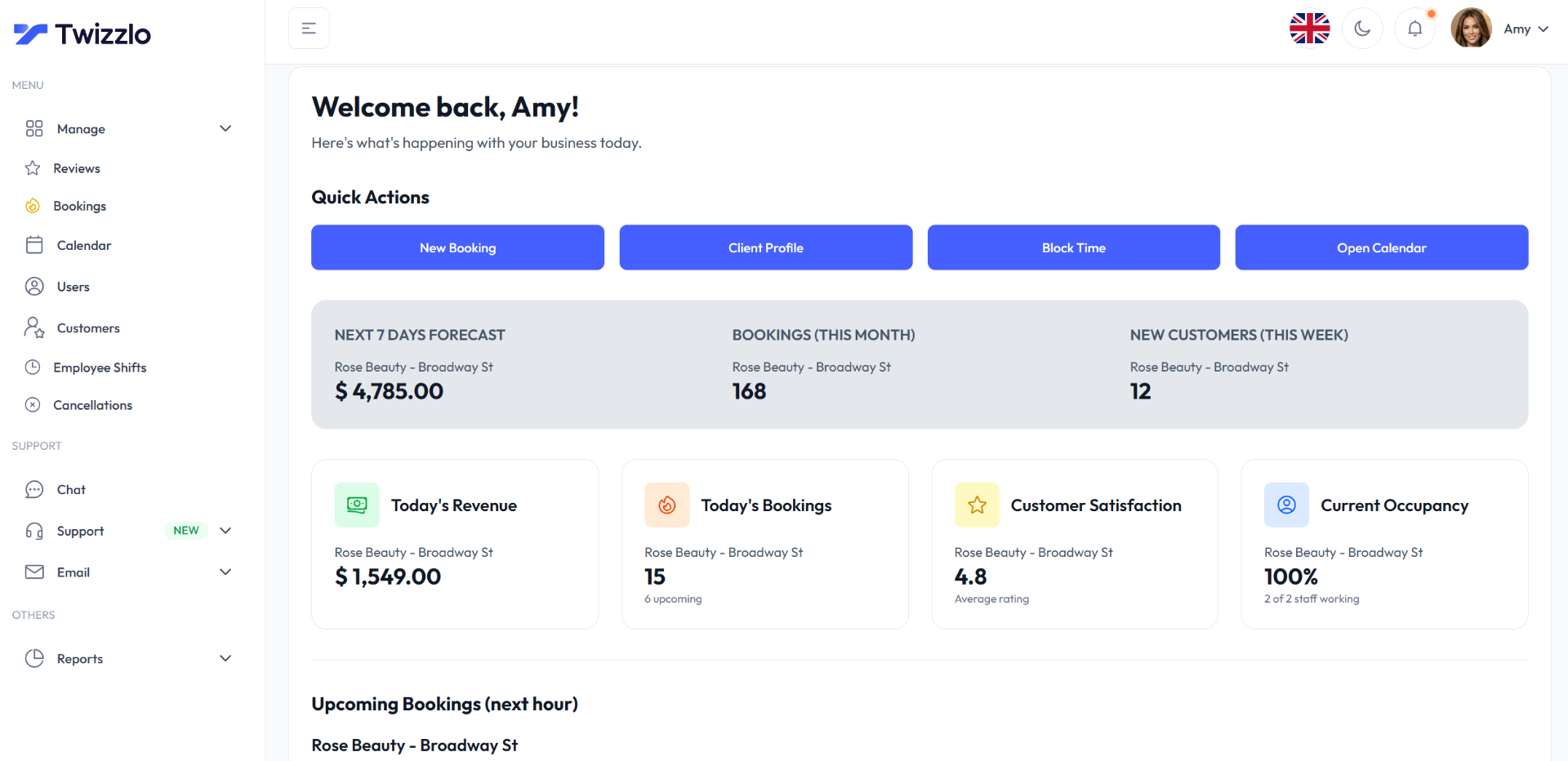
Reporting features
- Multi-location centralized insights
- Booking volume overview
- Revenue insights
- Next-hour insights
- Staff availability and utilization
- Daily, weekly, monthly views
- Actionable business metrics
- Customer satisfaction rating
- New customers tracking
- Forecasts
Multi-location management
Run one location or many from a single account. Each location gets its own booking link and working hours, while your services and pricing catalog, roles and permissions stay under central control. Locations are unlimited on both plans, and adding one never raises the Business Pro price.
One account, every location
- A booking link for each location
- Per-location working hours and multiple time zones
- Employee shifts that span locations
- Centralized insights for every branch
- Unlimited locations on Free and Business Pro
Multi-location and operations features
- Services & pricing catalog
- Per-location working hours
- Multi-location centralized control
- Custom booking rules
- Time-off and blackout dates
- Role-based access & permissions
- Multiple time zones supported
- Unlimited locations
Which plan includes what: Free vs Business Pro
Both plans include the core online booking, client management, staff, insights and online payment features on this page, with unlimited staff and locations. The differences are the monthly booking cap and SMS reminders.
| Feature | Free | Business Pro |
|---|---|---|
| Price | $0 a month, not a trial | $29.99 a month per business |
| Bookings each month | Up to 150 | Unlimited |
| 24/7 online booking page and email reminders | Included | Included |
| SMS reminders | Not included | 50 a month, then $0.03 each |
| Staff, locations and clients | Unlimited | Unlimited |
| Client CRM, staff schedules and insights | Included | Included |
| Online payments, prepaid bookings and tips | Included | Included |
| 30-day money-back guarantee | Not applicable | Included |
Online payments on either plan carry your Stripe processing rate plus a 1.5% Twizzlo platform fee. Staff and location counts never raise the Business Pro price.
How to set up online booking in Twizzlo
Start on the Free plan and work through four steps. You can add Business Pro later if you need unlimited bookings or SMS reminders.
Add your services and prices
Build your services and pricing catalog, set working hours for each location and add buffer times where you need them.
Add your team
Create staff profiles, assign services, and set each person's schedule, shifts and time off.
Connect payments if you want them
Connect Stripe to take online payments, prepaid bookings and tips when clients book.
Share your booking link
Make a test booking from your public link, check your plan and fees, then share the link with clients.
24/7 support
Email support@twizzlo.com any time; the average response is under 2 hours. For plans, switching or partnerships, email sales@twizzlo.com. More help is on the support page.
Data handling and privacy
Read how Twizzlo handles business and client information in our privacy policy and terms of service. Twizzlo is built for appointment-based service businesses. If you keep clinical or other regulated records, check that it fits your requirements before you add them.
Switching from another booking tool
Moving from another booking app? List the workflows your team relies on today, for example consent forms, recurring appointments or calendar sync, and check each one against the feature lists above. If you cannot find something, email sales@twizzlo.com and get an answer before you move your client list.
Comparing options? See how Twizzlo compares with other booking software, including Booksy, Fresha, Square Appointments and Vagaro.
Booking software by industry
Same features and the same two plans in every trade. See scheduling software for service businesses by industry, or go straight to yours:
Online booking and scheduling features: FAQ
How does the Twizzlo online booking page work?
Each business gets a 24/7 online booking page, and each location gets its own booking link. Clients choose a service and see real-time availability, so they can only book times you can take. Buffer times, custom booking rules and blackout dates control what they see, and clients can reschedule themselves.
Does Twizzlo send appointment reminders?
Yes. Twizzlo sends automated booking confirmations and appointment reminders by email on both plans. Business Pro adds SMS reminders, with 50 SMS included each month and $0.03 per additional SMS. The Free plan does not include SMS.
Can I schedule employee shifts across locations?
Yes. You can plan multi-location staff shifts and schedules, give each team member an individual schedule and the services they perform, and manage availability and time off. Role-based access controls what each person can see. Both plans include unlimited staff.
Can clients pay online when they book?
Yes. Twizzlo takes online payments at booking through Stripe, supports prepaid bookings on any service and lets clients add a tip at checkout. A prepaid booking is the full service price, and after a no-show you decide whether to keep or refund it. Staff can also record manual payments. Online payments carry your Stripe processing rate plus a 1.5% Twizzlo platform fee.
Does Twizzlo work for a business with several locations?
Yes. Free and Business Pro both include unlimited locations. Each location has its own booking link and working hours, staff shifts can cover more than one location, and insights are centralized across all of them. Adding a location never raises the Business Pro price.
Which features are on the Free plan?
Free is $0 a month, free forever and not a trial. For up to 150 bookings a month, it includes online booking, email confirmations and reminders, client management, staff scheduling, insights, and online payments and tips, with unlimited staff, locations and client records. It does not include SMS reminders, which require Business Pro.
Start taking online bookings for free
Use the Free plan for up to 150 bookings a month, then move to Business Pro for unlimited bookings and SMS reminders when you need them.
- Free plan, not a trial
- 30-day money-back guarantee on Business Pro
- 24/7 support