
Booking Confirmation Email Template: A Complete Guide [2026]

TL;DR: A booking confirmation email is the message that verifies an appointment was successfully scheduled. A solid booking confirmation email template should always include five essentials: the client and business names, appointment details (service, date, and time), the location, a cancellation policy link, and a contact method. Automated confirmation emails also earn 17% CTR, compared with 5% for traditional marketing emails.
A booking confirmation email template looks simple on the surface, but operationally it’s one of the hardest-working messages in the business. It tells the client the booking went through, gives them what they need to show up on time, and cuts off a surprising amount of avoidable back-and-forth before it ever reaches the front desk.
In practice, the strongest templates do five things every time: confirm who the booking is for, what was booked, when it happens, where it happens, and what to do if plans change. If even one of those is missing, staff usually pay for it later in follow-up calls, reschedule confusion, or preventable no-shows.
Why These Emails Are More Than Just a Confirmation
Most owners treat the confirmation email like a receipt. That’s too narrow. In an appointment business, this email is the first operational checkpoint after a client commits.
The reason is simple. Confirmation emails get attention. Automated booking confirmation emails achieve a 17% click-through rate, while traditional marketing emails sit at 5%, according to RoomMaster’s breakdown of booking confirmation email performance. The same source notes that clear, mobile-friendly confirmations reduce confusion and lower the volume of calls to the front desk.
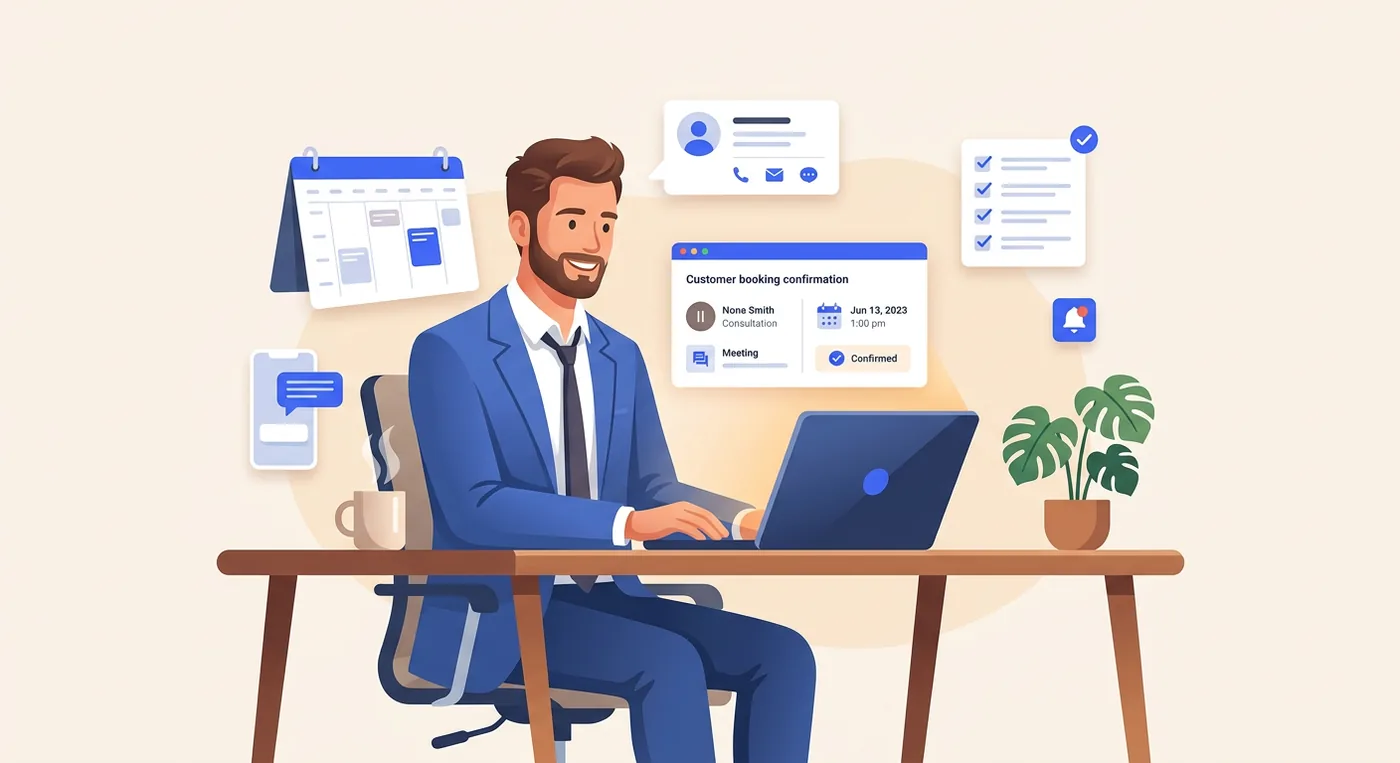
That changes how you should build the template. You’re not just acknowledging a transaction. You’re using a high-attention message to lock in attendance, answer predictable questions, and shape the next action.
Where the operational value shows up
When a salon guest books a color service, a weak confirmation says, “You’re booked for Friday at 2.” A strong one says what service was booked, how long to allow, which stylist they’re seeing, where to park, and how to cancel correctly. One creates confidence. The other creates calls.
A few practical wins show up over and over:
- Fewer “just checking” calls: Clients can see the date, time, and service without contacting staff.
- Better arrival quality: They know which location to visit, what to bring, and when to arrive.
- Cleaner schedule protection: The cancellation policy is presented early, not argued about later.
- Extra revenue opportunities: Add-ons feel relevant here because the client is already committed.
Practical rule: If the email doesn’t answer the five questions a nervous first-time client has, your staff will answer them manually.
This matters even more in multi-location businesses. If you run two salons, a fitness studio with multiple instructors, or a clinic across sites, the email becomes part of standardization. It keeps every client touchpoint consistent even when different team members, service types, and locations are involved.
Why generic templates fail
Generic confirmation emails usually miss context. They confirm that something happened, but not enough for the client to act on it. That’s where no-shows and friction start. A booking that feels “kind of confirmed” is not operationally secure.
That’s also why confirmations belong inside a broader attendance workflow. If you’re tightening that workflow end to end, this guide on how to reduce no-shows in a salon with practical scheduling changes is the right companion read.
The best operators build confirmations as part of a system. The email confirms the booking. The calendar link secures the slot in the client’s day. The policy link protects the business. The support path catches exceptions before they become schedule damage.
The Core Anatomy of a High-Performing Confirmation Email
A good booking confirmation email template isn’t about clever copy. It’s about removing uncertainty. Every section in the email should do one job clearly.
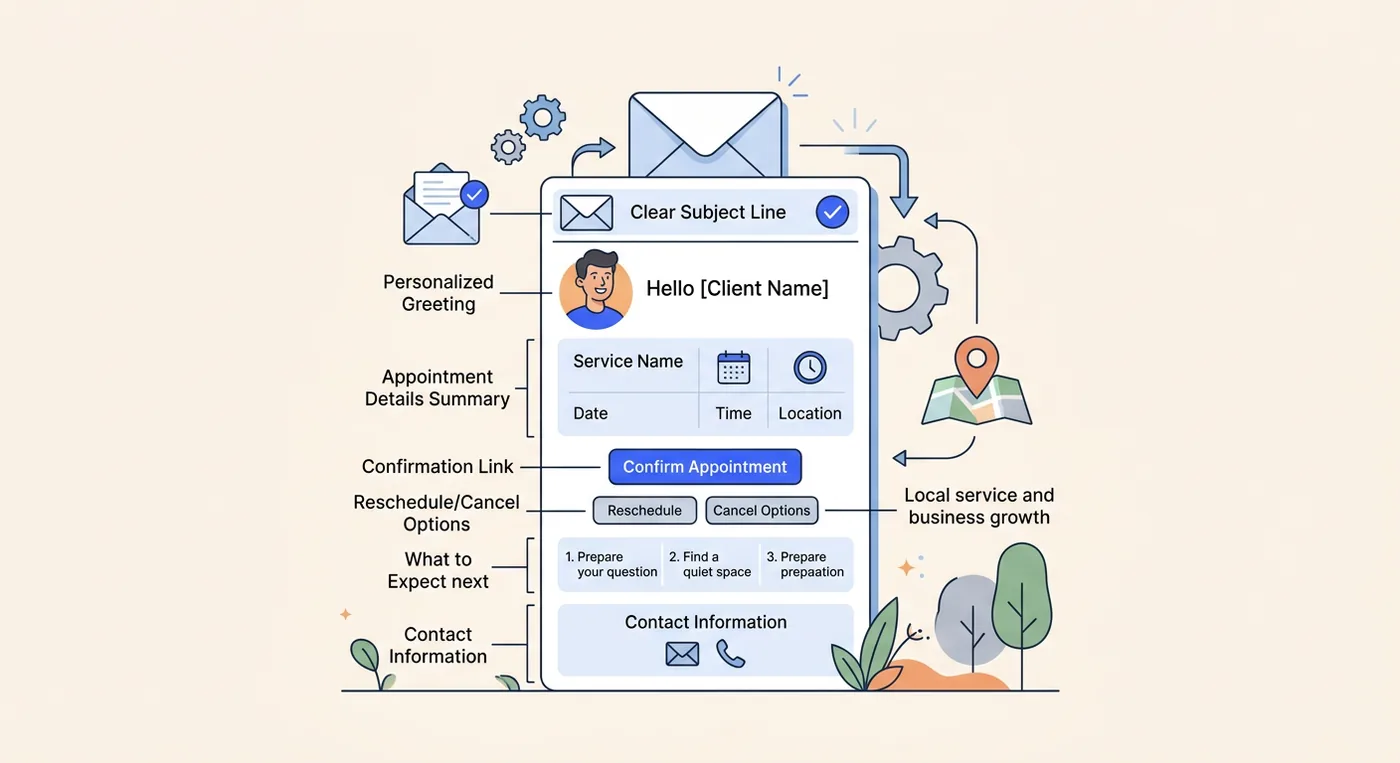
The five non-negotiable elements
These should appear in every template, whether you run a barbershop, spa, wellness clinic, or home service team.
-
Client and business names
Start by making it obvious who the booking belongs to and which business is hosting it. This sounds basic until you manage repeat clients who book across locations or family members who schedule on each other’s behalf. -
Appointment details
Include the service name, date, and start time. If the appointment has multiple services, list them in order. If a duration matters operationally, say so in plain language. -
Location or access details
A street address, room number, suite name, or virtual meeting link belongs in the main body, not buried in the footer. This is what prevents “I’m outside but I think I’m at the wrong place” calls. -
Cancellation policy link
Don’t paste a wall of policy text into the email. Link to the policy and summarize the key point in one line. If you need help setting the policy itself, this guide on how to structure a no-show charge without creating more friction is useful. -
Contact method
Give clients one clear way to reach you. Phone, reply-to email, or both. What matters is clarity. “Contact us if needed” is weaker than “Reply to this email or call the front desk.”
The sections that make the template work
The highest-performing confirmations usually follow this sequence:
| Email section | What it does | What problem it prevents |
|---|---|---|
| Subject line | Signals the email matters | Low open priority |
| Header | Reassures the booking is confirmed | Client uncertainty |
| Details block | States service, date, time, staff, location | Wrong-day and wrong-service confusion |
| Action links | Add to calendar, manage booking, contact support | Last-minute scrambling |
| Policy line | Sets expectations early | Cancellation disputes |
| Footer | Confirms legitimacy and support path | Trust gaps |
What to keep out
Too many operators overload this email because it gets opened. That instinct is understandable, but it usually backfires.
Keep these out of the core confirmation:
- Too many promotional blocks: One relevant add-on can work. A full sales newsletter turns a transactional message into clutter.
- Dense policy paragraphs: Clients skim. Summarize, then link.
- Visual noise: If the design pulls attention away from the date, time, and location, it’s doing the opposite of its job.
- Multiple competing buttons: “Add to calendar” and “Manage booking” are useful. Seven buttons are not.
The right template feels boring in the best way. A client reads it once and knows exactly what happens next.
A practical build order
If you’re creating a template from scratch, write it in this order:
- Start with the facts: name, service, date, time, location.
- Add the operational safeguard: policy summary and link.
- Add the convenience layer: calendar link and contact path.
- Finish with branding: logo, colors, and footer details.
That order keeps the message useful even if design changes later.
Copy-and-Paste Confirmation Templates for Your Industry
Templates work best when they match the type of appointment. A spa booking needs a different tone from a home service visit. The structure stays stable, but the emphasis changes.
Salon and spa template
A salon or spa confirmation should feel polished and calming, but it still needs to handle prep and policy clearly.
Subject: Your appointment at [Business Name] is confirmed for [Date]
Hi [Client First Name],
Your appointment is confirmed.
Booking details
Service: [Service Name]
Date: [Day, Date]
Time: [Time]
Team member: [Staff Name]
Location: [Business Address]
Please arrive a few minutes early so we can start on time. If you need to update or cancel your appointment, review our policy here: [Cancellation Policy Link].
Questions before your visit? Reply to this email or call us at [Phone Number].
We look forward to seeing you,
[Business Name]
Why this works: salon and spa clients often care about the experience before they arrive. The email should feel reassuring, but not vague. If prep matters, add a short line such as “Please arrive with product-free hair” or “Avoid shaving before your facial.”
Fitness and wellness template
Studios, trainers, and clinics need a more preparation-focused confirmation.
Subject: Your [Service] with [Business Name] is confirmed
Hi [Client First Name],
You’re booked for [Service Name] on [Day, Date] at [Time].
Location
[Address or studio room]
What to bring
[Yoga mat, water bottle, intake form, referral note, or other relevant item]
If you can’t attend, please use this link to manage your booking: [Manage Booking Link]
Policy details: [Cancellation Policy Link]
Need help before your appointment? Contact us at [Phone Number] or reply to this message.
See you soon,
[Business Name]
This version works because it answers the practical question clients ask themselves right after booking: “What do I need to do before I show up?”
Home services template
For mobile dog groomers, cleaners, repair visits, or in-home wellness services, logistics matter more than ambience.
Subject: Your service visit is confirmed for [Date]
Hi [Client First Name],
Thanks for booking with [Business Name]. Your appointment is confirmed.
Visit details
Service: [Service Name]
Date: [Day, Date]
Arrival window: [Time Window]
Address: [Service Address]
Please make sure we have access to the property at the scheduled time. If there are parking instructions, gate codes, or pets to secure, reply to this email before the visit.
To reschedule or cancel, use this link: [Manage Booking Link]
Policy: [Cancellation Policy Link]
Thanks,
[Business Name]
This template reduces the classic home-service problems: no access, bad arrival assumptions, and last-minute direction messages.
Consultant or coach template
Professional services need a more formal confirmation because the appointment often includes agenda-setting.
Subject: Your meeting with [Business Name] is confirmed
Hi [Client First Name],
Your appointment has been confirmed.
Session details
Service: [Consultation Type]
Date: [Day, Date]
Time: [Time]
Location: [Office Address or Meeting Link]
If there are documents, questions, or discussion points you’d like to share in advance, reply to this email before the session. If you need to make changes, please review our cancellation terms here: [Cancellation Policy Link].
Best,
[Business Name]
The useful shift here is tone. You’re setting expectations for a professional meeting, not just confirming a slot.
One template mistake to avoid
Don’t force every business into the same wording. A barbershop can be more direct. A wellness clinic may need prep instructions. A tutor may need materials listed. The strongest booking confirmation email template is always adapted to how the appointment unfolds.
If you also use SMS for time-sensitive follow-up, this guide to appointment confirmation text examples for service businesses pairs well with your email workflow.
Shorter isn’t always better. Clearer is better.
Crafting the Perfect Subject Line and Preheader
The body copy can be excellent and still fail if the subject line is lazy. That’s the first sorting decision in the inbox.
According to Medesk’s summary of HubSpot appointment confirmation data, 35% of recipients prioritize the subject line when assessing an email’s importance. The same source advises keeping the subject line clear and reflective of the message content.
What a strong subject line includes
For confirmations, the formula is simple:
[Your appointment or service] + [business name] + [date or status]
That tells the recipient what the message is, who it’s from, and why it matters. No guesswork.
Weak subject lines create friction because clients have to open the message to understand whether it’s important. Many won’t.
| Weak subject line | Strong subject line |
|---|---|
| Your appointment | Your haircut at North Studio is confirmed for Thursday |
| Booking update | Your massage at Oak Wellness is confirmed |
| Details inside | Your consultation with Smith Advisory is confirmed for 3 PM |
| Reservation | Your dog grooming visit is confirmed for Tuesday morning |
Preheader text should do the second job
The subject line gets the open. The preheader should reduce anxiety and reinforce usefulness.
Good preheaders often mention one of these:
- The essential detail: date, time, or location
- The next action: add to calendar or manage booking
- The practical reassurance: reply if you need to reschedule
A few useful combinations:
-
Subject: Your haircut at North Studio is confirmed for Thursday
Preheader: View your time, stylist, location, and cancellation link -
Subject: Your service visit is confirmed for Friday
Preheader: Review your arrival window and update access details if needed
For a broader writing checklist, Natural Write’s guide to Email Subject Line Best Practices is worth keeping open while you draft.
What not to do
A few mistakes show up constantly in appointment businesses:
- Using vague labels: “Confirmation” tells the client almost nothing.
- Leaving out the business name: This hurts recognition, especially if the client books across several providers.
- Sounding promotional: “Great news inside” reads like marketing, not a transactional message.
- Stuffing too much in: If the subject line becomes hard to scan on mobile, it loses its value.
If your team is revising client emails more broadly, Twizzlo’s library of client communication best practices for appointment businesses is a helpful reference point.
A quick walkthrough helps when you’re reviewing drafts with staff:
Advanced Tactics for Deliverability and Personalization
As such, a decent template becomes a reliable system. Good copy only matters if the email lands in the inbox and pulls the right booking data every time.
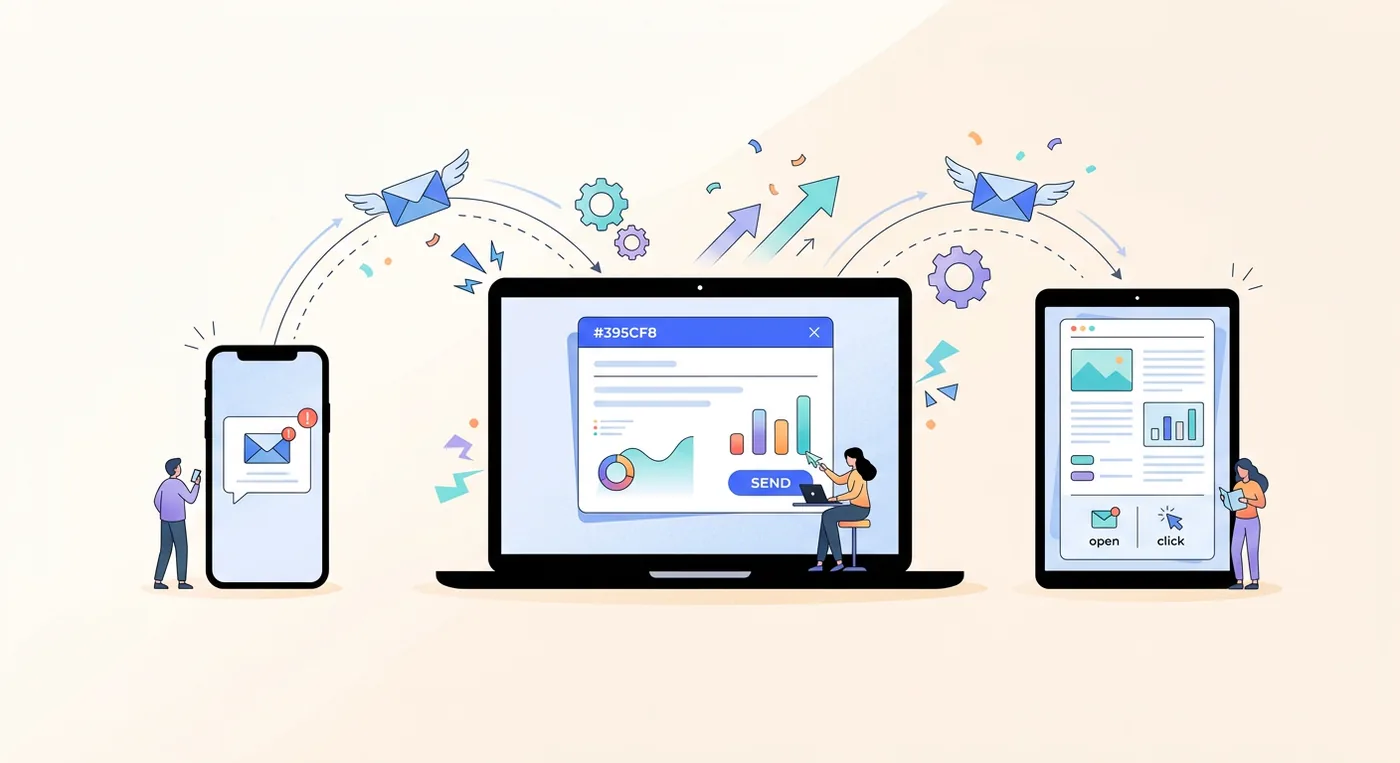
For deliverability, templates should use responsive frameworks like MJML and be authenticated with SPF, DKIM, and DMARC so confirmations reliably reach the inbox instead of the spam folder. Merge tags like {{client.name}} and {{appointment.start}} pull live booking data into each message instead of relying on manual edits.
Personalization that actually helps
Personalization isn’t adding “Hi Sarah” and calling it a day. Useful personalization fills in details that reduce mistakes.
The merge fields that matter most are usually:
- Client identity:
{{client.name}} - Appointment timing:
{{appointment.start}} - Service name:
{{service.name}} - Team member:
{{staff.member}} - Location details: location name, address, or room
- Booking management link: a direct route to reschedule or cancel
This works like a mail merge, but with operational data pulled directly from your scheduling system. That matters because manual edits create mismatches. A wrong service name or wrong location in a confirmation email creates more damage than no email at all.
The safest template is the one staff don’t have to touch after the booking is made.
Deliverability mistakes that hurt service businesses
Most appointment businesses don’t have a copy problem. They have a setup problem.
Watch for these issues:
- Image-heavy layouts: If the message looks like a promotional campaign, deliverability often suffers.
- Missing plain-text fallback: Some inboxes render stripped-down versions. The key details still need to survive.
- Weak mobile formatting: Clients often open confirmations on phones, often while moving.
- Reply-to confusion: If the client hits reply and no one sees it, the system breaks at the exact moment it should help.
Why this matters more at multiple locations
The larger the operation, the more expensive inconsistency becomes. A single-location barber may catch an error fast. A three-location salon group won’t always catch it before the client shows up at the wrong site.
That’s where integrated scheduling platforms become operationally useful. They can pull staff, location, and client data into one confirmation workflow instead of leaving the team to piece details together from separate tools.
How to send booking confirmation emails automatically
Manual confirmations break down the moment volume picks up. The reliable setup is to let your scheduling system trigger the email the instant a booking is created, from any source: online booking, a front-desk entry, or a rebooking at checkout. The template pulls the client, service, staff member, time, and location through merge fields, so nobody retypes details and nothing drifts out of sync.
Two rules keep the automation trustworthy. First, every change to the appointment should regenerate the confirmation, so the client’s newest email always matches the calendar. Second, the same system should own confirmations and reminders together, so the sequence stays consistent from booking to arrival.
Key Metrics to Track for Confirmation Email Success
It’s common to stop at “it sent.” That’s not enough. A confirmation email should be measured against the operational result it’s supposed to produce.
Three metrics tell you most of what you need to know.
Open rate
This answers one question: did the client likely see the information? If opens are weak, review your subject line first. That’s usually the bottleneck, not the body copy.
Click-through rate
This tells you whether clients are taking the next useful action. For confirmations, the meaningful clicks are usually:
- Add to calendar
- Manage booking
- Policy review
- Location or meeting access link
If you want a broader framework for evaluating email performance beyond confirmations, Clepher’s overview of essential email marketing KPIs is a practical reference.
Operational outcome
This is the true scorecard. Did fewer clients arrive confused? Did fewer people miss appointments? Did staff spend less time answering basic scheduling questions?
Those results usually show up in booking data and reporting tools, not in the email platform alone. If you’re reviewing this by location, service type, or staff member, a centralized dashboard like sales reports software for appointment businesses makes those patterns easier to spot.
If the email gets opened but clients still miss appointments, the problem usually isn’t reach. It’s clarity.
Frequently Asked Questions About Booking Confirmations
Should I send a new confirmation after a reschedule
Yes. Send a fresh confirmation immediately with the updated date, time, location, and policy link. Don’t rely on the original email plus a short follow-up note.
How do I confirm multi-service bookings
List each service in the order it will happen. If different staff members are involved, name them clearly so the client knows what to expect.
Should I include an add-to-calendar link
Yes, if your system supports it cleanly. It’s one of the easiest ways to move the appointment from inbox memory to calendar commitment.
What’s the best contact option in the email
Use the channel your team monitors. A reply-to inbox nobody checks creates more problems than it solves.
How do I write a booking confirmation email
Start with the facts: client name, service, date, time, and location. Add a one-line policy summary with a link to the full policy, then one clear contact path, and finish with branding. If it covers the five essentials and a client can act on it without calling, it is done.
When should a booking confirmation email be sent
Immediately after the booking is made, and automatically. Any delay creates doubt about whether the booking went through, and doubt turns into calls to the front desk. If the appointment changes later, send a fresh confirmation with the updated details rather than a short follow-up note.
Is a booking confirmation email the same as an appointment reminder
No. The confirmation goes out once, right after booking, and verifies the details. Appointment reminders go out closer to the appointment to protect attendance. They work best as a pair: the confirmation sets the record, the reminder defends the slot.
If you’re running an appointment-based business and want your confirmations tied directly to bookings, staff schedules, client records, and reporting, Twizzlo is worth a look. It brings scheduling, client management, and operational visibility into one system, which makes a booking confirmation email template far easier to automate and maintain as you grow.
Frequently asked questions
Should I send a new confirmation after a reschedule+
Yes. Send a fresh confirmation immediately with the updated date, time, location, and policy link. Don’t rely on the original email plus a short follow-up note.
How do I confirm multi-service bookings+
List each service in the order it will happen. If different staff members are involved, name them clearly so the client knows what to expect.
Should I include an add-to-calendar link+
Yes, if your system supports it cleanly. It’s one of the easiest ways to move the appointment from inbox memory to calendar commitment.
What’s the best contact option in the email+
Use the channel your team monitors. A reply-to inbox nobody checks creates more problems than it solves. If you’re running an appointment-based business and want your confirmations tied directly to bookings, staff schedules, client records, and reporting, Twizzlo is worth a look. It brings scheduling, client management, and operational visibility into one system, which makes a booking confirmation email template far easier to automate and maintain as you grow.
Try Twizzlo free
Flat-rate booking software. No per-seat, per-chair or per-location fees.