
Tattoo Deposits: 2026 Online Setup Guide

In short
A tattoo deposit is money a client pays when booking to reserve an artist's time and the design work before the session. Each studio sets its own rules for tattoo deposits: published policies differ on the amount, whether it counts toward the final price, the notice needed to move a date and when the studio keeps it.
- Settle four terms before a client pays: the amount, whether it comes off the bill, the notice to reschedule and what forfeits it.
- Studios publish different amounts, notice periods and reschedule limits, so copy the structure of a policy, not another studio's numbers.
- Match every deposit to its client, appointment, receipt and policy version, so a reschedule, a refund or a dispute starts from the right record.
In this article10 sections
What does a tattoo deposit mean?
A tattoo deposit is a payment taken before the session that holds an appointment with an artist, and it is not the full price of the tattoo. Record the agreed amount, appointment and policy version on the receipt. A deposit does not guarantee attendance, profit or enforceability; it is one part of the booking agreement.
For the client, the deposit holds the slot and covers design work that starts before the session, so the written policy should reach the client before any money changes hands.
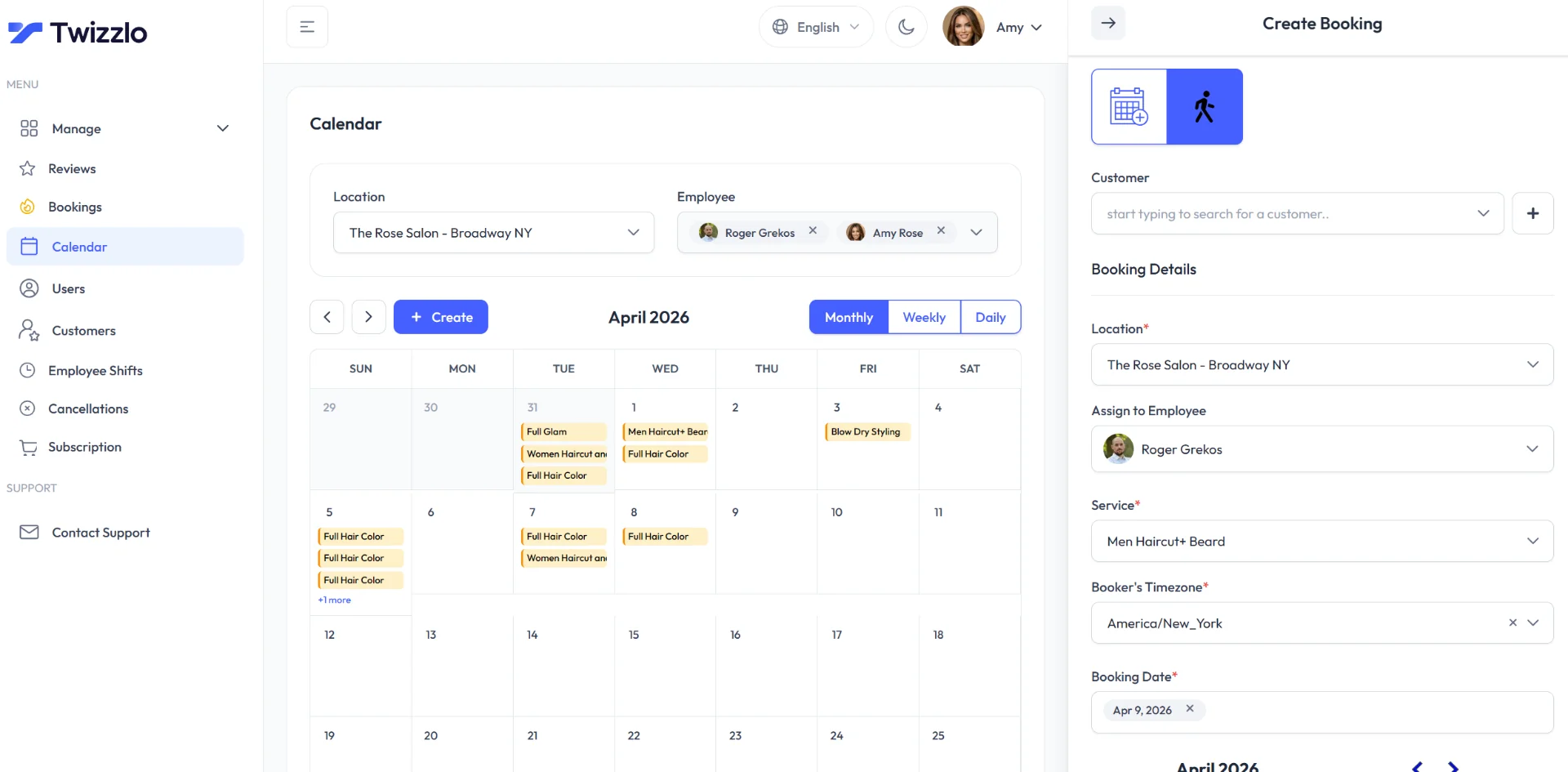
The appointment itself, with its date, artist and session length, lives in your tattoo booking software; the deposit policy decides what the client pays to hold it and when that money is kept.
What studios publish in their deposit policies
Six tattoo studios’ own deposit policies, read on September 27, 2026, agree that a deposit holds a booked appointment but differ on nearly every term: how much it is, whether it is credited to the final bill, how much notice moves a date, how often a date can move and what forfeits it.
| Studio | Amount, as published | Counts toward the price | Notice and limits to move the date | Main cases where the studio keeps it | If the studio or artist cancels |
|---|---|---|---|---|---|
| Brilliance Tattoo | One hour of the artist’s rate ($120 to $250 an hour); its intro also cites amounts from $60 | Toward the last session of a multi-session piece | 48 hours; kept after three reschedules | Non-refundable; kept on a no-show, a change with under 48 hours’ notice, more than 20 minutes late, no new date within 30 days or no ID | Not stated |
| Reef Side Tattoo | $225 on a $500 half day (four hours), $280 on a $1,000 full day (eight hours); walk-ins $0 | Yes | 24 hours to cancel (“24 notice” on the page); three moves in six months at most | No call and no show, a late cancellation, more than 30 minutes late without calling | The artist moves the date and honors the deposit |
| Twisted Tattoo | Not stated | Yes | 48 hours; usable for six months | Non-refundable; kept on a change with under 48 hours’ notice, no valid ID or late arrival | Not stated |
| Solana Tattoo | Example: $100 on a $300 tattoo; none for walk-ins | Yes | Not stated | “Always nonrefundable,” with “no exceptions” | Not stated |
| The Barracks Tattoo Studio | Not stated | Not stated | 72 hours; one move only | “All deposits are non-refundable” | Not stated |
| Expressive Ink | $50 per tattoo ($55.45 with tax and card fee); a $100 option too | Not stated | Not stated | Not stated | Not stated |
Source: each studio’s own website, read September 27, 2026 (Solana Tattoo’s post is dated August 16, 2023). Real policies, not a survey, an industry standard or legal advice.
Across these six pages:
- Four credit the deposit toward the price.
- Four set a notice period of 24 to 72 hours to move or cancel.
- Four call the deposit non-refundable; three of them still let it move to a new date with notice.
- Three limit how often a date can move.
- Only one, Reef Side Tattoo, says what happens when the artist cancels.
How studios set the deposit amount
There is no standard answer to how much a tattoo deposit should be. Of the six policies in Table 1, read September 27, 2026, the three that set a rule for the amount each use a different basis: a fixed amount per tattoo (Expressive Ink, $50), one hour of the artist’s rate (Brilliance Tattoo) or the length of the session (Reef Side Tattoo, $225 on a $500 half day and $280 on a $1,000 full day).
A fixed amount is the simplest to explain for flash and short pieces; an hourly or per-session amount grows with long custom work and the time the artist blocks out.
Choose an amount based on the reservation and preparation decision and explain it before payment. State what happens when the artist cancels, the design changes, or a client requests a move after the deadline. Obtain local advice on the terms and accounting treatment rather than copying a universal percentage, forfeiture rule or tax statement.
Copy a tattoo deposit policy draft
Copy this tattoo deposit policy draft, fill in each bracket and have it reviewed where you work before any client pays.
- Deposit amount and due date: [amount, currency, deadline].
- Application: [whether and how the amount is credited toward the tattoo].
- Rescheduling request: contact [channel] by [notice deadline and time zone].
- Reschedule limit: [how many times a date can move, and within what period].
- How long the deposit stays valid: [period after which an unused deposit is forfeited or refunded].
- Client cancellation or missed appointment: [reviewed outcome and any exceptions].
- Studio or artist cancellation: [rescheduling and refund process].
- Design or scope changes: [how a revised quote is approved].
- Receipt and questions: [contact and expected reply time].
- Acknowledgment: I received policy version [date] before paying.
Complete and review the bracketed terms before use. Do not label every payment “non-refundable” by default.
Put the policy version on your booking or deposit form, so the acknowledgment line always points to the text the client saw.
How studios collect tattoo deposits online
Studios can collect tattoo deposits online in the four ways below, and each one needs a check that the payment matches the right client and appointment.
If the table is wider than your screen, scroll sideways to see every column.
| Method | What to check | Manual control needed |
|---|---|---|
| Payment app transfer | Business-use terms, receipt detail, refunds and reconciliation | Match the payment to the correct client and appointment |
| Hosted payment link | Amount, description, receipt and expiry rules | Confirm payment before recording the booking status |
| Booking-system payment | Whether the exact workflow is a partial deposit, full prepayment or card hold | Test reschedule, cancellation, refund and remaining-balance handling |
| Separate approved payment and calendar tools | Who updates each record and when | Reconcile daily and prevent duplicate collection |
A payment app can create a transaction record; the issue is whether that record connects reliably to the appointment.
For the booking steps around the payment, see our guide to setting up a tattoo deposit booking system; if the deposit tool is part of a wider software choice, start with our tattoo shop management software guide.
Deposit settings in three booking tools, and Twizzlo’s prepaid bookings
Square Appointments, Venue Ink and Vagaro each list a deposit setting, and each charges for it in a different way; a Twizzlo prepaid booking instead charges the full service price when the client books.
| Tool | What the client pays at booking | What the studio pays for the tool | Card fee on that payment | Source, read date |
|---|---|---|---|---|
| Square Appointments | A deposit the studio sets (“Appointment deposits” is checked on Square Free, Plus and Premium) | Free $0, Plus $49, Premium $149 a month per location | Online: 3.3% plus 30 cents (Free); 2.9% plus 30 cents (Plus, Premium) | Square Appointments pricing page (US), read September 25, 2026 (prices and card rates) and September 27, 2026 (deposit row) |
| Venue Ink | A deposit or payment plus a card fee, charged to the client by default | Solo and Studio $0; Solo Pro $50; Studio Pro $150 a month | 10% on the free plans, 5% on Pro; $2.50 minimum on a deposit under $25 | Venue Ink pricing page, read September 25, 2026 |
| Vagaro | A deposit or cancellation fee, through the Online Shopping Cart add-on | $10 a month for the add-on (US), on top of a subscription | Not listed for online booking payments (the US rate table covers card-present, keyed-in and tap-to-phone payments) | Vagaro help center, read September 25, 2026 (rate table read September 27, 2026) |
| Twizzlo | The full service price, as a prepaid booking | Free $0 (up to 150 bookings a month); Business Pro $29.99 a month per business | Your Stripe processing rate plus a 1.5% Twizzlo platform fee | Twizzlo pricing page, read September 27, 2026 |
Venue Ink’s pricing page gives its own example: “if you take a $50 deposit, your client will pay $55” (read September 25, 2026).
If you want clients to pay only part of the price at booking, a tool with a deposit setting fits better. Square’s pricing page, read September 27, 2026, lists appointment deposits on Square Free, Plus and Premium, and Venue Ink’s free plans take deposits with no subscription, passing a 10% card fee to the client by default (read September 25, 2026). See how Square fits tattoo work in our guide to Square Appointments for tattoo artists.
To compare whole tools rather than one setting, see our guide to the best tattoo booking software; for card fees and payouts, read our payment processing guide.
Check the complete payment trail
Before confirming the appointment, check the client, appointment, amount, receipt and policy acknowledgment match. Before moving it, record whether the payment moves with it. Before refunding or charging again, check the original payment record. Assign a person to handle exceptions and disputes; do not infer that software resolves them automatically.
Solana Tattoo’s own example, a $100 deposit on a tattoo that ends up costing $300, shows what the trail must record when a booking goes each way.
| Outcome | What happens to the $100 under one published policy | What your record must show |
|---|---|---|
| Session completed | Credited; the client pays the $200 balance (Solana Tattoo) | Receipt for $100, $200 balance, $300 total, policy version |
| Client moves the date with notice | Moves to the new date (Twisted Tattoo, with 48 hours’ notice) | Old and new dates, request time, same payment reference |
| Client cancels late or does not show | Kept (Solana Tattoo); Brilliance Tattoo also charges a no-show fee of one hour’s rate | Policy version the client accepted, missed date, who decided |
| Artist or studio cancels | Moves to a new date (Reef Side Tattoo) | Who cancelled, new date or refund, the client’s choice |
| Design changes substantially | A new deposit; the first pays for drawing time (Brilliance Tattoo) | Approved revised quote, second payment reference |
Dollar figures from Solana Tattoo’s post (dated August 16, 2023); outcomes from the studio policies in Table 1, read September 27, 2026. Your own policy decides each outcome.
Twizzlo plans and prepaid bookings
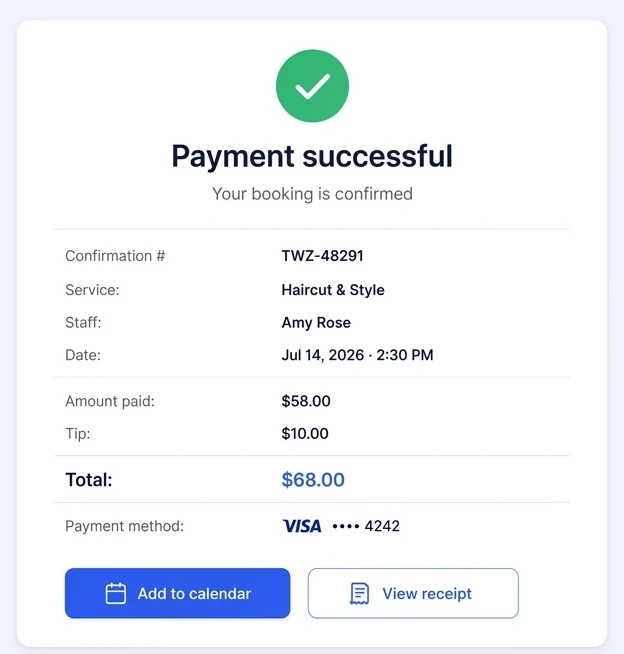
With Twizzlo, a prepaid booking charges the full service price when the client books, so the session is paid before the client walks in. If a client skips the appointment, your studio decides whether to keep or refund that payment. Twizzlo’s no-show fee setting works the same way: your studio decides when it applies.
| Plan | Price | Bookings | SMS |
|---|---|---|---|
| Free | $0 a month, free forever, not a trial | Up to 150 a month | None |
| Business Pro | $29.99 a month per business, with a 30-day money-back guarantee | Unlimited | 50 a month included, then $0.03 each |
Source: Twizzlo pricing page, read September 27, 2026.
Both plans include unlimited staff and locations. Online payments carry your Stripe processing rate plus a 1.5% Twizzlo platform fee.
See how the booking side works for tattoo studios on our tattoo appointment scheduling software page.
Frequently asked questions
What percentage should a tattoo deposit be?
There is no standard percentage. Of the six studio policies we read on September 27, 2026, none sets one: Brilliance Tattoo asks for one hour of the artist’s rate, Expressive Ink sells a $50 deposit per tattoo, and Solana Tattoo’s example is $100 on a $300 tattoo. Choose an amount you can explain and have the policy reviewed where you work.
Is a tattoo deposit always non-refundable?
It depends on the studio’s written policy. Four of the six studio policies we read on September 27, 2026, call the deposit non-refundable, yet three of those four let it move to a new date with notice: Twisted Tattoo asks for 48 hours, and The Barracks Tattoo Studio allows one move with 72 hours’ notice. Write your notice, reschedule and studio-cancellation terms before taking payment.
Does Twizzlo automatically keep a deposit after a no-show?
No. Your studio decides. A Twizzlo prepaid booking charges the full service price when the client books, and if the client does not show, your studio chooses whether to keep or refund that payment. The no-show fee setting works the same way: your studio decides when it applies.
Does a tattoo deposit go toward the price of the tattoo?
Yes, at four of the six studios whose policies we read on September 27, 2026, the deposit counts toward the final price; Brilliance Tattoo, one of them, holds it for the last session of a multi-session piece. In Solana Tattoo’s example (read September 27, 2026), a $100 deposit on a tattoo that ends up costing $300 leaves $200 to pay. State in your policy whether and when you apply it.
Is it normal to pay a deposit for a tattoo?
Yes, for booked appointments. All six studio policies we read on September 27, 2026, take a deposit for scheduled work, while Solana Tattoo and Reef Side Tattoo say walk-in tattoos need none. The deposit reserves the artist’s time and design work, so the client should see the policy in writing before paying.
What happens to a tattoo deposit if the artist cancels?
It depends on the studio’s written policy, and five of the six studio policies we read on September 27, 2026, do not say. Reef Side Tattoo, the one that does, has the artist honor the deposit by moving the appointment date. Say in your own policy whether the client can choose a new date or a refund when you cancel.
Sources and methodology
Prices read
- Brilliance Tattoo: Deposit and Billing Policy (opens in a new tab)Read . Supports: its row in Table 1, the one-hour-of-the-artist's-rate amount basis, the no-show fee and new-deposit outcomes in Table 4, and FAQs 1, 2 and 4
- Reef Side Tattoo and Piercing: Deposit Policy (opens in a new tab)Read . Supports: its row in Table 1, the session-length amount basis, the artist-cancels term (Table 4 and FAQ 6) and no deposit for walk-ins (FAQ 5)
- Twisted Tattoo: Deposit Agreement (opens in a new tab)Read . Supports: its row in Table 1, the move-with-notice outcome in Table 4 and FAQ 2
- Solana Tattoo: Everything You Need to Know About a Tattoo Deposit (post dated August 16, 2023) (opens in a new tab)Read . Supports: its row in Table 1, the $100 deposit on a $300 tattoo example (Table 4, FAQs 1 and 4) and no deposit for walk-ins (FAQ 5)
- The Barracks Tattoo Studio: Why Do Tattoo Artists Take Deposits? (opens in a new tab)Read . Supports: its row in Table 1 (72 hours' notice, one move, non-refundable) and FAQ 2
- Expressive Ink: $50 Deposit/Tattoo (studio web-shop item) (opens in a new tab)Read . Supports: its row in Table 1, the fixed-amount basis and FAQ 1
- Square Appointments pricing page (US) (opens in a new tab)Read . Supports: the Appointment deposits row of the feature grid (Table 3 and the better-fit line), read September 27, 2026, and the plan prices and online card rates in Table 3 as read on September 25, 2026, and unchanged on September 27, 2026
- Venue Ink pricing page (opens in a new tab)Read . Supports: Venue Ink plan prices, card fees charged to clients by default, the $2.50 minimum and the $50 to $55 example (Table 3); re-read September 27, 2026, with no change
- Vagaro help center: Vagaro Plans, Pricing, and Premium Features (opens in a new tab)Read . Supports: the Online Shopping Cart add-on for deposits and cancellation fees, $10 a month in the US (Table 3); re-read September 27, 2026, when the US card-rate table was also read: it lists no rate for online booking payments
- Twizzlo pricing page (opens in a new tab)Read . Supports: Twizzlo plan prices, booking limits, SMS allowance and online payment fees (Tables 3 and 5)
- Twizzlo features page (opens in a new tab)Read . Supports: prepaid bookings at the full service price, the keep-or-refund choice and no-show fees at the studio's discretion, and the payment confirmation screen in Figure 1
From our editorial policy
- Twizzlo sells online booking and appointment scheduling software, the same category we write about. Twizzlo appears in our comparisons and roundups, and we have a commercial interest in you choosing it.
- Our templates, such as consent forms, contracts and confirmation messages, are text to copy and adapt to your business. They are not legal advice. Have a qualified local professional review anything you rely on.
- We do not publish invented quotes, studies, statistics, customer stories or product tests, and we do not imply hands-on use of a product when the research came from the vendor's public documentation.
- To report an error, email support@twizzlo.com with the subject line "Correction: [page URL]". Tell us what is wrong and, if you can, link a source.
Update history
- : Added a definition, six studios' published deposit terms, deposit settings in three booking tools next to Twizzlo's prepaid bookings, a worked payment example with five outcomes and three FAQs. Rewrote the Twizzlo plans section under a new heading.
Start free, upgrade when you grow
Flat-rate booking software. No per-seat, per-chair or per-location fees.
- Free plan up to 150 bookings a month, not a trial
- Business Pro is $29.99 a month per business for unlimited bookings, with a 30-day money-back guarantee
- 24/7 support by email